







Question: HOMEWORK INSTRUCTIONS AND QUESTIONS Programming Language used: OCaml Answers needed to files slicendice.ml and tables.ml - given below slicendice.ml file Tables.ml file Background: Command Line
HOMEWORK INSTRUCTIONS AND QUESTIONS
Programming Language used: OCaml
Answers needed to files slicendice.ml and tables.ml - given below
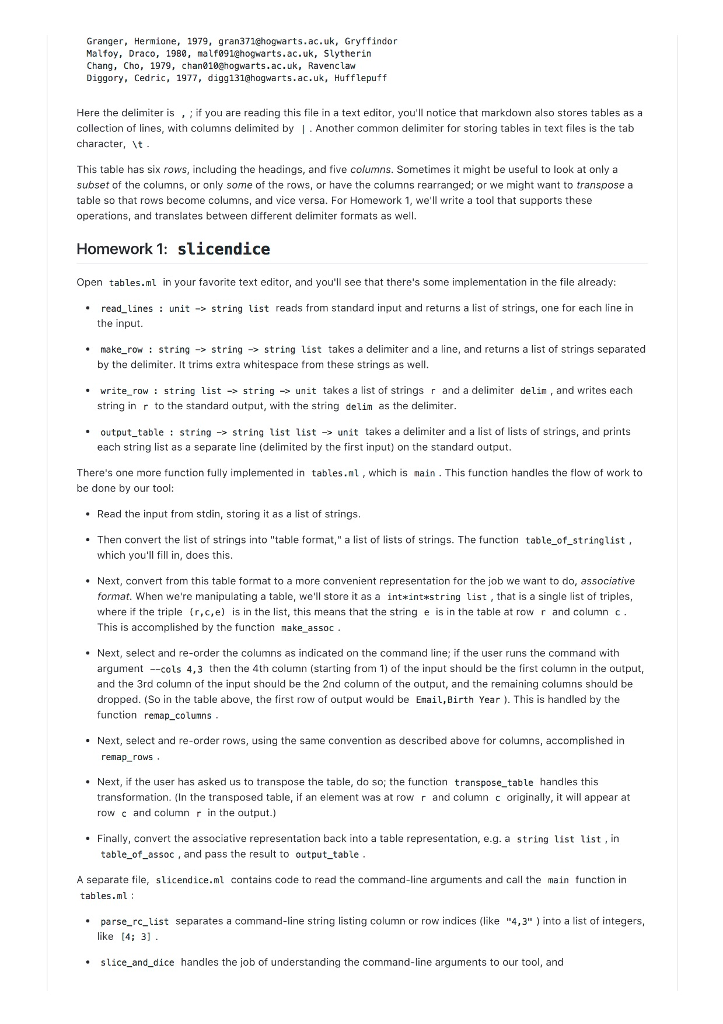
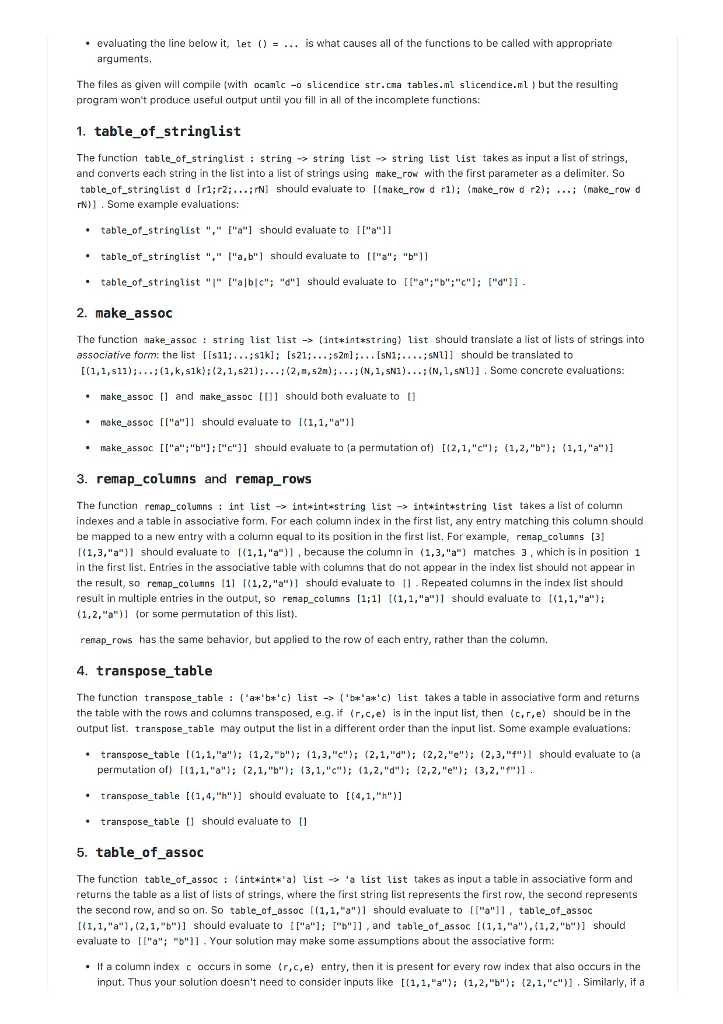
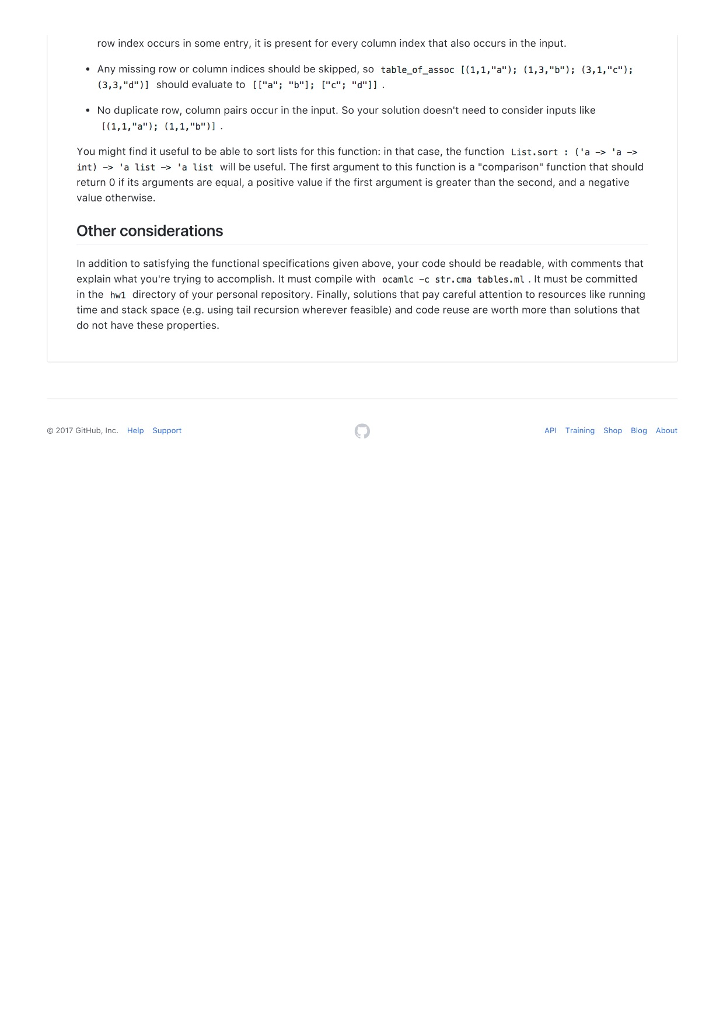
slicendice.ml file
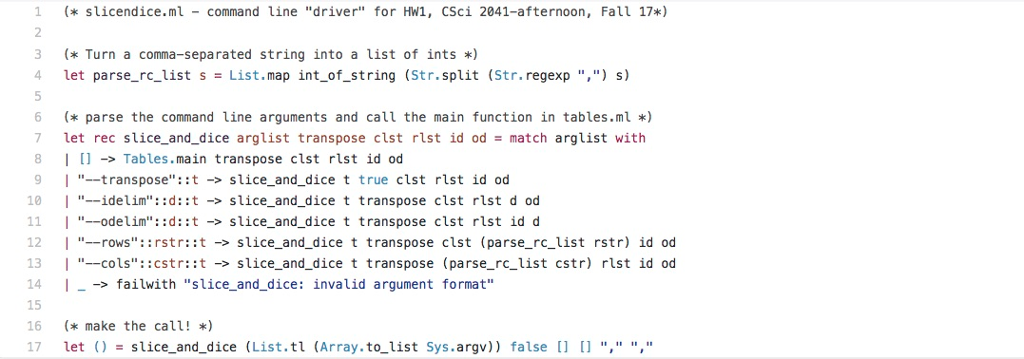
Tables.ml file
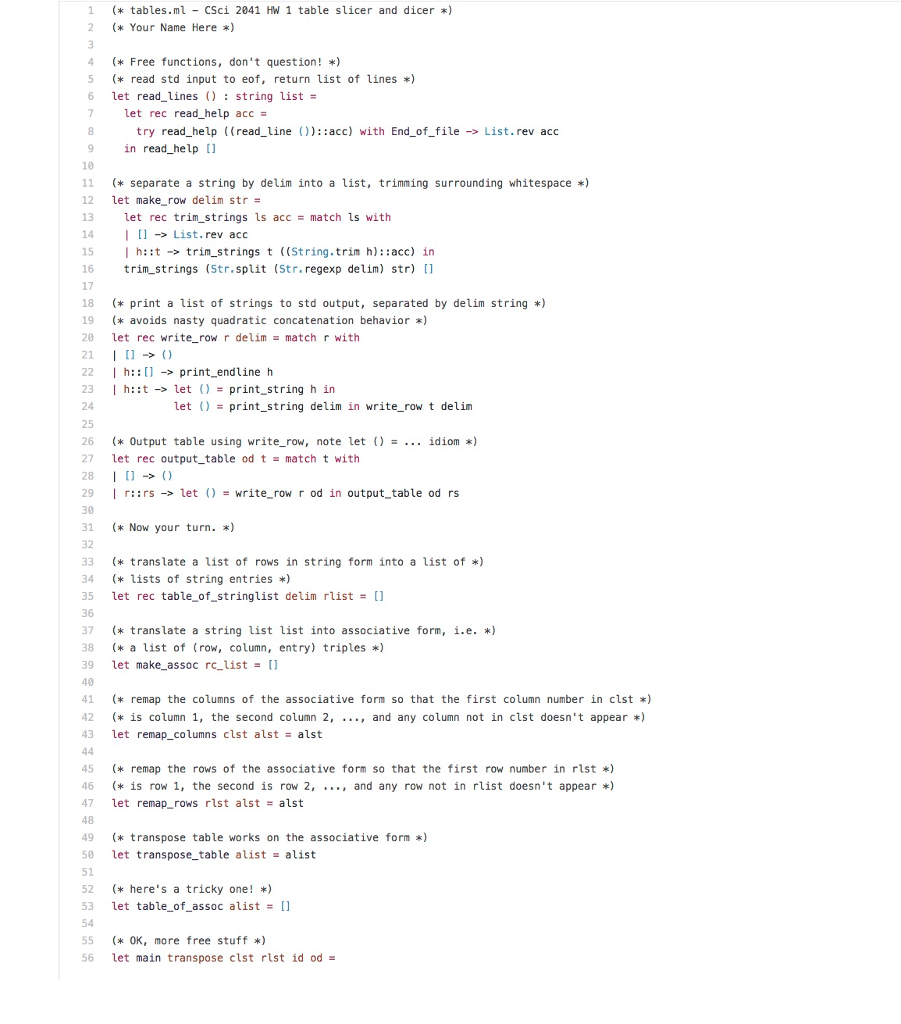
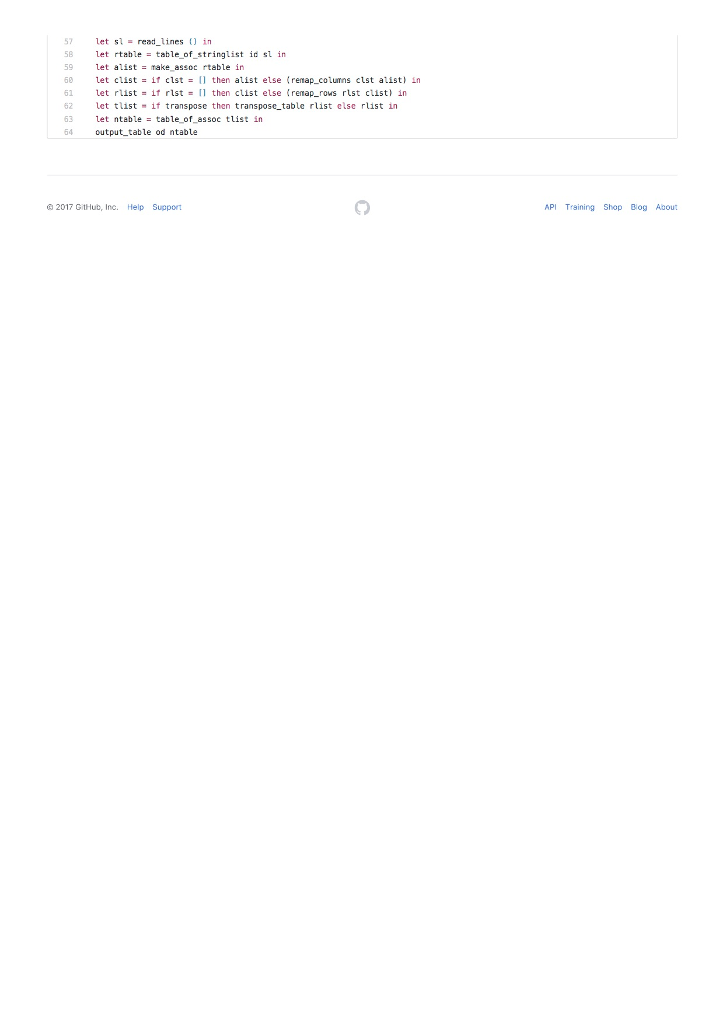
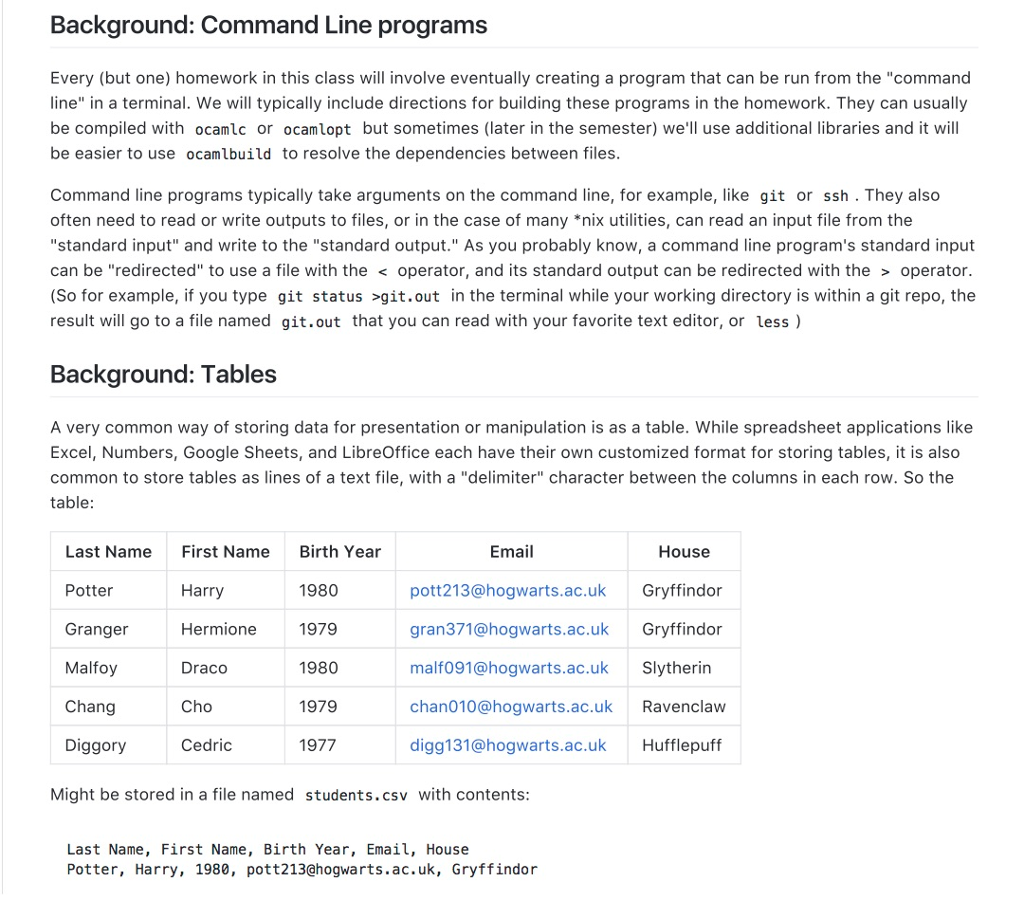
Background: Command Line programs Every (but one) homework in this class will involve eventually creating a program that can be run from the "command line" in a terminal. We will typically include directions for building these programs in the homework. They can usually be compiled with ocamlc or ocamlopt but sometimes (later in the semester) we'l use additional libraries and it will be easier to use ocamlbuild to resolve the dependencies between files Command line programs typically take arguments on the command line, for example, like git or ssh . They also often need to read or write outputs to files, or in the case of many *nix utilities, can read an input file from the "standard input" and write to the "standard output." As you probably know, a command line program's standard input can be "redirected" to use a file with the operator, and its standard output can be redirected with the > operator (So for example, if you type git status >git.out in the terminal while your working directory is within a git repo, the result will go to a file named git.out that you can read with your favorite text editor, or less) Background: Tables A very common way of storing data for presentation or manipulation is as a table. While spreadsheet applications like Excel, Numbers, Google Sheets, and LibreOffice each have their own customized format for storing tables, it is also common to store tables as lines of a text file, with a "delimiter" character between the columns in each row. So the table Email House Last Name Potter Granger Malfoy Chang Diggory First Name Harry Hermione Draco Cho Cedric Birth Year 1980 1979 1980 1979 1977 pott213@hogwarts.ac.ukGryffindor gran371@hogwarts.ac.uk Gryffindor malf091@hogwarts.ac.ukSlytherin chan010@hogwarts.ac.uk Ravenclaw digg131@hogwarts.ac.ukHufflepuff Might be stored in a file named students.csv with contents Last Name, First Name, Birth Year, Email, House Potter, Harry, 1980, pott213@hogwarts.ac.uk, Gryffindor
Step by Step Solution
There are 3 Steps involved in it

Get step-by-step solutions from verified subject matter experts
 Study Help