







Question: how can I change this code in order for the gradient square to have blue on the top and red on the bottom. gradient-np. zeros
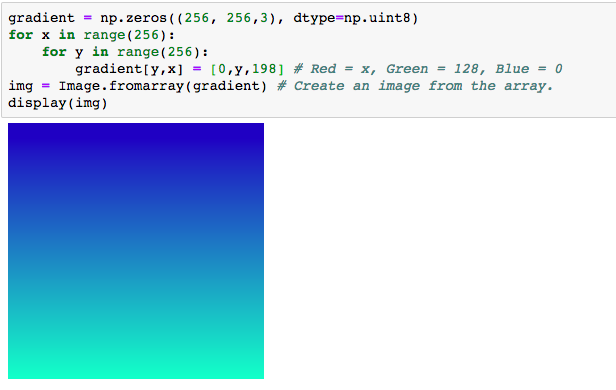
how can I change this code in order for the gradient square to have blue on the top and red on the bottom.
gradient-np. zeros ( (256, 256,3), dtype-np.uint8) for x in range (256): for y in range (256): gradient [ y , x] [ 0 , y, 198] # Red#x, Green-128, Blue-0 ing image. fromarray (gradient) # Create an image from the array. display (img)
Step by Step Solution
There are 3 Steps involved in it
1 Expert Approved Answer
Step: 1 Unlock

Question Has Been Solved by an Expert!
Get step-by-step solutions from verified subject matter experts
Step: 2 Unlock
Step: 3 Unlock
 Study Help