







Question: How can I solve this? Please! How can I enter the GETPIVOTDATA formula according to the steps? 20. Return to the Clients worksheet. In the
How can I solve this? Please!
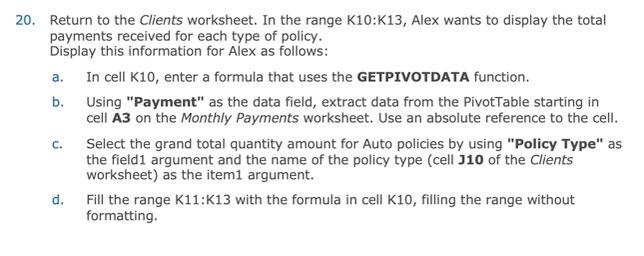
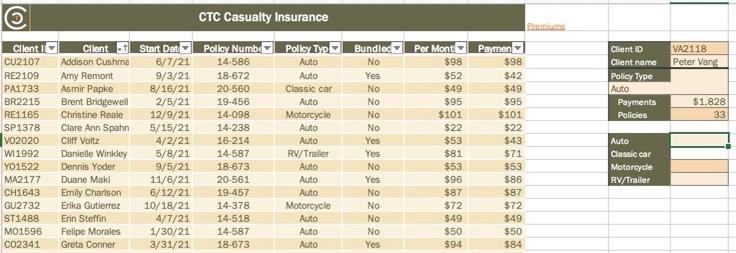
20. Return to the Clients worksheet. In the range K10:K13, Alex wants to display the total payments received for each type of policy. Display this information for Alex as follows: a. In cell K10, enter a formula that uses the GETPIVOTDATA function. b. Using "Payment" as the data field, extract data from the PivotTable starting in cell A3 on the Monthly Payments worksheet. Use an absolute reference to the cell. c. Select the grand total quantity amount for Auto policies by using "Policy Type" as the field1 argument and the name of the policy type (cell J10 of the Clients worksheet) as the item1 argument. d. Fill the range K11:K13 with the formula in cell K10, filling the range without formatting. CTC Casualty Insurance 20. Return to the Clients worksheet. In the range K10:K13, Alex wants to display the total payments received for each type of policy. Display this information for Alex as follows: a. In cell K10, enter a formula that uses the GETPIVOTDATA function. b. Using "Payment" as the data field, extract data from the PivotTable starting in cell A3 on the Monthly Payments worksheet. Use an absolute reference to the cell. c. Select the grand total quantity amount for Auto policies by using "Policy Type" as the field1 argument and the name of the policy type (cell J10 of the Clients worksheet) as the item1 argument. d. Fill the range K11:K13 with the formula in cell K10, filling the range without formatting. CTC Casualty Insurance
Step by Step Solution
There are 3 Steps involved in it

Get step-by-step solutions from verified subject matter experts
 Study Help