







Question: How do I allow remote desktop through firewall because I cant remote into the Windows 10 Virtual Machine from my laptop as I keep getting
How do I allow remote desktop through firewall because I cant remote into the Windows 10 Virtual Machine from my laptop as I keep getting this error. Where will be my problem at? My firewall is on, my remote desktop connection is also on at my windows 10 virtual machine. this is about security network in windows 10 virtual machine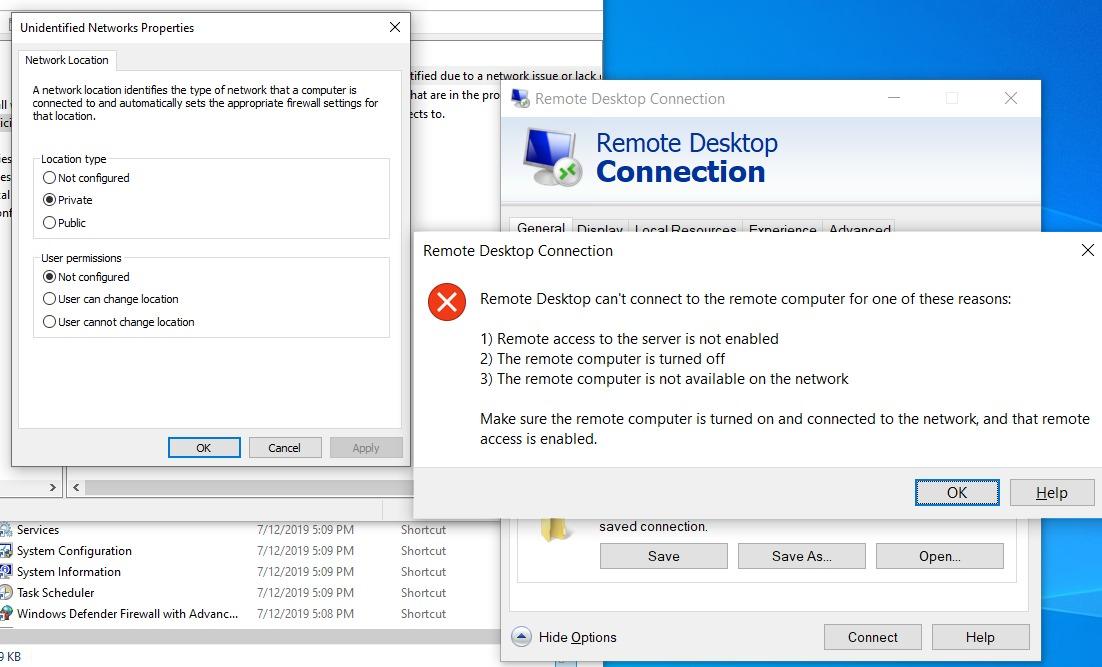
Unidentified Networks Properties Network Location A network location identifies the type of network that a computer is connected to and automatically sets the appropriate firewall settings for that location. tified due to a network issue or lack hat are in the pro Remote Desktop Connection ects to ici Remote Desktop Connection es es cal ent Location type Not configured Private O Public General Display LocalResources Exnarianca Advanced Remote Desktop Connection X User permissions O Not configured User can change location User cannot change location Remote Desktop can't connect to the remote computer for one of these reasons: 1) Remote access to the server is not enabled 2) The remote computer is turned off 3) The remote computer is not available on the network Make sure the remote computer is turned on and connected to the network, and that remote access is enabled. OK Cancel Apply OK Help Shortcut saved connection. Save Save As... Open... Services System Configuration System Information Task Scheduler Windows Defender Firewall with Advanc... 7/12/2019 5:09 PM 7/12/2019 5:09 PM 7/12/2019 5:09 PM 7/12/2019 5:09 PM 7/12/2019 5:08 PM Shortcut Shortcut Shortcut Shortcut Hide Options Connect Help
Step by Step Solution
There are 3 Steps involved in it

Get step-by-step solutions from verified subject matter experts
 Study Help