







Question: how do I do this? Serial Port At one end of the STM32 is a micro USB connector that can be connected (via a micro
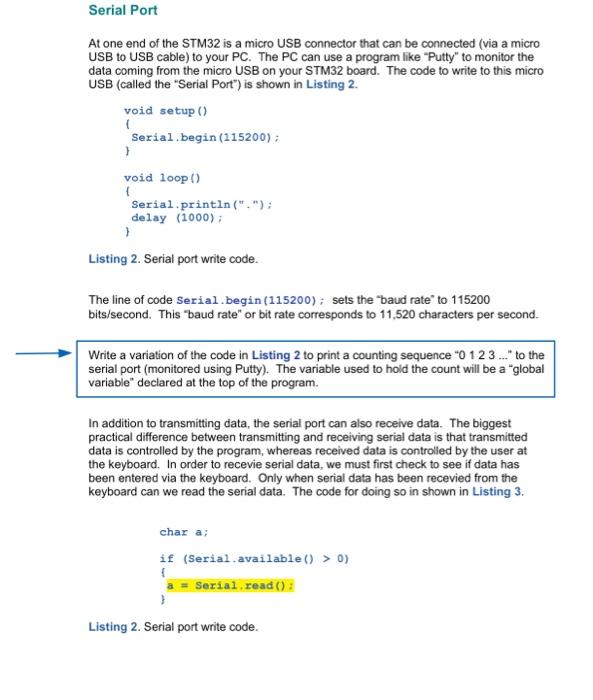
Serial Port At one end of the STM32 is a micro USB connector that can be connected (via a micro USB to USB cable) to your PC. The PC can use a program like "Putty" to monitor the data coming from the micro USB on your STM32 board. The code to write to this micro USB (called the "Serial Port") is shown in Listing 2. void setup () ( Serial.begin (115200); ) void loop () S Serial.println ("."); delay (1000); Listing 2. Serial port write code. The line of code Serial.begin (115200); sets the "baud rate" to 115200 bits/second. This "baud rate" or bit rate corresponds to 11,520 characters per second. Write a variation of the code in Listing 2 to print a counting sequence "0 123... to the serial port (monitored using Putty). The variable used to hold the count will be a "global variable" deciared at the top of the program. In addition to transmitting data, the serial port can also receive data. The biggest practical difference between transmitting and receiving serial data is that transmitted data is controlled by the program, whereas received data is controlled by the user at the keyboard. In order to recevie serial data, we must first check to see if data has been entered via the keyboard. Only when serial data has been recevied from the keyboard can we read the serial data. The code for doing so in shown in Listing 3. char a: if (Serial available ()>0 ) f a = Serial read () : Listing 2. Serial port write code
Step by Step Solution
There are 3 Steps involved in it

Get step-by-step solutions from verified subject matter experts
 Study Help