







Question: How do I get rid gray windows 11 banner or header in parallel for mac? I will dislike the answer if it is not the
How do I get rid gray windows 11 banner or header in parallel for mac? I will dislike the answer if it is not the correct answer or give me incorrect info.
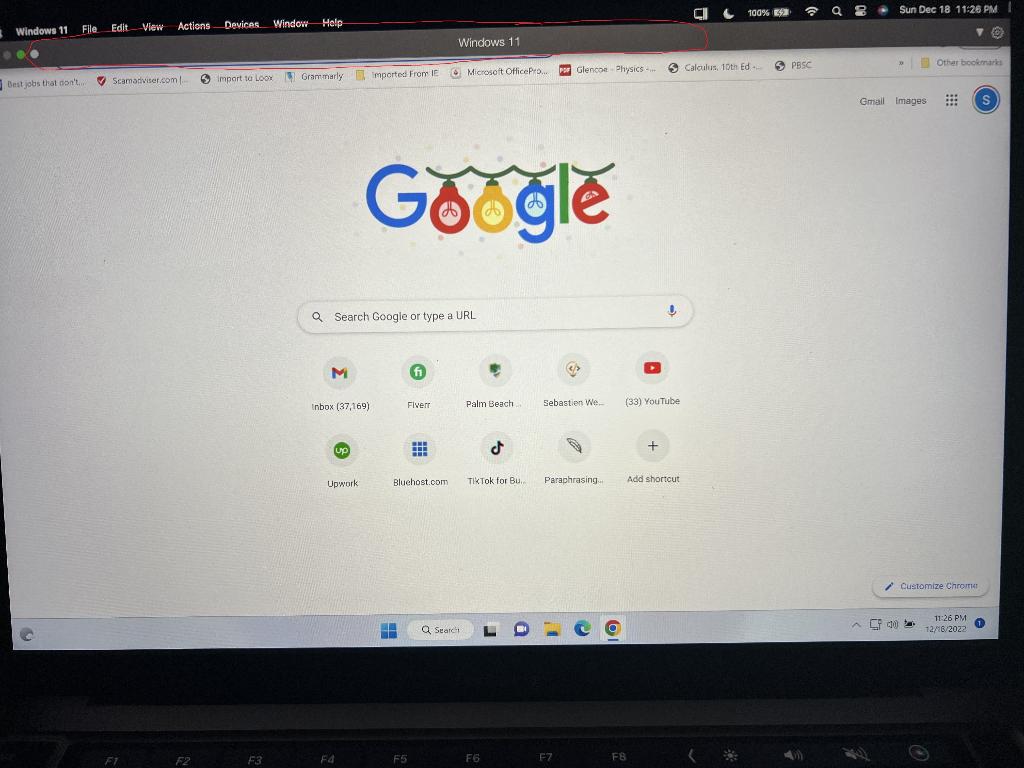
DONT GIVE ME THIS ANSWER:
*********************** THIS IS THE INCORRECT ANSWER. IF YOU GIVE THE SAME ANSWER I WILL MARK IT INCORRECT ***********************
"You can do troubleshoot.
Select Start, Settings, and System.
In the right box, select Troubleshoot.
After that, you can click Other troubleshooters to launch Windows 11's troubleshooting tools.
Then after troubleshoot still you are seeing grey bar, then follow the below given instruction.
Here is the technique in detail for completely preventing the grey bar screen:
Right-click the Taskbar to access the Taskbar settings.'
Click the Search toggle to turn it off after expanding the Taskbar items.
Disable the search window widget; this will make the ghost box problem go away forever.
Then it will remove.
I think this problem is sorted out in latest update. For update follow the below instruction.
go to Start > Settings > Update & Security > Windows Update and select Check for updates.
If there is any update available please proceed it and then download it and install it."
*********************** THIS IS THE INCORRECT ANSWER. IF YOU GIVE THE SAME ANSWER I WILL MARK IT INCORRECT ***********************
Gogle
Step by Step Solution
There are 3 Steps involved in it

Get step-by-step solutions from verified subject matter experts
 Study Help