





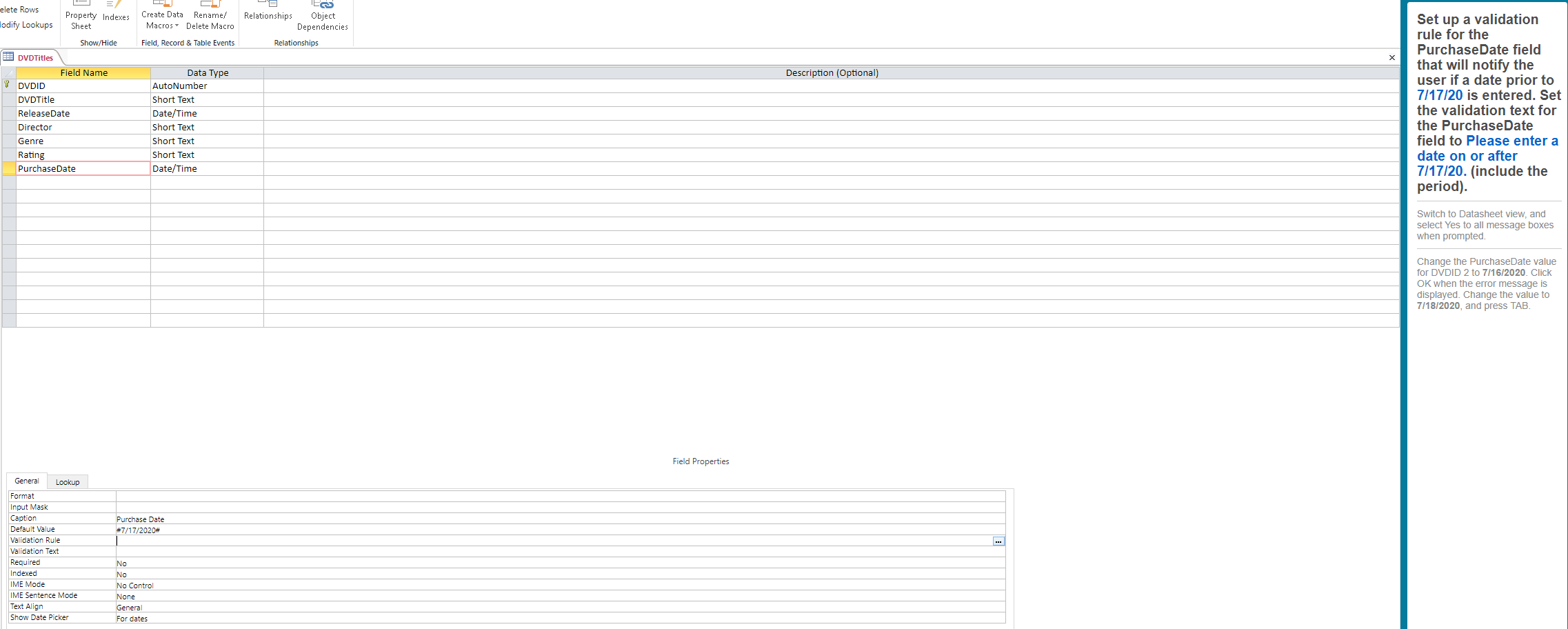
Question: How do I Set up a validation rule for the PurchaseDate field that will notify the user if a date prior to 7/17/20 is entered?
How do I Set up a validation rule for theHow do I Set up a validation rule for the PurchaseDate field that will notify the user if a date prior to 7/17/20 is entered?

elete Rows lodify Lookups Property Indexes Sheet Create Data Rename/ Macros Delete Macro TECS Relationships Object Dependencies Relationships Field, Record & Table Events Description (Optional) Show/Hide BEI DVD Titles Field Name DVDID DVD Title Release Date Director Genre Rating Purchase Date Data Type AutoNumber Short Text Date/Time Short Text Short Text Short Text Date/Time Set up a validation rule for the Purchase Date field that will notify the user if a date prior to 7/17/20 is entered. Set the validation text for the Purchase Date field to please enter a date on or after 7/17/20. (include the period). Switch to Datasheet view, and select Yes to all message boxes when prompted. Change the PurchaseDate value for DVDID 2 to 7/16/2020. Click OK when the error message is displayed. Change the value to 7/18/2020, and press TAB. Field Properties Purchase Date #7/17/2020# General Lookup Format Input Mask Caption Default Value Pa Validation Rule Validation Text Required Indexed IME Mode IME Sentence Mode Text Align Show Date Picker No No No Control None General For dates

Step by Step Solution

There are 3 Steps involved in it

1 Expert Approved Answer
Step: 1 Unlock

To set up a validation rule for the PurchaseDate field in Microsoft Access that restricts the date t... View full answer

blur-text-image
Question Has Been Solved by an Expert!

Get step-by-step solutions from verified subject matter experts

Step: 2 Unlock
Step: 3 Unlock

Students Have Also Explored These Related General Management Questions!