







Question: how do one operate this steps using HTML5. Welcome Mobile Panini is the culmination of the dream of Antonio and Carmen Dolcini, who came to
how do one operate this steps using HTML5.
Welcome
Mobile Panini is the culmination of the dream of Antonio and Carmen
Dolcini, who came to America looking to serve people the
authentic recipes learned from their Sicilian family.
Antonio began work as a child in his grandmother's deli where he
learned the age-old secrets of Sicilian cooking. He refined his
technique at the Culinary Institute of Milan. His younger brother,
Carmen, with no less of a love for cooking and good food, also
worked in the deli and became well-acquainted with the open-air
fresh food markets of his home town. Carmen too, is a proud
graduate of the Culinary Institute of Milan.
Now you can enjoy what they have learned and mastered, right outside
your door; but with no compromises in freshness or delicacy of preparation.
We've partnered with Curbside Thai to bring you the finest cuisine on
four wheels - from the East and the West!
Phone: (704) 555-2188
E-mail: mobilepanini@example.com
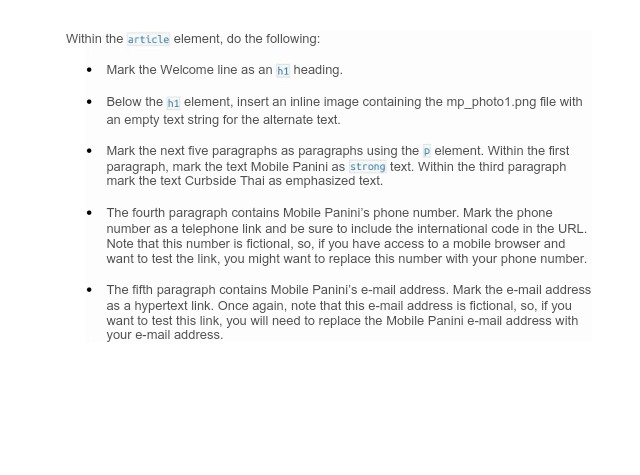
Within the article element, do the following *Mark the Welcome line as an h1 heading *Below the h1 element, insert an inline image containing the mp_photo1.png file with an empty text string for the alternate text. .Mark the next five paragraphs as paragraphs using the p element. Within the first paragraph, mark the text Mobile Panini as strong text. Within the third paragraph mark the text Curbside Thai as emphasized text. The fourth paragraph contains Mobile Panini's phone number. Mark the phone number as a telephone link and be sure to include the international code in the URL. Note that this number is fictional, so, if you have access to a mobile browser and want to test the link, you might want to replace this number with your phone number . .The fifth paragraph contains Mobile Panini's e-mail address. Mark the e-mail address as a hypertext link. Once again, note that this e-mail address is fictional, so, if you want to test this link, you will need to replace the Mobile Panini e-mail address with your e-mail address
Step by Step Solution
There are 3 Steps involved in it

Get step-by-step solutions from verified subject matter experts
 Study Help