







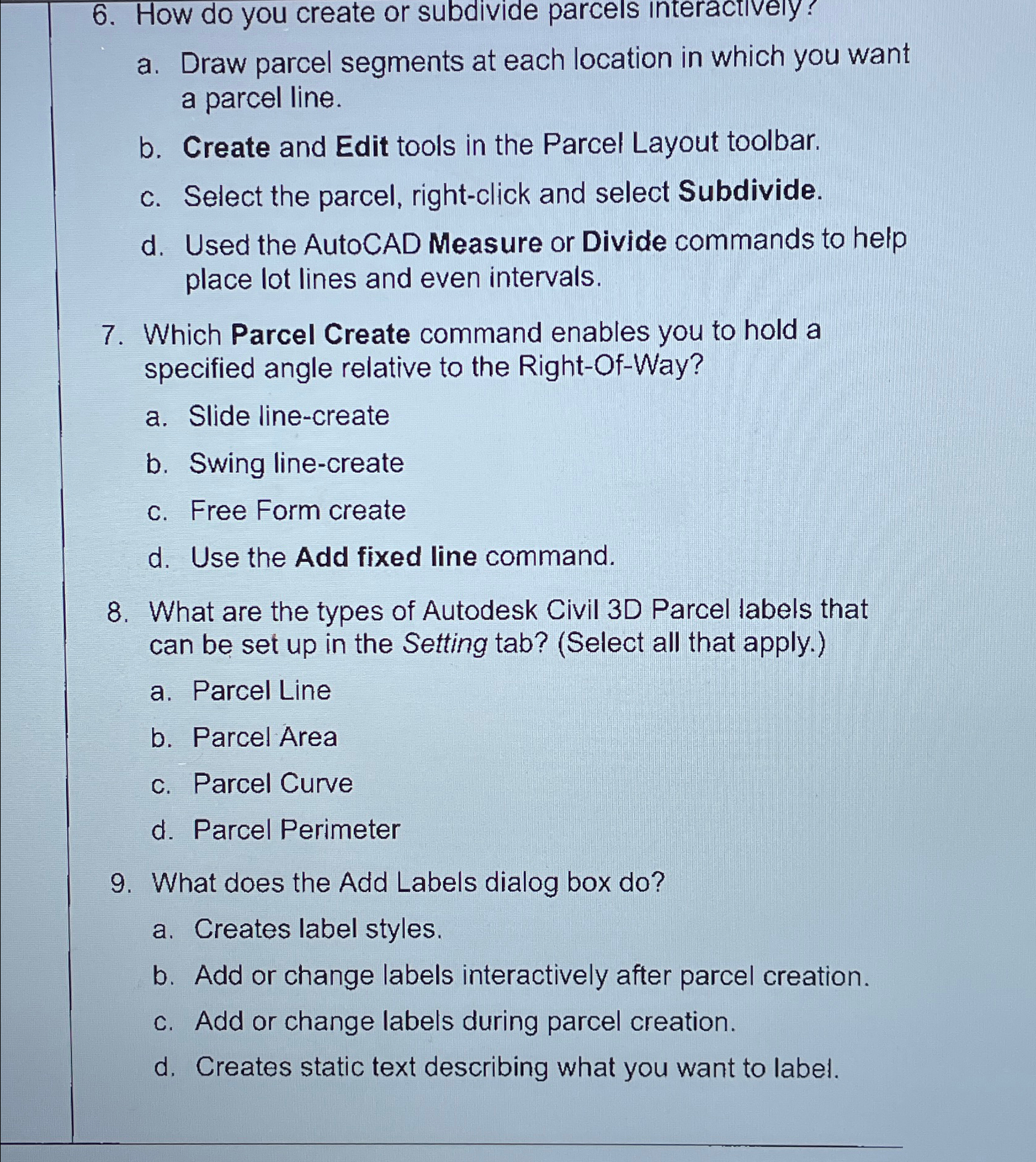
Question: How do you create or subdivide parcels interactively? a . Draw parcel segments at each location in which you want a parcel line. b .
How do you create or subdivide parcels interactively?
a Draw parcel segments at each location in which you want a parcel line.
b Create and Edit tools in the Parcel Layout toolbar.
c Select the parcel, rightclick and select Subdivide.
d Used the AutoCAD Measure or Divide commands to help place lot lines and even intervals.
Which Parcel Create command enables you to hold a specified angle relative to the RightOfWay?
a Slide linecreate
b Swing linecreate
c Free Form create
d Use the Add fixed line command.
What are the types of Autodesk Civil D Parcel labels that can be set up in the Setting tab? Select all that apply.
a Parcel Line
b Parcel Area
c Parcel Curve
d Parcel Perimeter
What does the Add Labels dialog box do
a Creates label styles.
b Add or change labels interactively after parcel creation.
c Add or change labels during parcel creation.
d Creates static text describing what you want to label.
Step by Step Solution
There are 3 Steps involved in it
1 Expert Approved Answer
Step: 1 Unlock

Question Has Been Solved by an Expert!
Get step-by-step solutions from verified subject matter experts
Step: 2 Unlock
Step: 3 Unlock
 Study Help