







Question: How do you freeze the total cell so that it doesn't change when copied? a) put a # in front of the letter and number
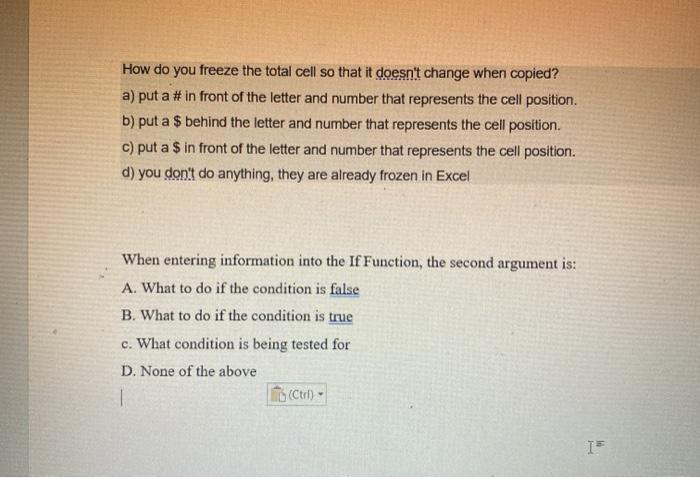
How do you freeze the total cell so that it doesn't change when copied? a) put a # in front of the letter and number that represents the cell position. b) put a $ behind the letter and number that represents the cell position. c) put a $ in front of the letter and number that represents the cell position. d) you don't do anything, they are already frozen in Excel When entering information into the If Function, the second argument is: A. What to do if the condition is false B. What to do if the condition is true c. What condition is being tested for D. None of the above 1 to (ctrl
Step by Step Solution
There are 3 Steps involved in it
1 Expert Approved Answer
Step: 1 Unlock

Question Has Been Solved by an Expert!
Get step-by-step solutions from verified subject matter experts
Step: 2 Unlock
Step: 3 Unlock
 Study Help