







Question: How do you spool a file in SQL*plus using a text file . After you have successfully gotten these commands to work and they are
How do you spool a file in SQL*plus using a text file .
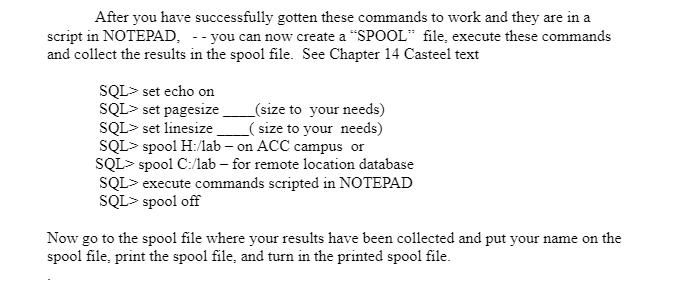
After you have successfully gotten these commands to work and they are in a script in NOTEPAD, --you can now create a "SPOOL" file, execute these commands and collect the results in the spool file. See Chapter 14 Casteel text SQL> set echo on SQL> set pagesize SQL> set linesize (size to your needs) (size to your needs) SQL> spool H:/lab-on ACC campus or SQL> spool C:/lab-for remote location database SQL> execute commands scripted in NOTEPAD SQL> spool off Now go to the spool file where your results have been collected and put your name on the spool file, print the spool file, and turn in the printed spool file.
Step by Step Solution
There are 3 Steps involved in it

Get step-by-step solutions from verified subject matter experts
 Study Help