







Question: how i can correct this Introduction to Python [-/Pycharm ntroduction to Python] -lesson3/task10/string formatting.py [Introduction to Python Course - Introduction to Python 0/50 * *.
how i can correct this
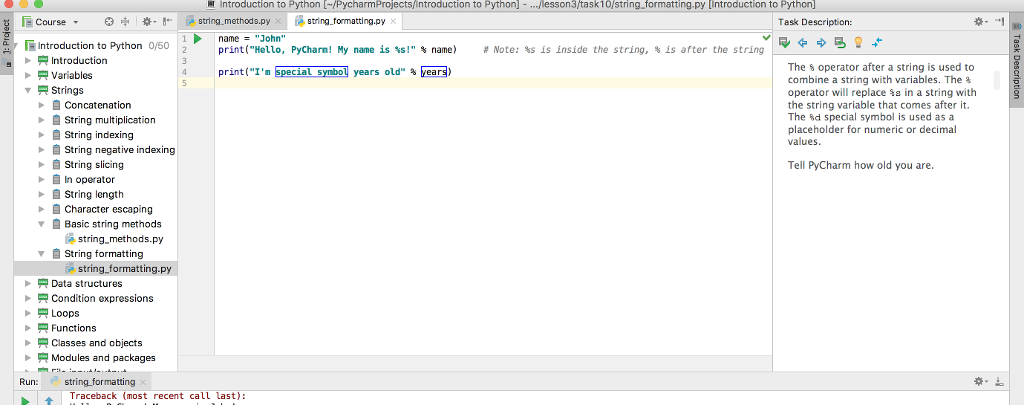
Introduction to Python [-/Pycharm ntroduction to Python] -lesson3/task10/string formatting.py [Introduction to Python Course - Introduction to Python 0/50 * *. ?? ? string,methods.py ?string-formatting.py X Task Description: name- "John" print("Hello, PyCharm ! My name is ?s!" name) # Note: %s is inside the string, is after the string Introduction The s operator after a string is used to combine a string with variables. The % operator will replace %s in a string with the string variable that comes after it. The %d special symbol is used as a placeholder for numeric or decimal values print("I'm special symbol years old', bears) Variables Strings Concatenation String multiplication String indexing ?String negative indexing ?String slicing ? operator Tell PyCharm how old you are. String length Character escaping Basic string methods string.methods.py String formattin string formatting.py ? Data structures Condition expressions Functions Classes and objects Modules and packages > Run: string formatting Traceback (most recent call last)
Step by Step Solution
There are 3 Steps involved in it

Get step-by-step solutions from verified subject matter experts
 Study Help