







Question: how to add the following to the code ArrayList balls; int ballWidth = 48; void setup() { size(640, 360); noStroke(); balls = new ArrayList ();
how to add the following to the code
ArrayList
void setup() { size(640, 360); noStroke();
balls = new ArrayList
void draw() { background(255);
// With an array, we say balls.length, with an ArrayList, we say balls.size() // The length of an ArrayList is dynamic // Notice how we are looping through the ArrayList backwards // This is because we are deleting elements from the list for (int i = balls.size()-1; i >= 0; i--) { // An ArrayList doesn't know what it is storing so we have to cast the object coming out Ball ball = balls.get(i); ball.move(); ball.display(); if (ball.finished()) { // Items can be deleted with remove() balls.remove(i); } } }
void mousePressed() { // A new ball object is added to the ArrayList (by default to the end) balls.add(new Ball(mouseX, mouseY, ballWidth)); }
// Simple bouncing ball class
class Ball { float x; float y; float speed; float gravity; float w; float life = 255; Ball(float tempX, float tempY, float tempW) { x = tempX; y = tempY; w = tempW; speed = 0; gravity = 0.1; } void move() { // Add gravity to speed speed = speed + gravity; // Add speed to y location y = y + speed; // If square reaches the bottom // Reverse speed if (y > height) { // Dampening speed = speed * -0.8; y = height; } } boolean finished() { // Balls fade out life--; if (life
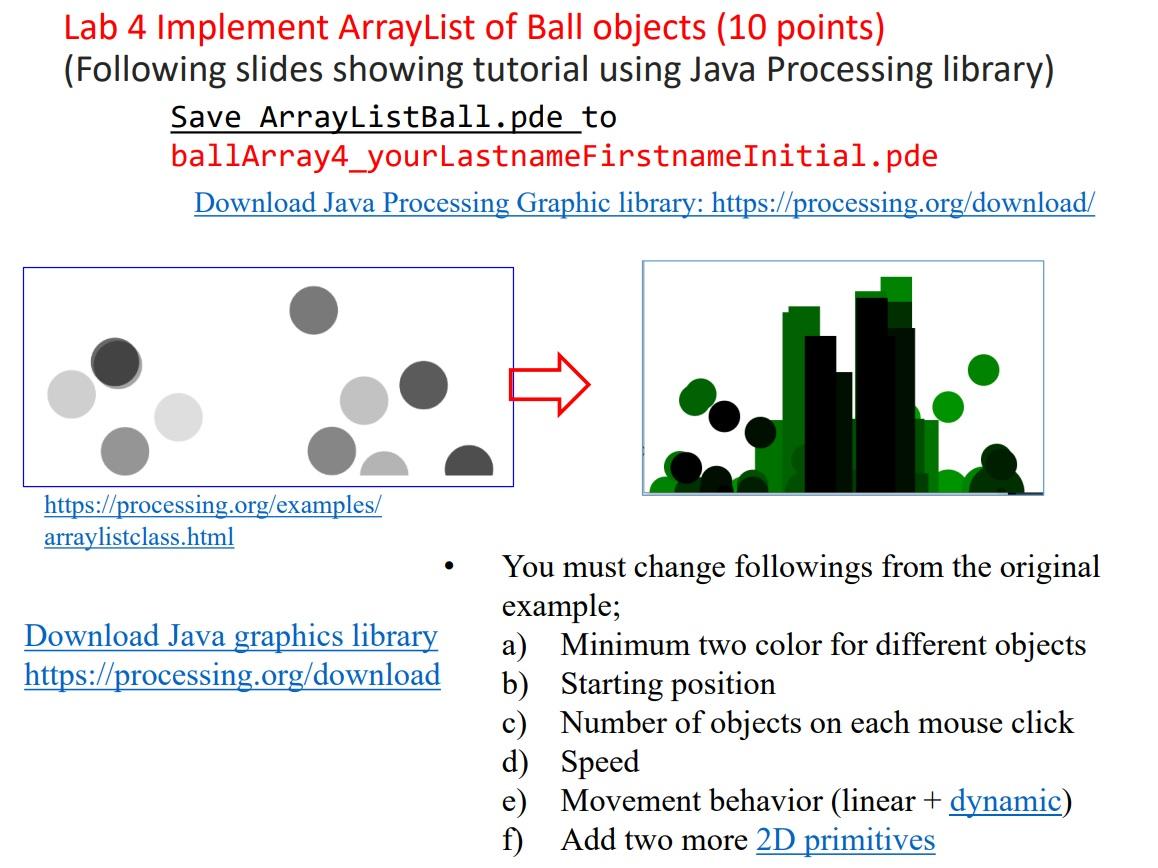
Lab 4 Implement ArrayList of Ball objects (10 points) (Following slides showing tutorial using Java Processing library) Save ArrayListBall.pde to ballarray4_yourLastnameFirstnameInitial.pde Download Java Processing Graphic library: https://processing.org/download/ https://processing.org/examples/ arraylistclass.html - You must change followings from the original example; Download Java graphics library a) Minimum two color for different objects https://processing.org/download b) Starting position c) Number of objects on each mouse click d) Speed e) Movement behavior (linear + dynamic) f) Add two more 2D primitives
Step by Step Solution
There are 3 Steps involved in it

Get step-by-step solutions from verified subject matter experts
 Study Help