







Question: How to create this martix operations applications using Visual Studio 2015 C#. Your help is much appreciated. CIS 3309 Section 2 Lab: Matrix Ops Problem
How to create this martix operations applications using Visual Studio 2015 C#. Your help is much appreciated.
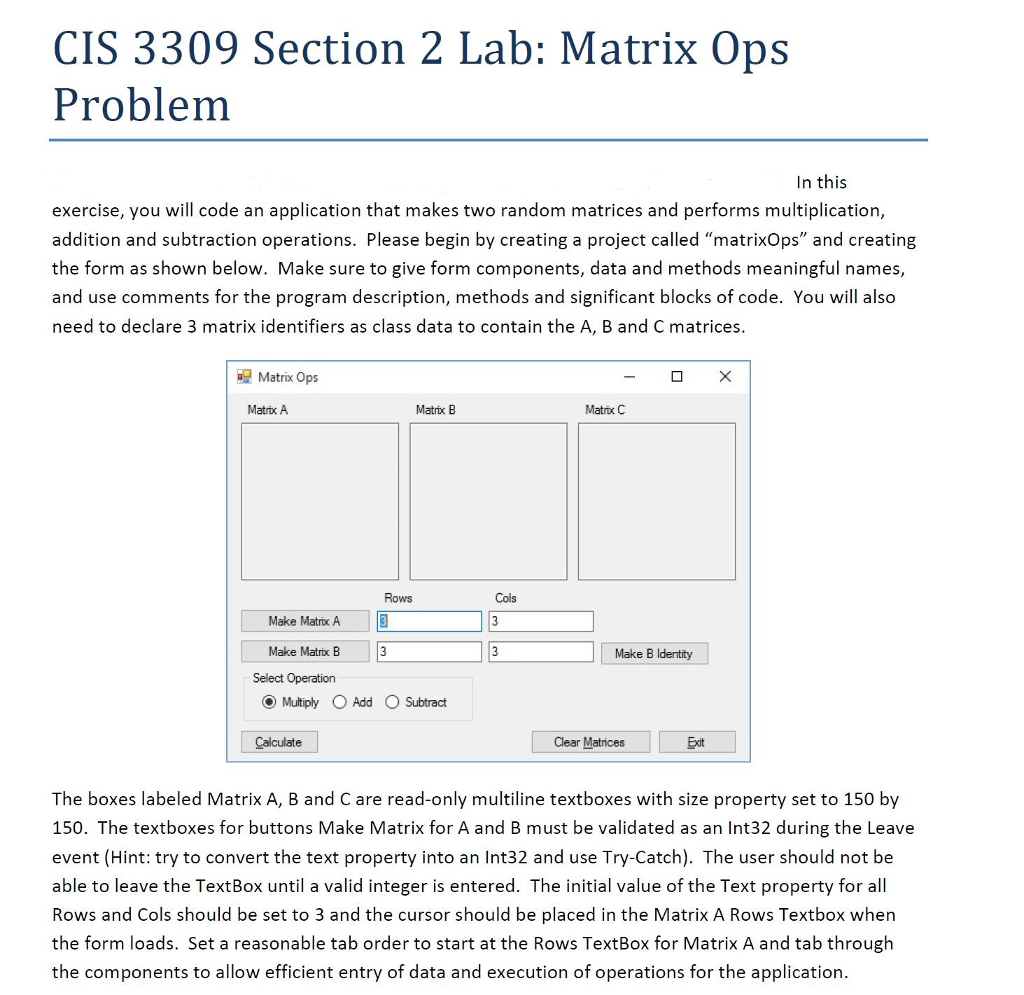
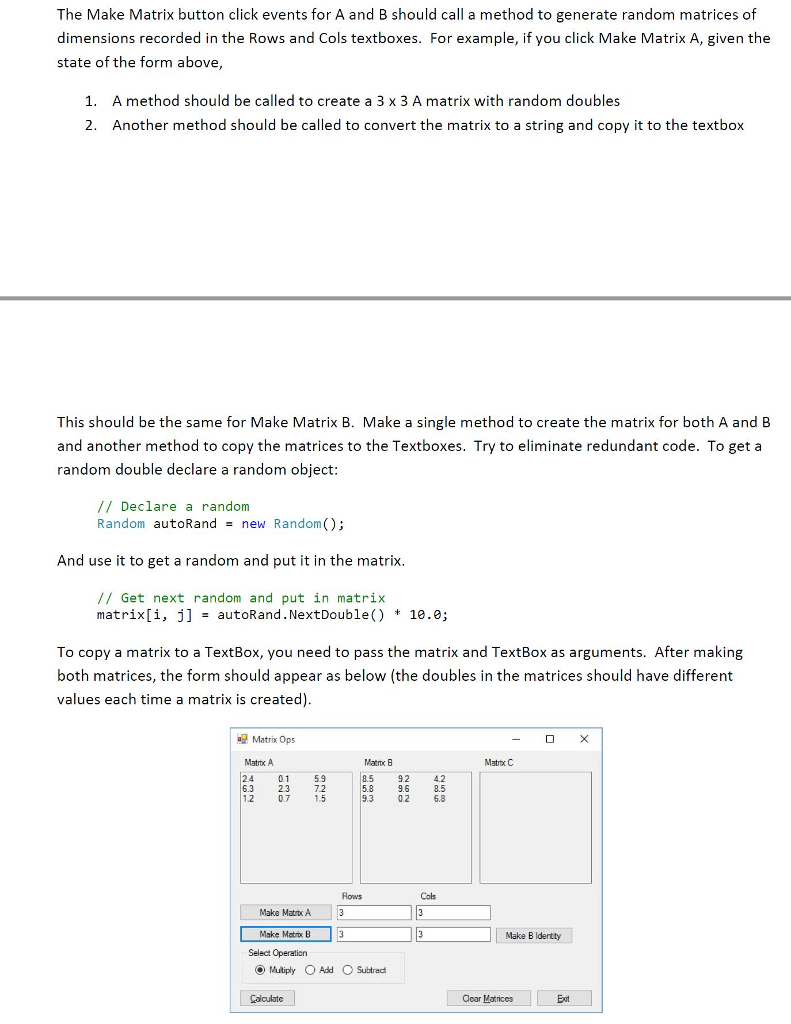
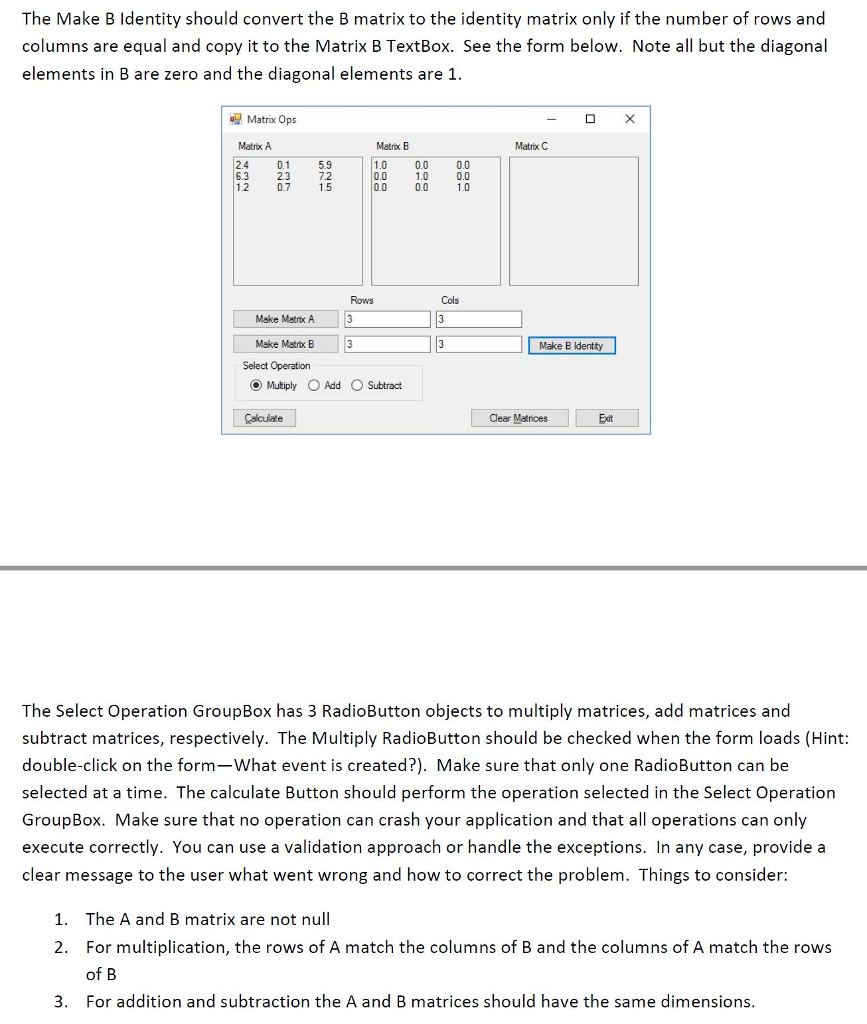
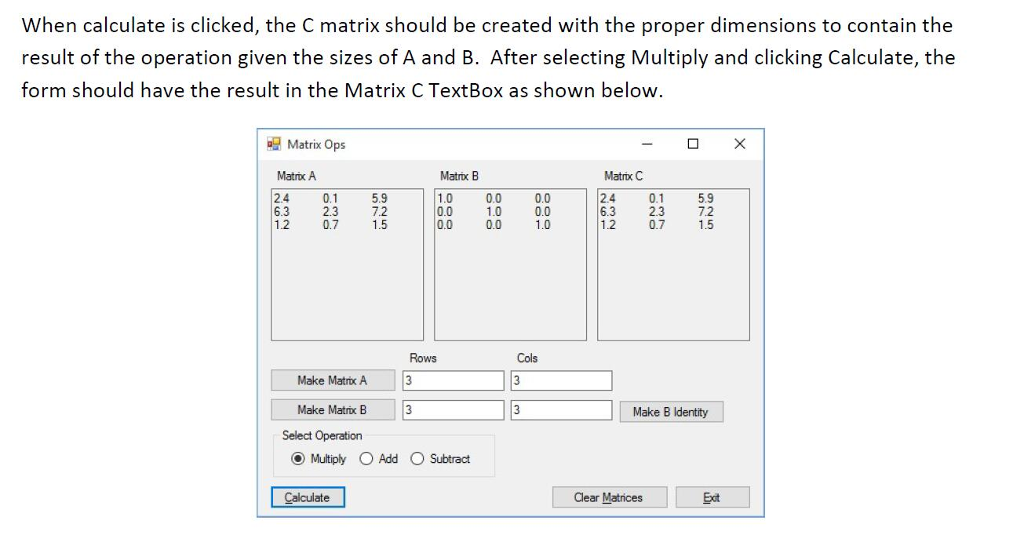
CIS 3309 Section 2 Lab: Matrix Ops Problem In this exercise, you will code an application that makes two random matrices and performs multiplication, addition and subtraction operations. Please begin by creating a project called matrixps" and creating the form as shown below. Make sure to give form components, data and methods meaningful names, and use comments for the program description, methods and significant blocks of code. You will also need to declare 3 matrix identifiers as class data to contain the A, B and C matrices Matrix Ops Matrix A Matrix B Matrx C Rows Cols 3 Make Matrix A Make Matrix B Select Operation Make B Identity Multiply Add O Subtract Calculate Clear Matrices Exit The boxes labeled Matrix A, B and C are read-only multiline textboxes with size property set to 150 by 150. The textboxes for buttons Make Matrix for A and B must be validated as an Int32 during the Leave event (Hint: try to convert the text property into an Int32 and use Try-Catch). The user should not be able to leave the TextBox until a valid integer is entered. The initial value of the Text property for all Rows and Cols should be set to 3 and the cursor should be placed in the Matrix A Rows Textbox when the form loads. Set a reasonable tab order to start at the Rows TextBox for Matrix A and tab through the components to allow efficient entry of data and execution of operations for the application
Step by Step Solution
There are 3 Steps involved in it

Get step-by-step solutions from verified subject matter experts
 Study Help