







Question: How to do In Mathmatica. Please Explain. PART 2. Non-terminating binary expression 1/10 has a non-terminating binary expression. Examine the error in representing I/I0 with
How to do In Mathmatica. Please Explain.
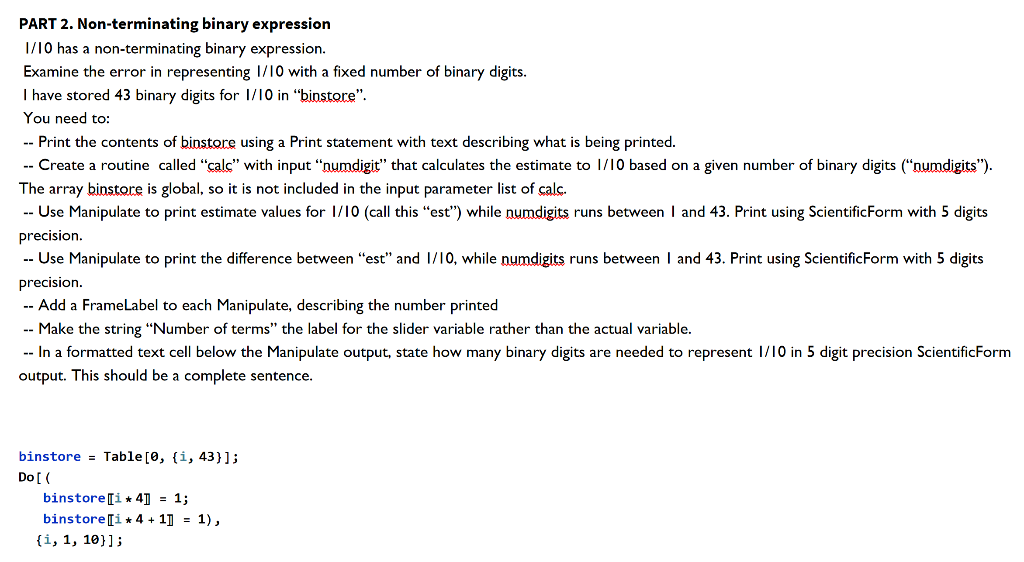
PART 2. Non-terminating binary expression 1/10 has a non-terminating binary expression. Examine the error in representing I/I0 with a fixed number of binary digits. I have stored 43 binary digits for 1/10 in "biostore". You need to: -- Print the contents of binstore using a Print statement with text describing what is being printed. -- Create a routine called "cals" with input "numdigit" that calculates the estimate to I//0 based on a given number of binary digits ("numdigits"). The array binstore is global, so it is not included in the input parameter list of calc. -- Use Manipulate to print estimate values for I/I0 (call this "est") while numdigits runs between I and 43 . Print using ScientificForm with 5 digits precision. -- Use Manipulate to print the difference between "est" and I/I0, while numdigits runs between I and 43. Print using ScientificForm with 5 digits precision. -- Add a FrameLabel to each Manipulate, describing the number printed -- Make the string "Number of terms" the label for the slider variable rather than the actual variable. -- In a formatted text cell below the Manipulate output, state how many binary digits are needed to represent 1/I0 in 5 digit precision ScientificForm output. This should be a complete sentence. binstore =Table[0,{i,43}]; Do [( binstore [[i4]]=1; binstore [[i4+1]]=1), {i,1,10}]
Step by Step Solution
There are 3 Steps involved in it

Get step-by-step solutions from verified subject matter experts
 Study Help