Question: how to make a flowchart based on this purchasing system? 4. Procedures DETAILS 4.1. VENDOR/SUPPLIER ACCREDITATION RESPONSIBLE PARTY Vendor/Supplier, 4.1.1 Vendors/Suppliers who provide items/service to
how to make a flowchart based on this purchasing system?
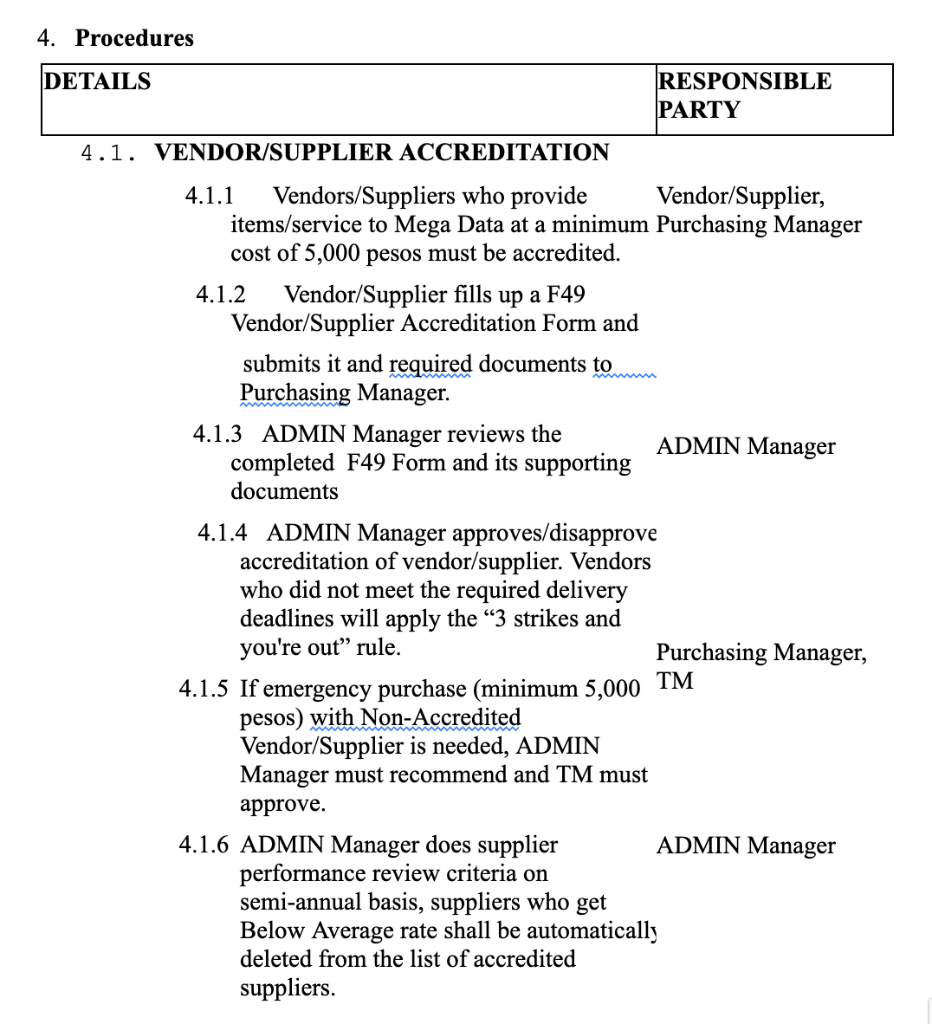
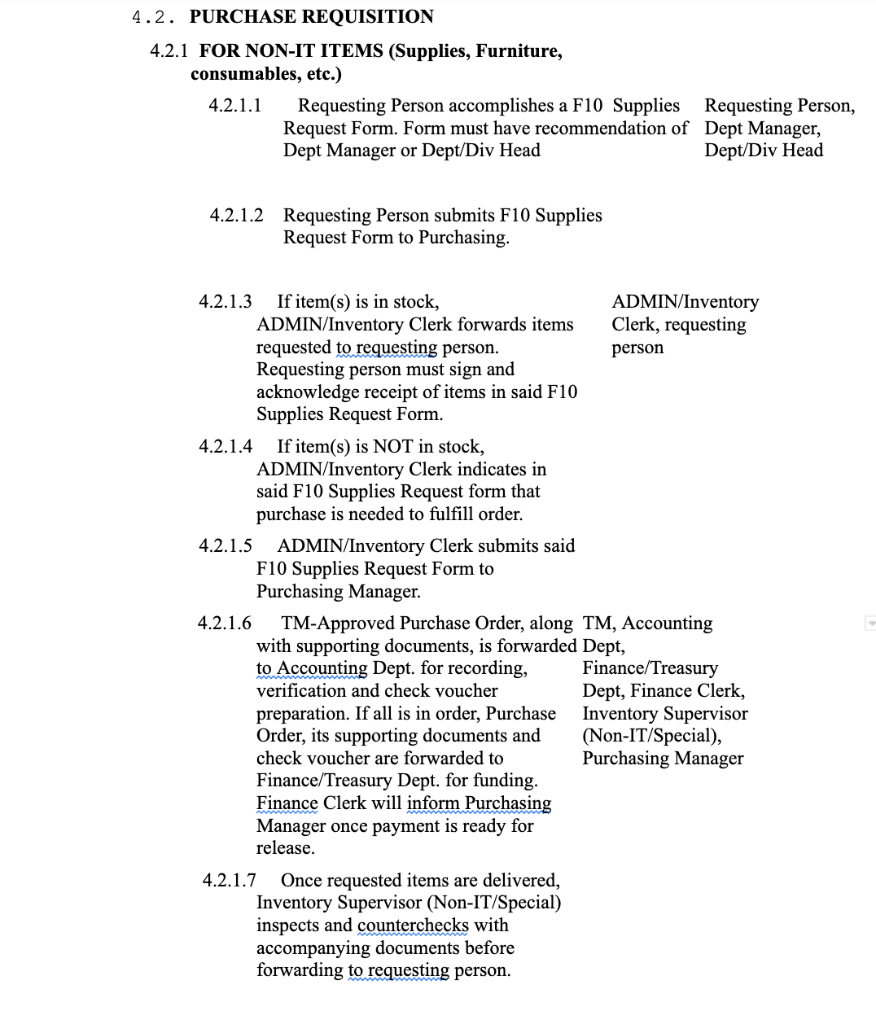
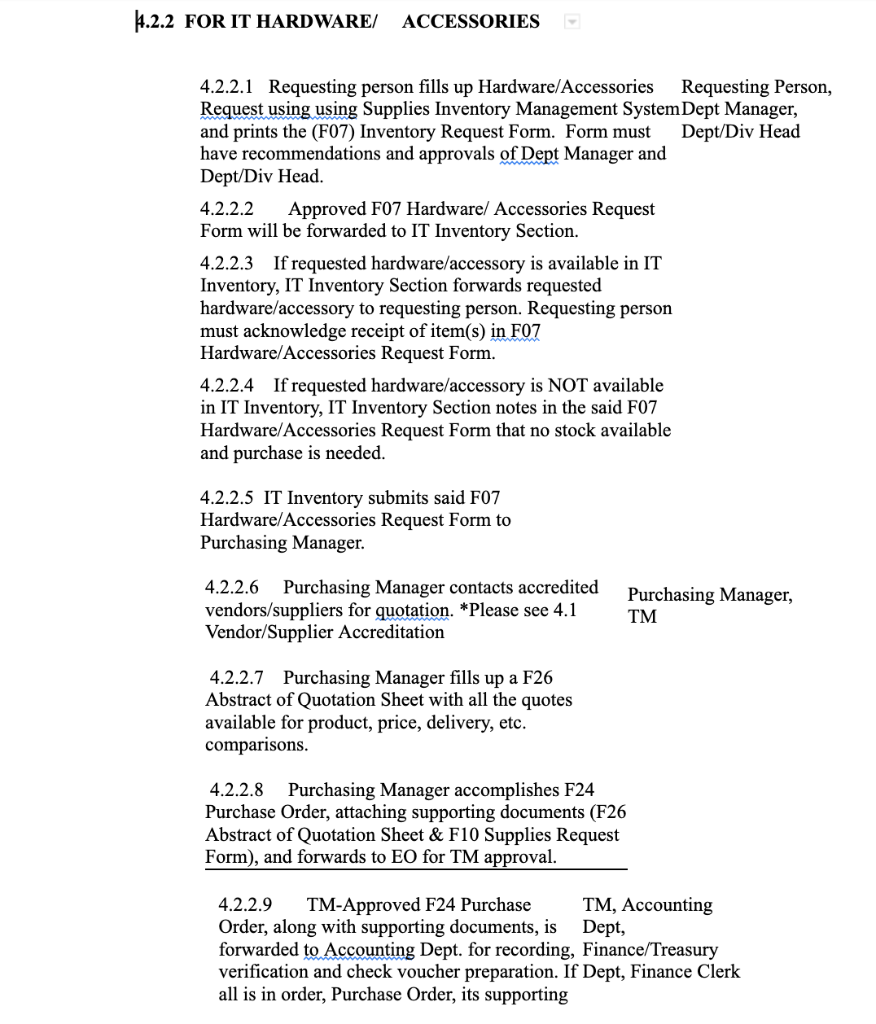
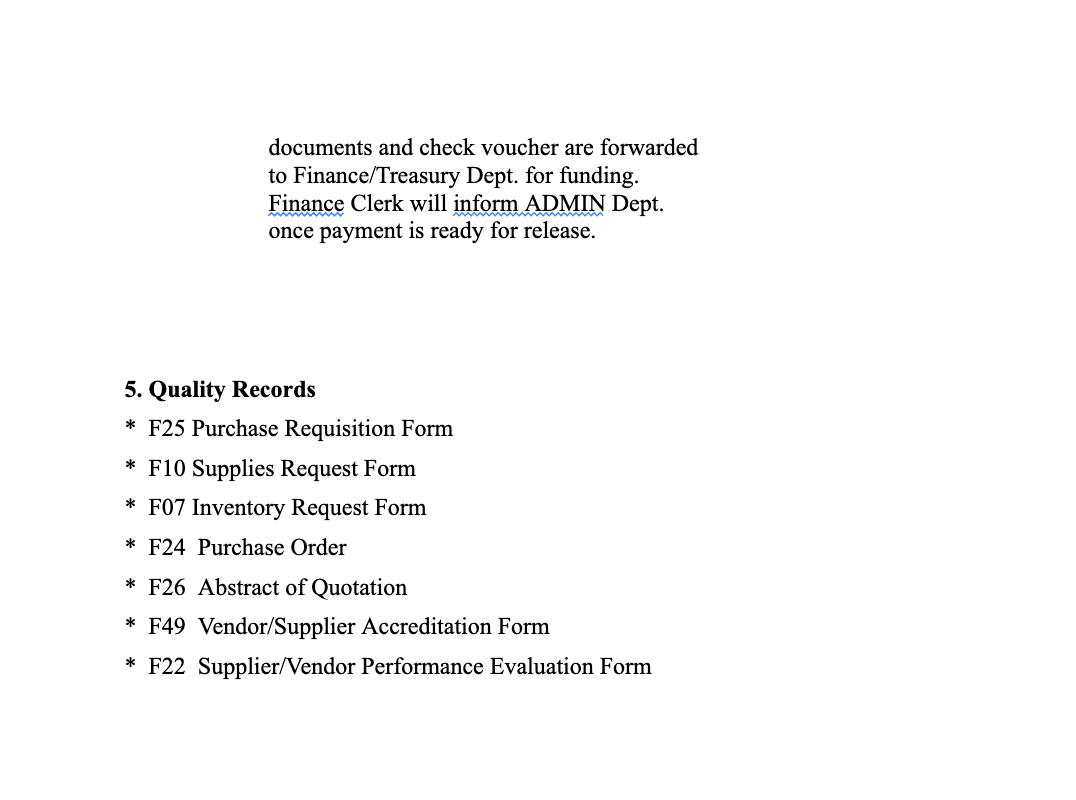
4. Procedures DETAILS 4.1. VENDOR/SUPPLIER ACCREDITATION RESPONSIBLE PARTY Vendor/Supplier, 4.1.1 Vendors/Suppliers who provide items/service to Mega Data at a minimum Purchasing Manager cost of 5,000 pesos must be accredited. 4.1.2 Vendor/Supplier fills up a F49 Vendor/Supplier Accreditation Form and submits it and required documents to Purchasing Manager. 4.1.3 ADMIN Manager reviews the ADMIN Manager completed F49 Form and its supporting documents 4.1.4 ADMIN Manager approves/disapprove accreditation of vendor/supplier. Vendors who did not meet the required delivery deadlines will apply the "3 strikes and you're out" rule. Purchasing Manager, TM 4.1.5 If emergency purchase (minimum 5,000 pesos) with Non-Accredited Vendor/Supplier is needed, ADMIN Manager must recommend and TM must approve. ADMIN Manager 4.1.6 ADMIN Manager does supplier performance review criteria on semi-annual basis, suppliers who get Below Average rate shall be automatically deleted from the list of accredited suppliers. 4.2. PURCHASE REQUISITION 4.2.1 FOR NON-IT ITEMS (Supplies, Furniture, consumables, etc.) 4.2.1.1 4.2.1.2 Requesting Person submits F10 Supplies Request Form to Purchasing. 4.2.1.3 If item(s) is in stock, ADMIN/Inventory Clerk forwards items requested to requesting person. Requesting person must sign and acknowledge receipt of items in said F10 Supplies Request Form. 4.2.1.4 If item(s) is NOT in stock, ADMIN/Inventory Clerk indicates in said F10 Supplies Request form that purchase is needed to fulfill order. 4.2.1.5 ADMIN/Inventory Clerk submits said F10 Supplies Request Form to Purchasing Manager. 4.2.1.6 TM-Approved Purchase Order, along TM, Accounting with supporting documents, is forwarded Dept, to Accounting Dept. for recording, verification and check voucher preparation. If all is in order, Purchase Order, its supporting documents and check voucher are forwarded to Finance/Treasury Dept. for funding. Finance Clerk will inform Purchasing Manager once payment is ready for release. Finance/Treasury Dept, Finance Clerk, Inventory Supervisor (Non-IT/Special), Purchasing Manager Requesting Person accomplishes a F10 Supplies Request Form. Form must have recommendation of Dept Manager or Dept/Div Head 4.2.1.7 Once requested items are delivered, Inventory Supervisor (Non-IT/Special) inspects and counterchecks with accompanying documents before forwarding to requesting person. Requesting Person, Dept Manager, Dept/Div Head ADMIN/Inventory Clerk, requesting person 4.2.2 FOR IT HARDWARE/ ACCESSORIES 4.2.2.1 Requesting person fills up Hardware/Accessories Requesting Person, Request using using Supplies Inventory Management System Dept Manager, and prints the (F07) Inventory Request Form. Form must have recommendations and approvals of Dept Manager and Dept/Div Head. Dept/Div Head 4.2.2.2 Approved F07 Hardware/ Accessories Request Form will be forwarded to IT Inventory Section. 4.2.2.3 If requested hardware/accessory is available in IT Inventory, IT Inventory Section forwards requested hardware/accessory to requesting person. Requesting person must acknowledge receipt of item(s) in F07 Hardware/Accessories Request Form. 4.2.2.4 If requested hardware/accessory is NOT available in IT Inventory, IT Inventory Section notes in the said F07 Hardware/Accessories Request Form that no stock available and purchase is needed. 4.2.2.5 IT Inventory submits said F07 Hardware/Accessories Request Form to Purchasing Manager. 4.2.2.6 Purchasing Manager contacts accredited vendors/suppliers for quotation. *Please see 4.1 Vendor/Supplier Accreditation 4.2.2.7 Purchasing Manager fills up a F26 Abstract of Quotation Sheet with all the quotes available for product, price, delivery, etc. comparisons. 4.2.2.8 Purchasing Manager accomplishes F24 Purchase Order, attaching supporting documents (F26 Abstract of Quotation Sheet & F10 Supplies Request Form), and forwards to EO for TM approval. TM, Accounting Dept, 4.2.2.9 TM-Approved F24 Purchase Order, along with supporting documents, is forwarded to Accounting Dept. for recording, Finance/Treasury verification and check voucher preparation. If Dept, Finance Clerk all is in order, Purchase Order, its supporting Purchasing Manager, TM documents and check voucher are forwarded to Finance/Treasury Dept. for funding. Finance Clerk will inform ADMIN Dept. once payment is ready for release. 5. Quality Records * F25 Purchase Requisition Form * F10 Supplies Request Form * F07 Inventory Request Form Purchase Order *F24 * F26 Abstract of Quotation * F49 Vendor/Supplier Accreditation Form * F22 Supplier/Vendor Performance Evaluation Form 4. Procedures DETAILS 4.1. VENDOR/SUPPLIER ACCREDITATION RESPONSIBLE PARTY Vendor/Supplier, 4.1.1 Vendors/Suppliers who provide items/service to Mega Data at a minimum Purchasing Manager cost of 5,000 pesos must be accredited. 4.1.2 Vendor/Supplier fills up a F49 Vendor/Supplier Accreditation Form and submits it and required documents to Purchasing Manager. 4.1.3 ADMIN Manager reviews the ADMIN Manager completed F49 Form and its supporting documents 4.1.4 ADMIN Manager approves/disapprove accreditation of vendor/supplier. Vendors who did not meet the required delivery deadlines will apply the "3 strikes and you're out" rule. Purchasing Manager, TM 4.1.5 If emergency purchase (minimum 5,000 pesos) with Non-Accredited Vendor/Supplier is needed, ADMIN Manager must recommend and TM must approve. ADMIN Manager 4.1.6 ADMIN Manager does supplier performance review criteria on semi-annual basis, suppliers who get Below Average rate shall be automatically deleted from the list of accredited suppliers. 4.2. PURCHASE REQUISITION 4.2.1 FOR NON-IT ITEMS (Supplies, Furniture, consumables, etc.) 4.2.1.1 4.2.1.2 Requesting Person submits F10 Supplies Request Form to Purchasing. 4.2.1.3 If item(s) is in stock, ADMIN/Inventory Clerk forwards items requested to requesting person. Requesting person must sign and acknowledge receipt of items in said F10 Supplies Request Form. 4.2.1.4 If item(s) is NOT in stock, ADMIN/Inventory Clerk indicates in said F10 Supplies Request form that purchase is needed to fulfill order. 4.2.1.5 ADMIN/Inventory Clerk submits said F10 Supplies Request Form to Purchasing Manager. 4.2.1.6 TM-Approved Purchase Order, along TM, Accounting with supporting documents, is forwarded Dept, to Accounting Dept. for recording, verification and check voucher preparation. If all is in order, Purchase Order, its supporting documents and check voucher are forwarded to Finance/Treasury Dept. for funding. Finance Clerk will inform Purchasing Manager once payment is ready for release. Finance/Treasury Dept, Finance Clerk, Inventory Supervisor (Non-IT/Special), Purchasing Manager Requesting Person accomplishes a F10 Supplies Request Form. Form must have recommendation of Dept Manager or Dept/Div Head 4.2.1.7 Once requested items are delivered, Inventory Supervisor (Non-IT/Special) inspects and counterchecks with accompanying documents before forwarding to requesting person. Requesting Person, Dept Manager, Dept/Div Head ADMIN/Inventory Clerk, requesting person 4.2.2 FOR IT HARDWARE/ ACCESSORIES 4.2.2.1 Requesting person fills up Hardware/Accessories Requesting Person, Request using using Supplies Inventory Management System Dept Manager, and prints the (F07) Inventory Request Form. Form must have recommendations and approvals of Dept Manager and Dept/Div Head. Dept/Div Head 4.2.2.2 Approved F07 Hardware/ Accessories Request Form will be forwarded to IT Inventory Section. 4.2.2.3 If requested hardware/accessory is available in IT Inventory, IT Inventory Section forwards requested hardware/accessory to requesting person. Requesting person must acknowledge receipt of item(s) in F07 Hardware/Accessories Request Form. 4.2.2.4 If requested hardware/accessory is NOT available in IT Inventory, IT Inventory Section notes in the said F07 Hardware/Accessories Request Form that no stock available and purchase is needed. 4.2.2.5 IT Inventory submits said F07 Hardware/Accessories Request Form to Purchasing Manager. 4.2.2.6 Purchasing Manager contacts accredited vendors/suppliers for quotation. *Please see 4.1 Vendor/Supplier Accreditation 4.2.2.7 Purchasing Manager fills up a F26 Abstract of Quotation Sheet with all the quotes available for product, price, delivery, etc. comparisons. 4.2.2.8 Purchasing Manager accomplishes F24 Purchase Order, attaching supporting documents (F26 Abstract of Quotation Sheet & F10 Supplies Request Form), and forwards to EO for TM approval. TM, Accounting Dept, 4.2.2.9 TM-Approved F24 Purchase Order, along with supporting documents, is forwarded to Accounting Dept. for recording, Finance/Treasury verification and check voucher preparation. If Dept, Finance Clerk all is in order, Purchase Order, its supporting Purchasing Manager, TM documents and check voucher are forwarded to Finance/Treasury Dept. for funding. Finance Clerk will inform ADMIN Dept. once payment is ready for release. 5. Quality Records * F25 Purchase Requisition Form * F10 Supplies Request Form * F07 Inventory Request Form Purchase Order *F24 * F26 Abstract of Quotation * F49 Vendor/Supplier Accreditation Form * F22 Supplier/Vendor Performance Evaluation Form









 Study Help