







Question: How to write the code of a 3d vector calculator in Gui project? the picture above is the part that i have done , and
How to write the code of a 3d vector calculator in Gui project?
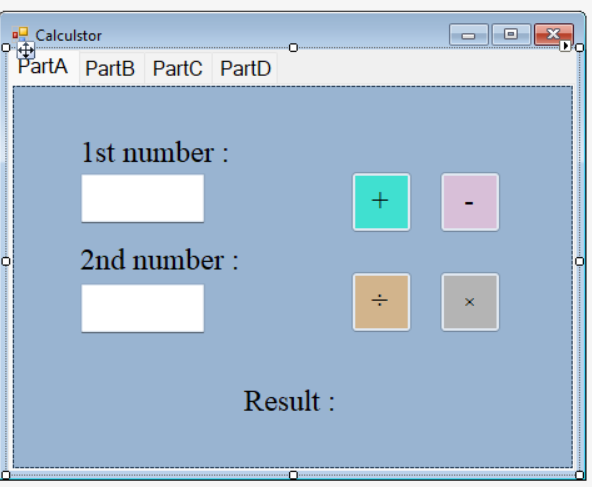
the picture above is the part that i have done , and the coding is
private: System::Void Multiplication_Click(System::Object^ sender, System::EventArgs^ e) { String^ No1Str = textBox1stNum->Text; String^ No2Str = textBox2ndNum->Text;
Double No1Db1; Double No2Db1;
try { No1Db1 = Convert::ToDouble(No1Str); No2Db1 = Convert::ToDouble(No2Str); }
catch (Exception^ err) { ResultLabel->Text = "Please enter a valid number"; return; }
Double ResultDb1 = No1Db1 * No2Db1; String^ ResultStr = Convert::ToString(ResultDb1); ResultLabel->Text = "result = " + ResultStr; }
this is an example for my multiplication button, anyone please help me.
How to write the code of a 3d vector calculator in Gui project in C++?
Calculstor o PartA Parts PartC PartD 1st number : + 2nd number : : Result
Step by Step Solution
There are 3 Steps involved in it

Get step-by-step solutions from verified subject matter experts
 Study Help