







Question: how we do this in access program 1.30 Creating Themes for the given spreadsheets: A. The spreadsheet EQUIPMENT requires one theme. The name of the
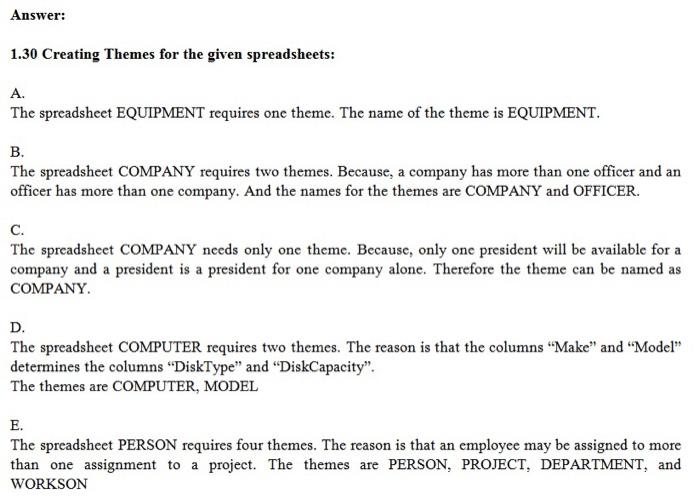
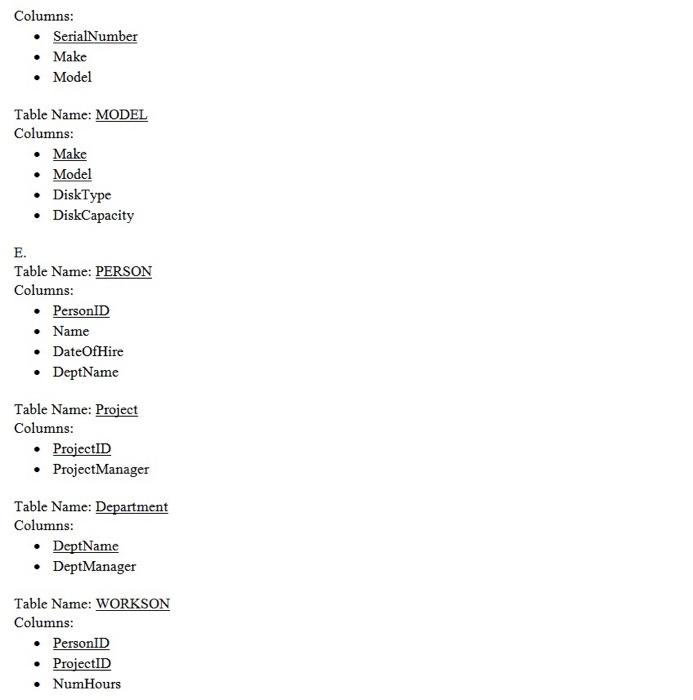
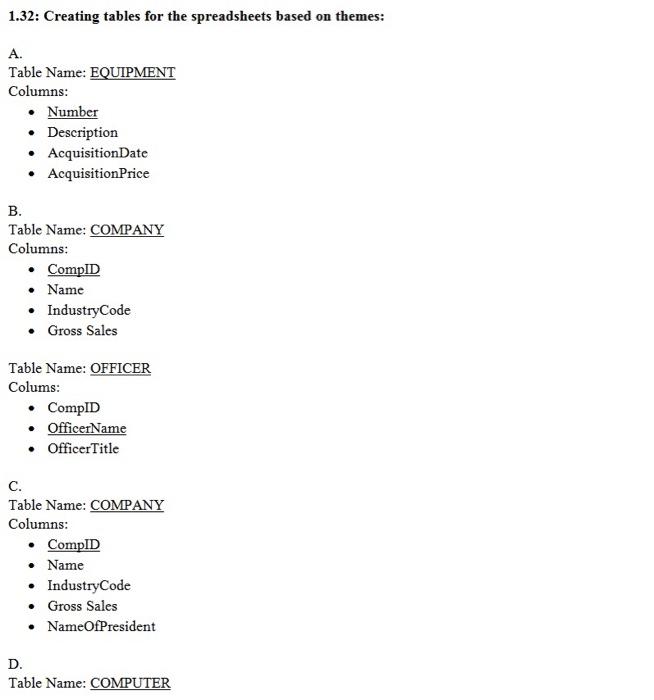
1.30 Creating Themes for the given spreadsheets: A. The spreadsheet EQUIPMENT requires one theme. The name of the theme is EQUIPMENT. B. The spreadsheet COMPANY requires two themes. Because, a company has more than one officer and an officer has more than one company. And the names for the themes are COMPANY and OFFICER. C. The spreadsheet COMPANY needs only one theme. Because, only one president will be available for a company and a president is a president for one company alone. Therefore the theme can be named as COMPANY. D. The spreadsheet COMPUTER requires two themes. The reason is that the columns "Make" and "Model" determines the columns "DiskType" and "DiskCapacity". The themes are COMPUTER, MODEL E. The spreadsheet PERSON requires four themes. The reason is that an employee may be assigned to more than one assignment to a project. The themes are PERSON, PROJECT, DEPARTMENT, and WORKSON Columns: - SerialNumber - Make - Model Table Name: MODEL Columns: - Make - Model - DiskType - DiskCapacity E. Table Name: PERSON Columns: - PersonID - Name - DateOfHire - DeptName Table Name: Project Columns: - ProjectID - ProjectManager Table Name: Department Columns: - DeptName - DeptManager Table Name: WORKSON Columns: - PersonID - ProjectID - NumHours 1.32: Creating tables for the spreadsheets based on themes: A. Table Name: EQUIPMENT Columns: - Number - Description - AcquisitionDate - AcquisitionPrice B. Table Name: COMPANY Columns: - CompID - Name - IndustryCode - Gross Sales Table Name: OFFICER Colums: - CompID - OfficerName - OfficerTitle C. Table Name: COMPANY Columns: - CompID - Name - IndustryCode - Gross Sales - NameOfPresident D. Table Name: COMPUTER
Step by Step Solution
There are 3 Steps involved in it

Get step-by-step solutions from verified subject matter experts
 Study Help