







Question: How would I compute this without getelementbyid tags and just if statements. I can't figure this out please help PROBLEM DESCRIPTION A Cellphone Store needs
How would I compute this without getelementbyid tags and just if statements. I can't figure this out please help
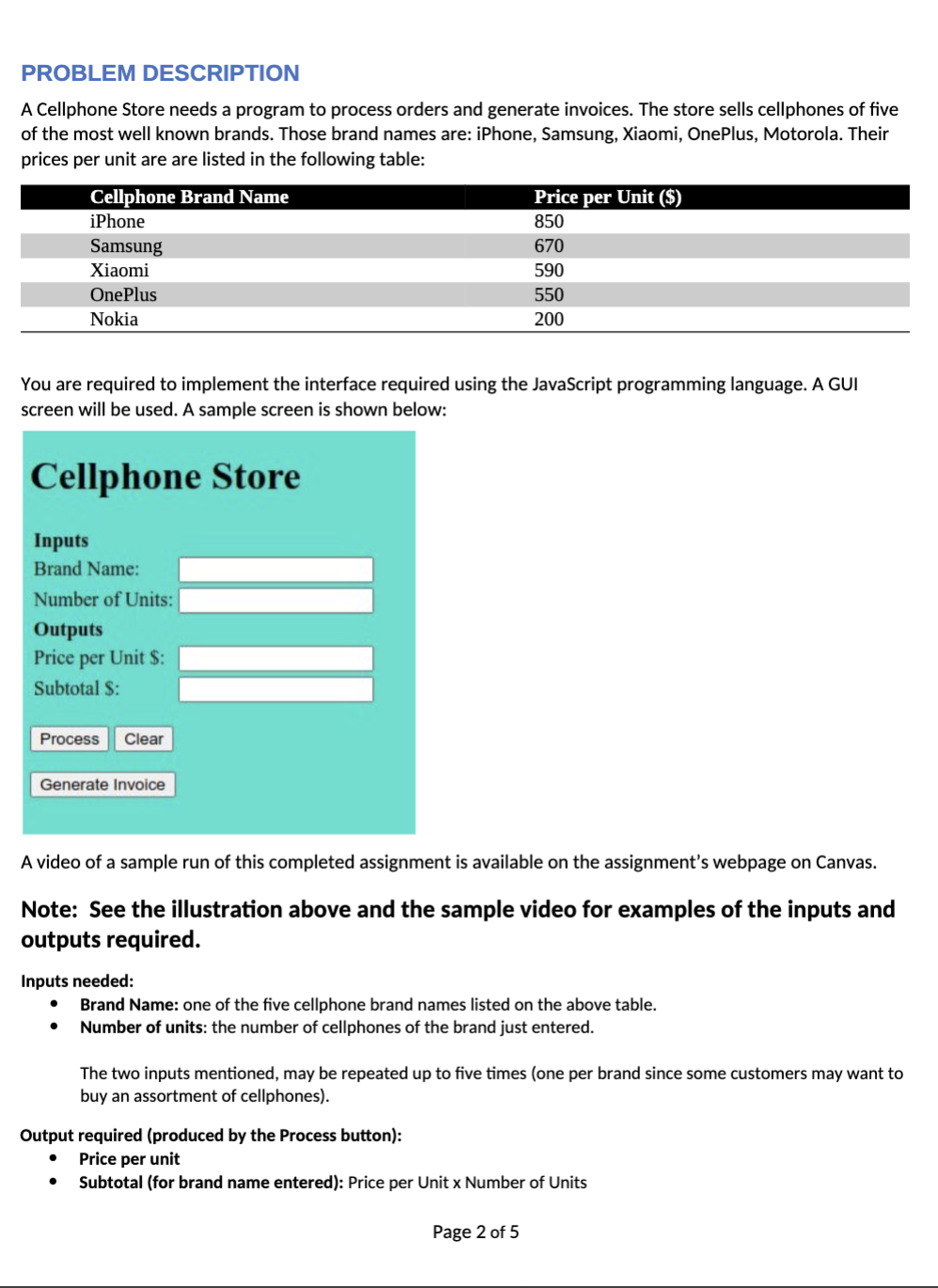
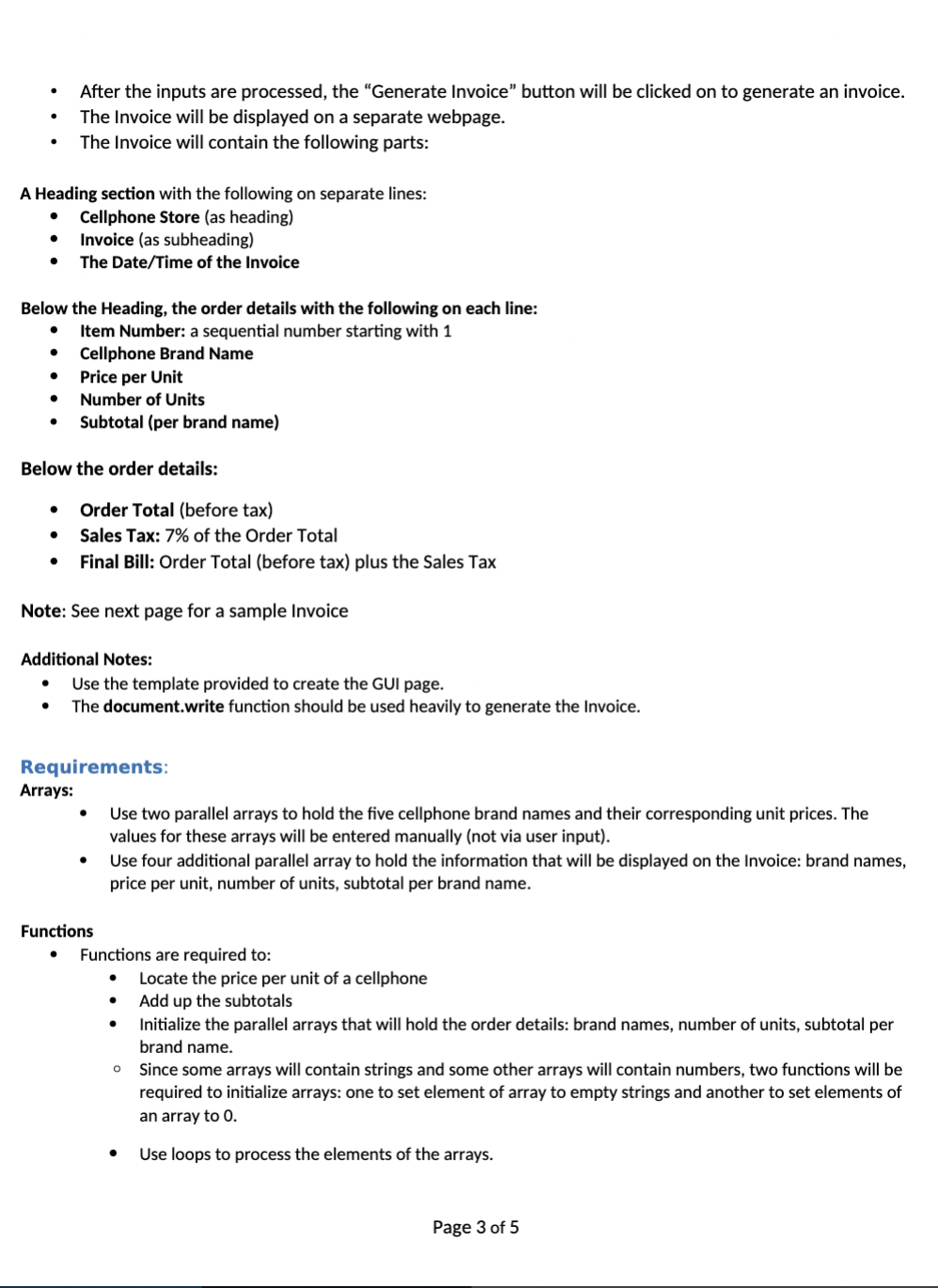
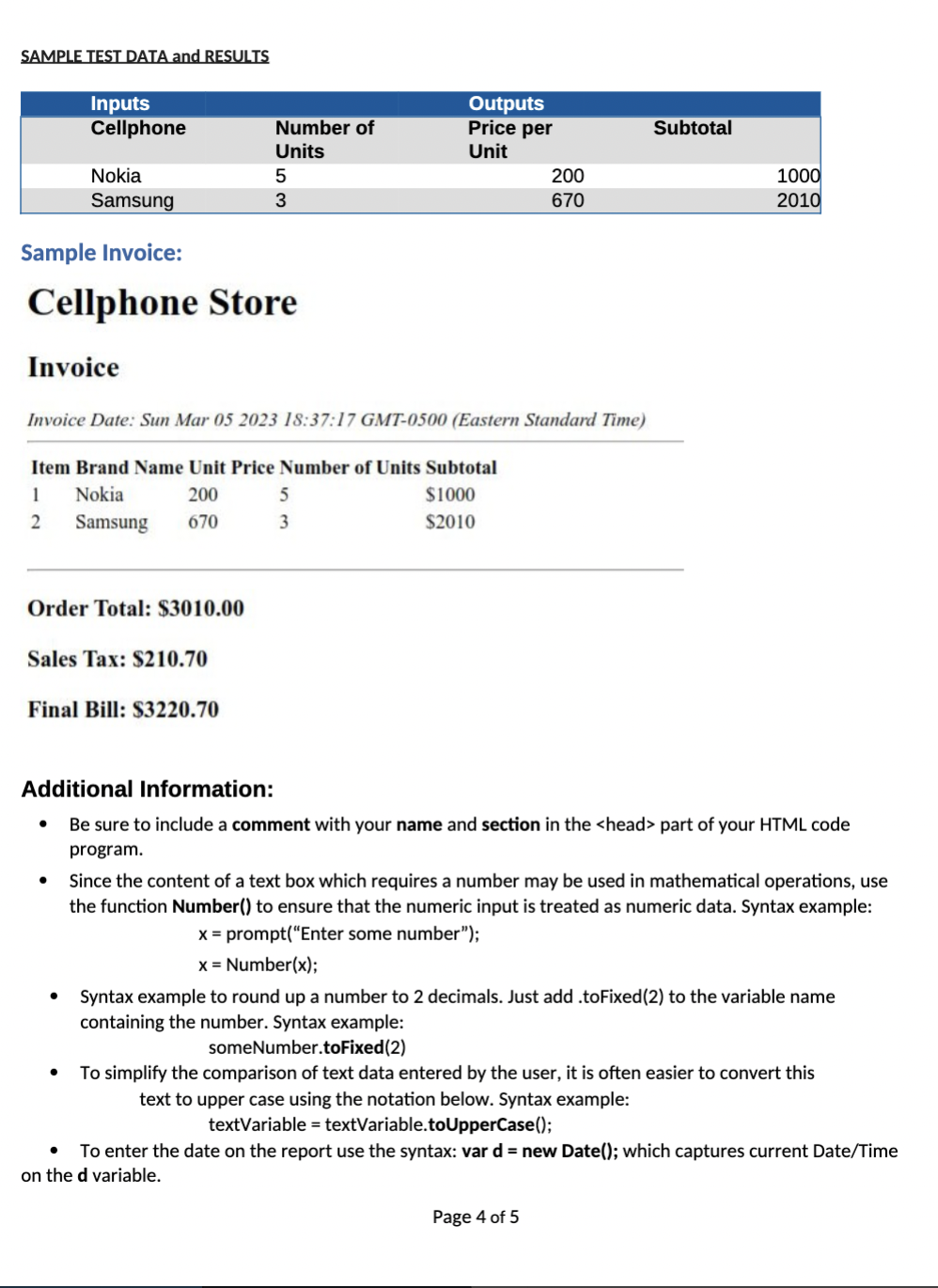
PROBLEM DESCRIPTION A Cellphone Store needs a program to process orders and generate invoices. The store sells cellphones of five of the most well known brands. Those brand names are: iPhone, Samsung, Xiaomi, OnePlus, Motorola. Their prices per unit are are listed in the following table: You are required to implement the interface required using the JavaScript programming language. A GUI screen will be used. A sample screen is shown below: A video of a sample run of this completed assignment is available on the assignment's webpage on Canvas. Note: See the illustration above and the sample video for examples of the inputs and outputs required. Inputs needed: - Brand Name: one of the five cellphone brand names listed on the above table. - Number of units: the number of cellphones of the brand just entered. The two inputs mentioned, may be repeated up to five times (one per brand since some customers may want to buy an assortment of cellphones). Output required (produced by the Process button): - Price per unit - Subtotal (for brand name entered): Price per Unit x Number of Units Page 2 of 5 - After the inputs are processed, the "Generate Invoice" button will be clicked on to generate an invoice. - The Invoice will be displayed on a separate webpage. - The Invoice will contain the following parts: A Heading section with the following on separate lines: - Cellphone Store (as heading) - Invoice (as subheading) - The Date/Time of the Invoice Below the Heading, the order details with the following on each line: - Item Number: a sequential number starting with 1 - Cellphone Brand Name - Price per Unit - Number of Units - Subtotal (per brand name) Below the order details: - Order Total (before tax) - Sales Tax: 7% of the Order Total - Final Bill: Order Total (before tax) plus the Sales Tax Note: See next page for a sample Invoice Additional Notes: - Use the template provided to create the GUI page. - The document.write function should be used heavily to generate the Invoice. Requirements: Arrays: - Use two parallel arrays to hold the five cellphone brand names and their corresponding unit prices. The values for these arrays will be entered manually (not via user input). - Use four additional parallel array to hold the information that will be displayed on the Invoice: brand names, price per unit, number of units, subtotal per brand name. Functions - Functions are required to: - Locate the price per unit of a cellphone - Add up the subtotals - Initialize the parallel arrays that will hold the order details: brand names, number of units, subtotal per brand name. - Since some arrays will contain strings and some other arrays will contain numbers, two functions will be required to initialize arrays: one to set element of array to empty strings and another to set elements of an array to 0. - Use loops to process the elements of the arrays. Page 3 of 5 SAMPLE TEST DATA and RESULTS Sample Invoice: Cellphone Store Invoice Invoice Date: Sun Mar 052023 18:37:17 GMT-0500 (Eastern Standard Time) Order Total: $3010.00 Sales Tax: $210.70 Final Bill: $3220.70 Additional Information: - Be sure to include a comment with your name and section in the part of your HTML code program. - Since the content of a text box which requires a number may be used in mathematical operations, use the function Number() to ensure that the numeric input is treated as numeric data. Syntax example: x=prompt("Entersomenumber");x=Number(x); - Syntax example to round up a number to 2 decimals. Just add .toFixed(2) to the variable name containing the number. Syntax example: someNumber.toFixed(2) - To simplify the comparison of text data entered by the user, it is often easier to convert this text to upper case using the notation below. Syntax example: textVariable = textVariable.toUpperCase(); - To enter the date on the report use the syntax: var d= new Date(); which captures current Date/Time on the d variable
Step by Step Solution
There are 3 Steps involved in it

Get step-by-step solutions from verified subject matter experts
 Study Help