







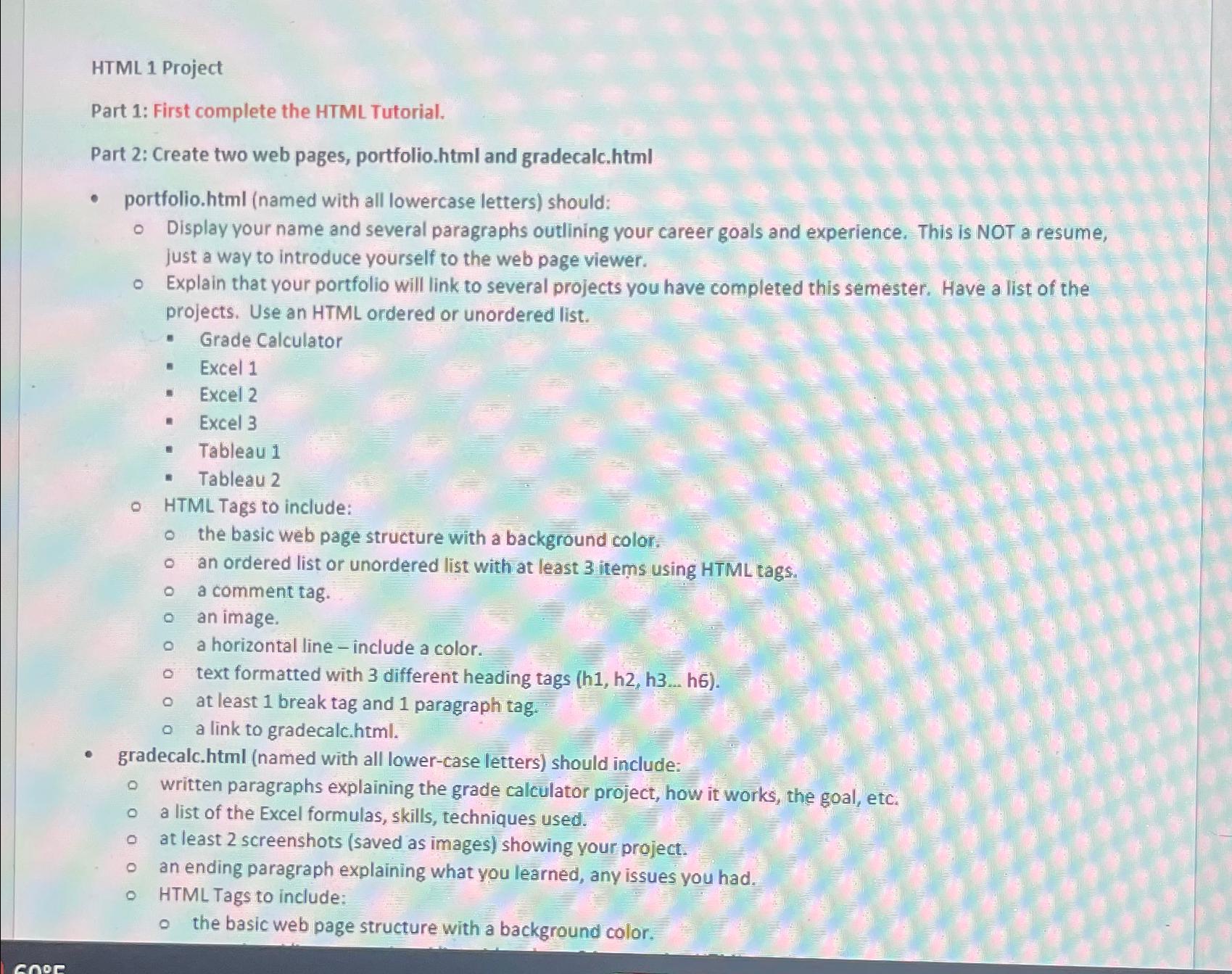
Question: HTML 1 Project Part 1 : First complete the HTML Tutorial. Part 2 : Create two web pages, portfolio.html and gradecalc.html portfolio.html ( named with
HTML Project
Part : First complete the HTML Tutorial.
Part : Create two web pages, portfolio.html and gradecalc.html
portfolio.html named with all lowercase letters should:
Display your name and several paragraphs outlining your career goals and experience. This is NOT a resume, just a way to introduce yourself to the web page viewer.
Explain that your portfolio will link to several projects you have completed this semester. Have a list of the projects. Use an HTML ordered or unordered list.
Grade Calculator
Excel
Excel
Excel
Tableau
Tableau
HTML Tags to include:
the basic web page structure with a background color.
an ordered list or unordered list with at least items using HTML tags.
a comment tag.
an image.
a horizontal line include a color.
text formatted with different heading tags hdotsh
at least break tag and paragraph tag.
a link to gradecalc.html
gradecalc.html named with all lowercase letters should include:
written paragraphs explaining the grade calculator project, how it works, the goal, etc.
a list of the Excel formulas, skills, techniques used.
at least screenshots saved as images showing your project.
an ending paragraph explaining what you learned, any issues you had.
HTML Tags to include:
the basic web page structure with a background color.
Step by Step Solution
There are 3 Steps involved in it
1 Expert Approved Answer
Step: 1 Unlock

Question Has Been Solved by an Expert!
Get step-by-step solutions from verified subject matter experts
Step: 2 Unlock
Step: 3 Unlock
 Study Help