







Question: html css code please Body Styles Andrew wants the web page body background to combine several images and effects. Go to the Body Styles section
html css code please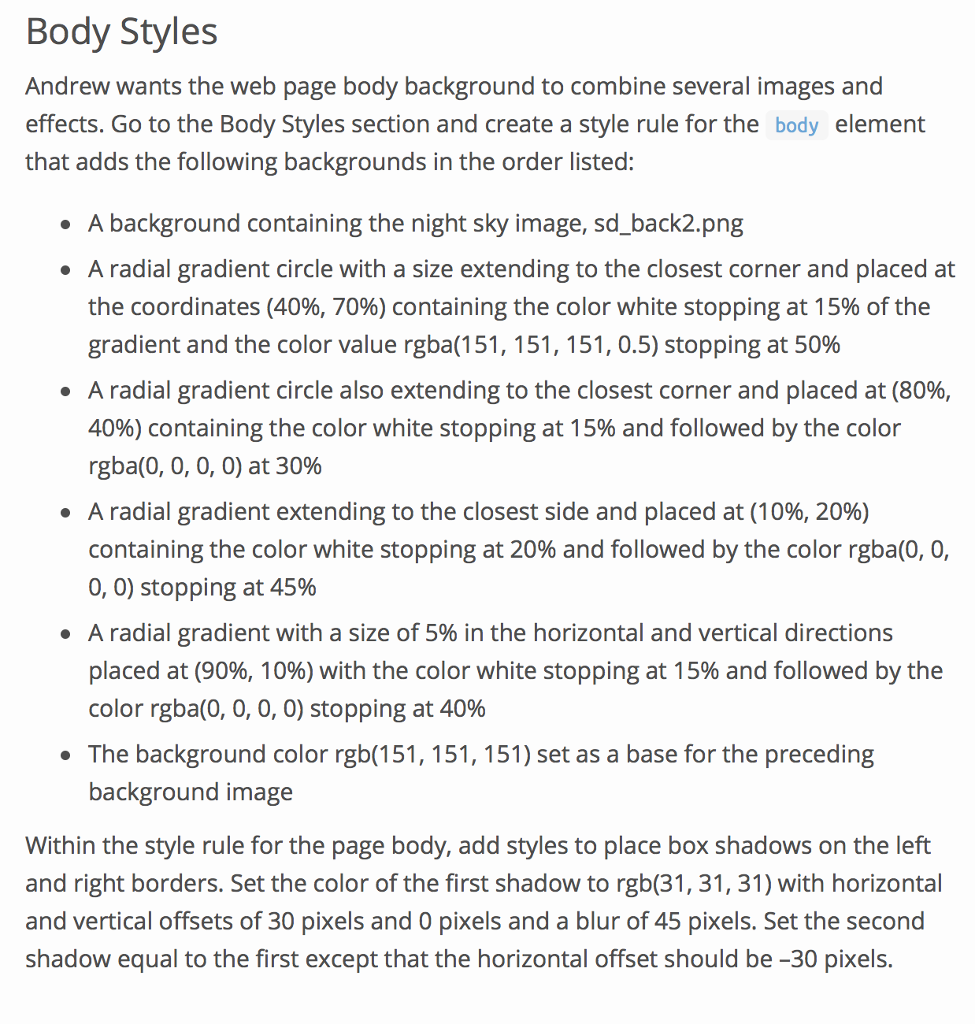
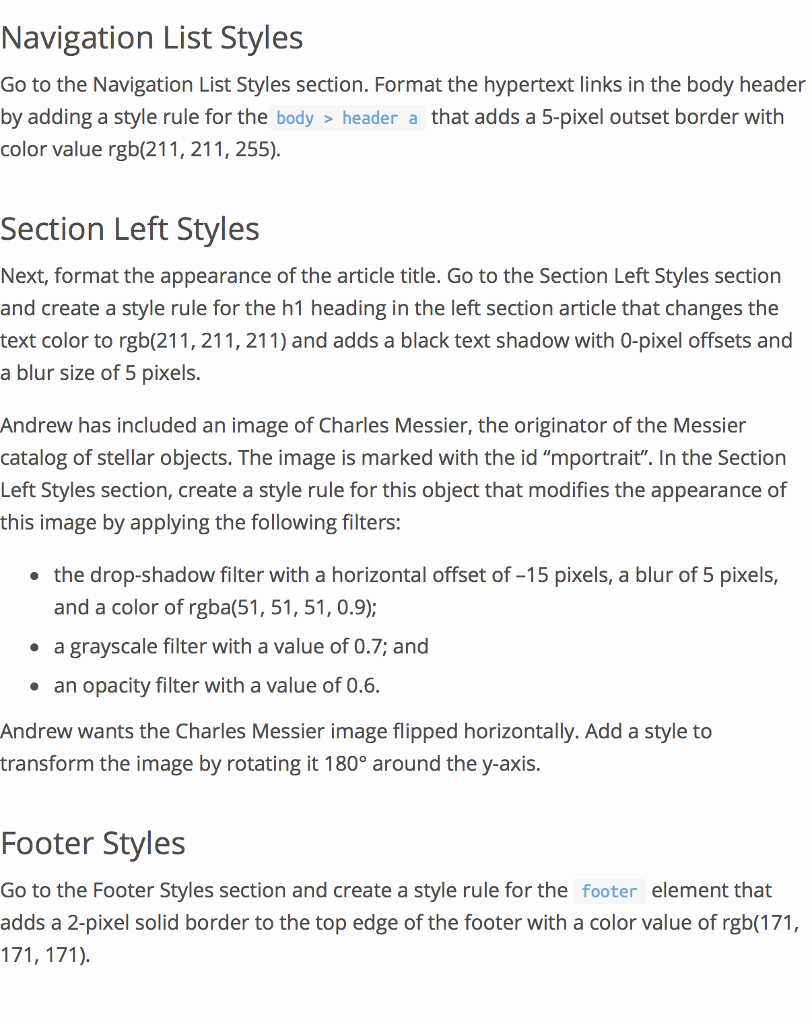
Body Styles Andrew wants the web page body background to combine several images and effects. Go to the Body Styles section and create a style rule for the body element that adds the following backgrounds in the order listed: . A background containing the night sky image, sd.back2.png A radial gradient circle with a size extending to the closest corner and placed at the coordinates (40%, 70%) containing the color white stopping at 15% of the gradient and the color value rgba(151, 1 51, 151, 0.5) stopping at 50% A radial gradient circle also extending to the closest corner and placed at (80%, 40%) containing the color white stopping at 15% and followed by the color rgba(0, 0, 0, 0) at 30% A radial gradient extending to the closest side and placed at (10%, 20%) containing the color white stopping at 20% and followed by the color rgba(0, 0, 0, 0) stopping at 45% A radial gradient with a size of 5% in the horizontal and vertical directions placed at (90%, 10%) with the color white stopping at 1 5% and followed by the color rgba(0, 0, 0, 0) stopping at 40% The background color rgb(151, 151, 151) set as a base for the preceding background image Within the style rule for the page body, add styles to place box shadows on the left and right borders. Set the color of the first shadow to rgb(31, 31, 31) with horizontal and vertical offsets of 30 pixels and 0 pixels and a blur of 45 pixels. Set the second shadow equal to the first except that the horizontal offset should be -30 pixels Body Styles Andrew wants the web page body background to combine several images and effects. Go to the Body Styles section and create a style rule for the body element that adds the following backgrounds in the order listed: . A background containing the night sky image, sd.back2.png A radial gradient circle with a size extending to the closest corner and placed at the coordinates (40%, 70%) containing the color white stopping at 15% of the gradient and the color value rgba(151, 1 51, 151, 0.5) stopping at 50% A radial gradient circle also extending to the closest corner and placed at (80%, 40%) containing the color white stopping at 15% and followed by the color rgba(0, 0, 0, 0) at 30% A radial gradient extending to the closest side and placed at (10%, 20%) containing the color white stopping at 20% and followed by the color rgba(0, 0, 0, 0) stopping at 45% A radial gradient with a size of 5% in the horizontal and vertical directions placed at (90%, 10%) with the color white stopping at 1 5% and followed by the color rgba(0, 0, 0, 0) stopping at 40% The background color rgb(151, 151, 151) set as a base for the preceding background image Within the style rule for the page body, add styles to place box shadows on the left and right borders. Set the color of the first shadow to rgb(31, 31, 31) with horizontal and vertical offsets of 30 pixels and 0 pixels and a blur of 45 pixels. Set the second shadow equal to the first except that the horizontal offset should be -30 pixels
Step by Step Solution
There are 3 Steps involved in it

Get step-by-step solutions from verified subject matter experts
 Study Help