







Question: HTML & CSS Create the web page as shown in the picture below: * ( HTML ) In the web page above you have to
HTML & CSS
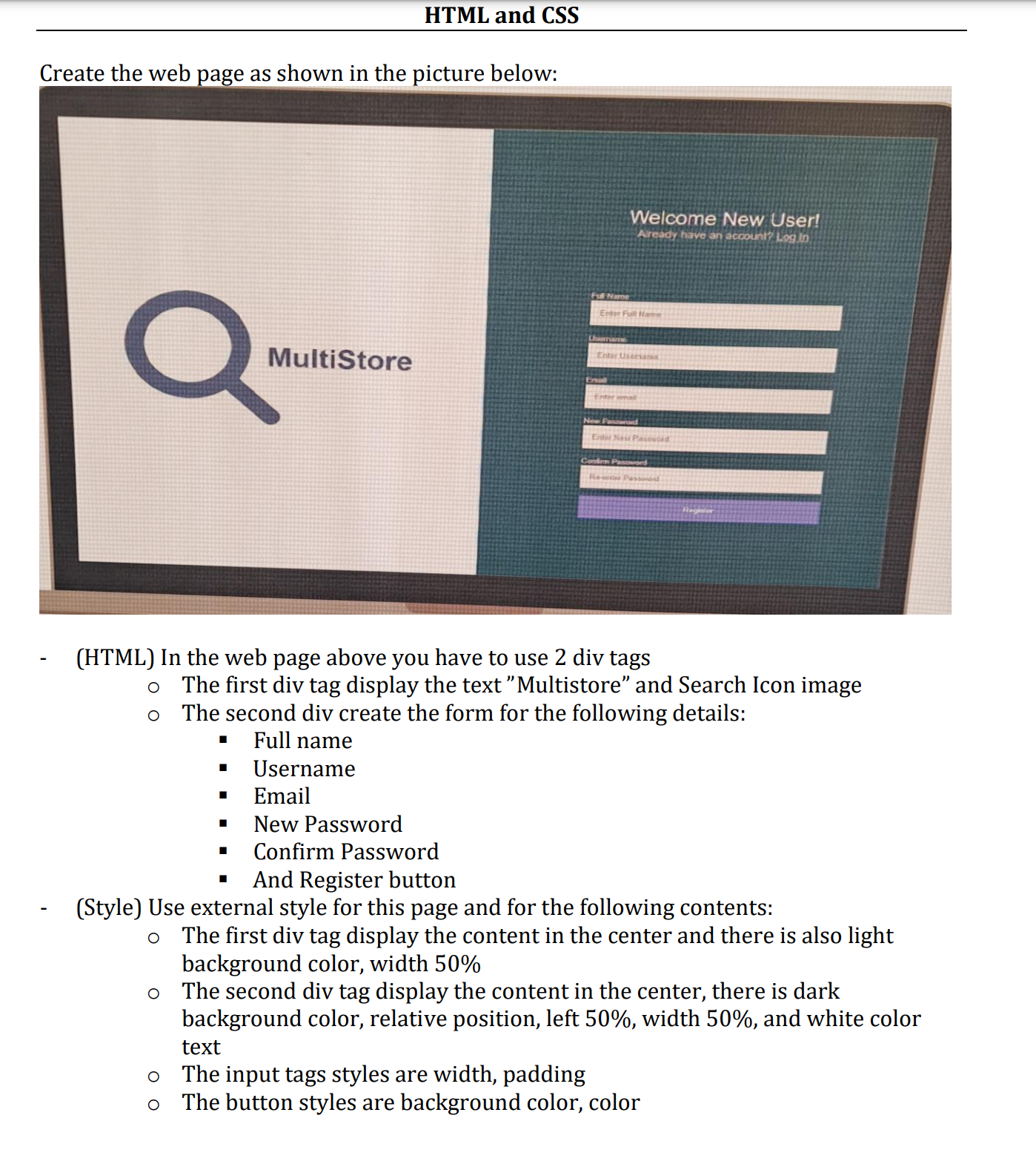
Create the web page as shown in the picture below:
HTML In the web page above you have to use div tags
The first div tag display the text "Multistore" and Search Icon image
The second div create the form for the following details:
# Full name
# Username
# Email
# New Password
# Confirm Password
# And Register button
Style Use external style for this page and for the following contents:
The first div tag display the content in the center and there is also light
background color, width
The second div tag display the content in the center, there is dark background color, relative position, left width and white color text.
The input tags styles are width, padding
The button styles are background color, color
Step by Step Solution
There are 3 Steps involved in it
1 Expert Approved Answer
Step: 1 Unlock

Question Has Been Solved by an Expert!
Get step-by-step solutions from verified subject matter experts
Step: 2 Unlock
Step: 3 Unlock
 Study Help