







Question: Html, Internal CSs Recreate the sample landing page below using HTML and CSS. You may choose different fonts and colors. Follow these instructions to do
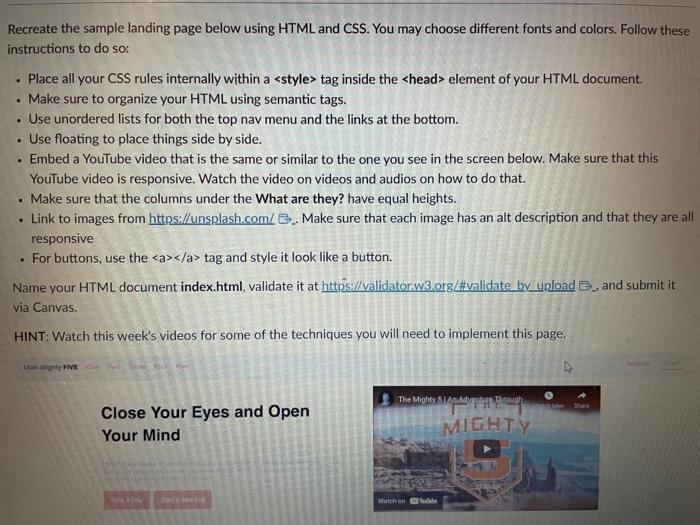
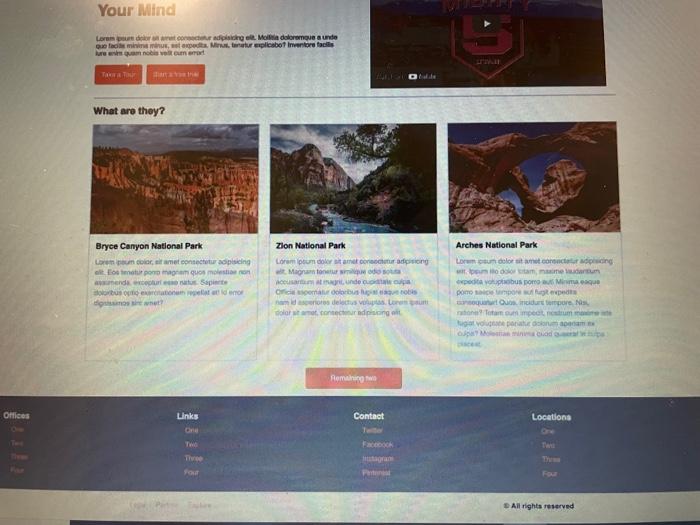
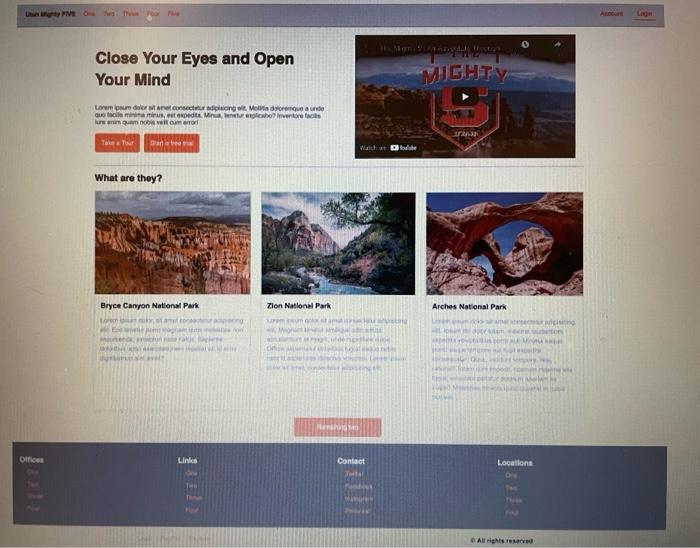
Recreate the sample landing page below using HTML and CSS. You may choose different fonts and colors. Follow these instructions to do so: - Place all your CSS rules internally within a > tag inside the > element of your HTML document. - Make sure to organize your HTML using semantic tags. - Use unordered lists for both the top nav menu and the links at the bottom. - Use floating to place things side by side. - Embed a YouTube video that is the same or similar to the one you see in the screen below. Make sure that this YouTube video is responsive. Watch the video on videos and audios on how to do that. - Make sure that the columns under the What are they? have equal heights. - Link to images from https://unsplash.com/ .. Make sure that each image has an alt description and that they are all responsive - For buttons, use the a/a> tag and style it look like a button. Name your HTML document index.html, validate it at https://validatoriw3. org/\#validate by upload B., and submit it via Canvas. HINT: Watch this week's videos for some of the techniques you will need to implement this page. Iitan an a dy FIVE. Close Your Eyes and Open Your Mind bre eve quat nocie vesteum erort What are thoy? Dryce Canyon National Park Zlon Natlonal Park Arches National Park ef. Megrun toneur srilper ade sita expedta youptiobus pore aw 1 Mivina esque pore taven timpoes mur her erpedta whoquanct ouse. inidurt iertpore Nas. Close Your Eyes and Open Your Mind
Step by Step Solution
There are 3 Steps involved in it

Get step-by-step solutions from verified subject matter experts
 Study Help