







Question: HTML Use HTML and Linked CSS Style to design a webpage for your favorite restaurant similar to the one below. Collect resources for your favorite
HTML
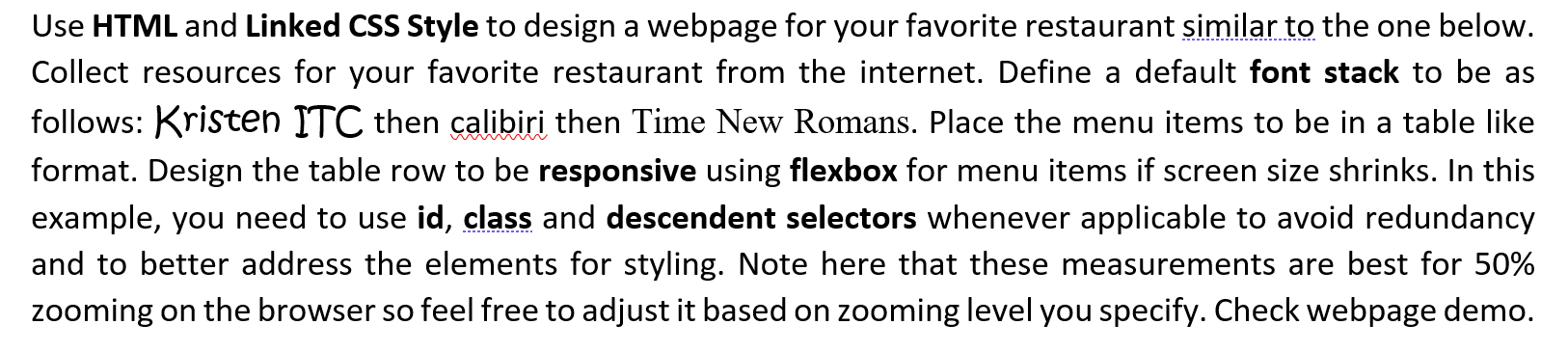
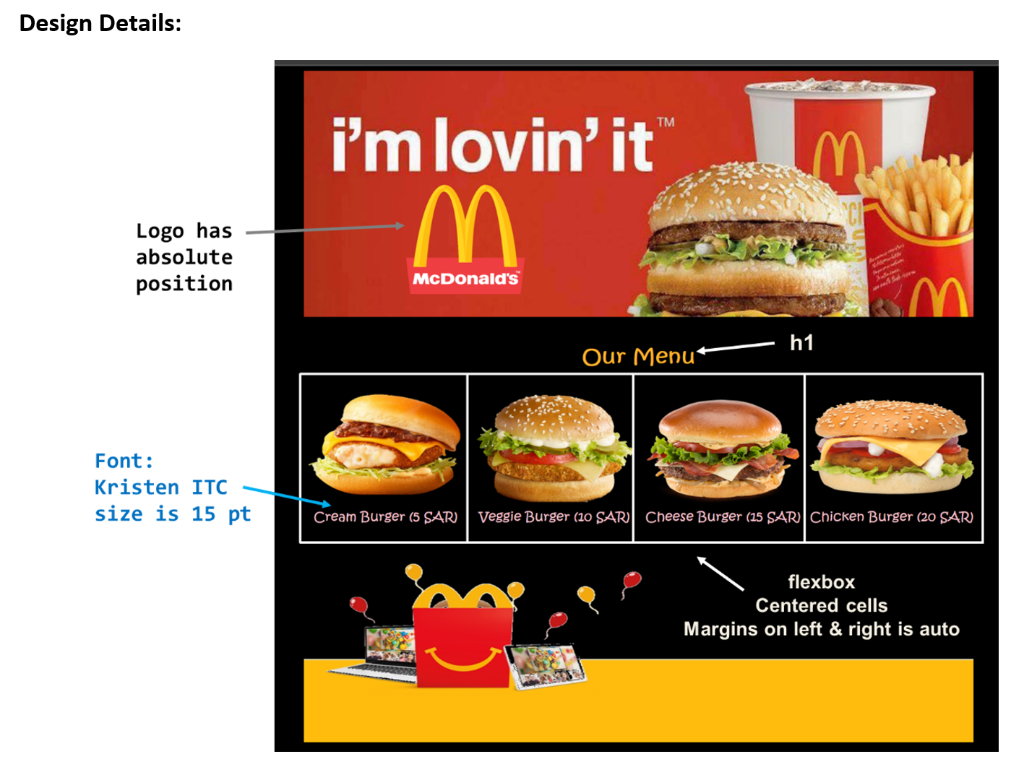
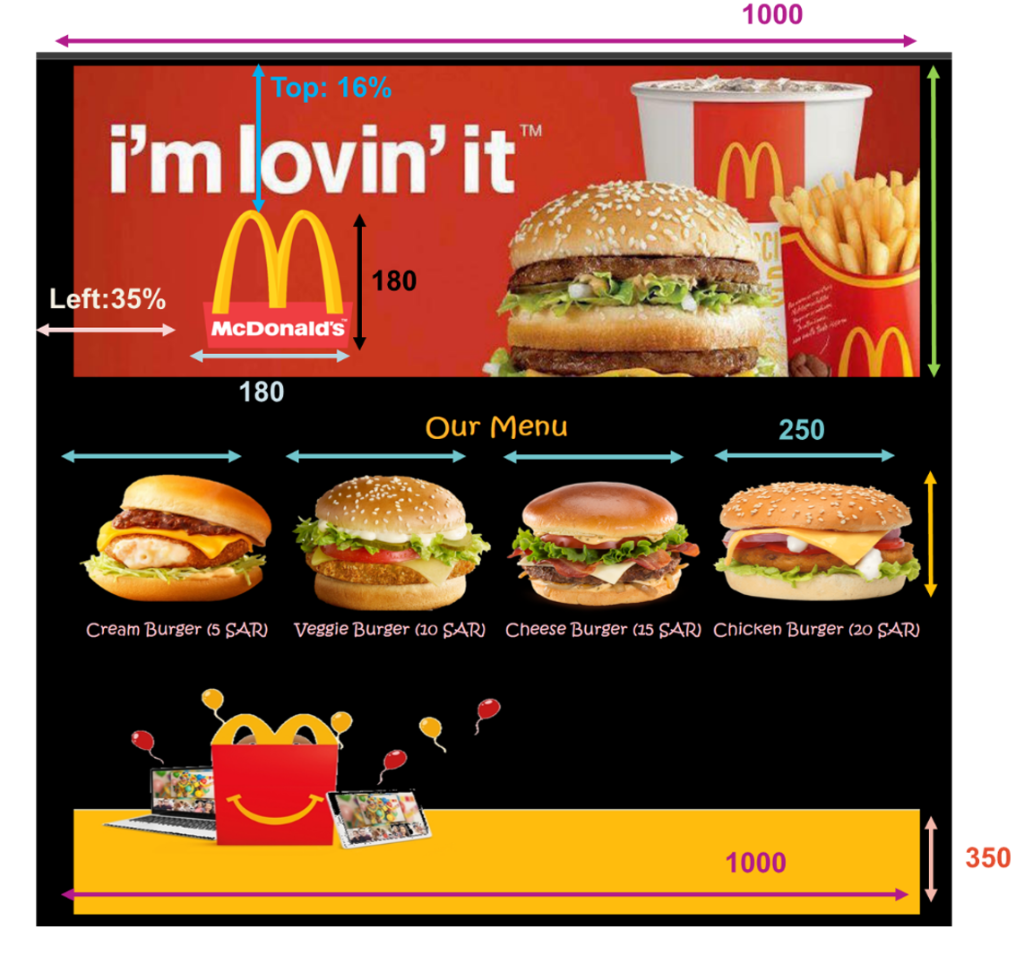
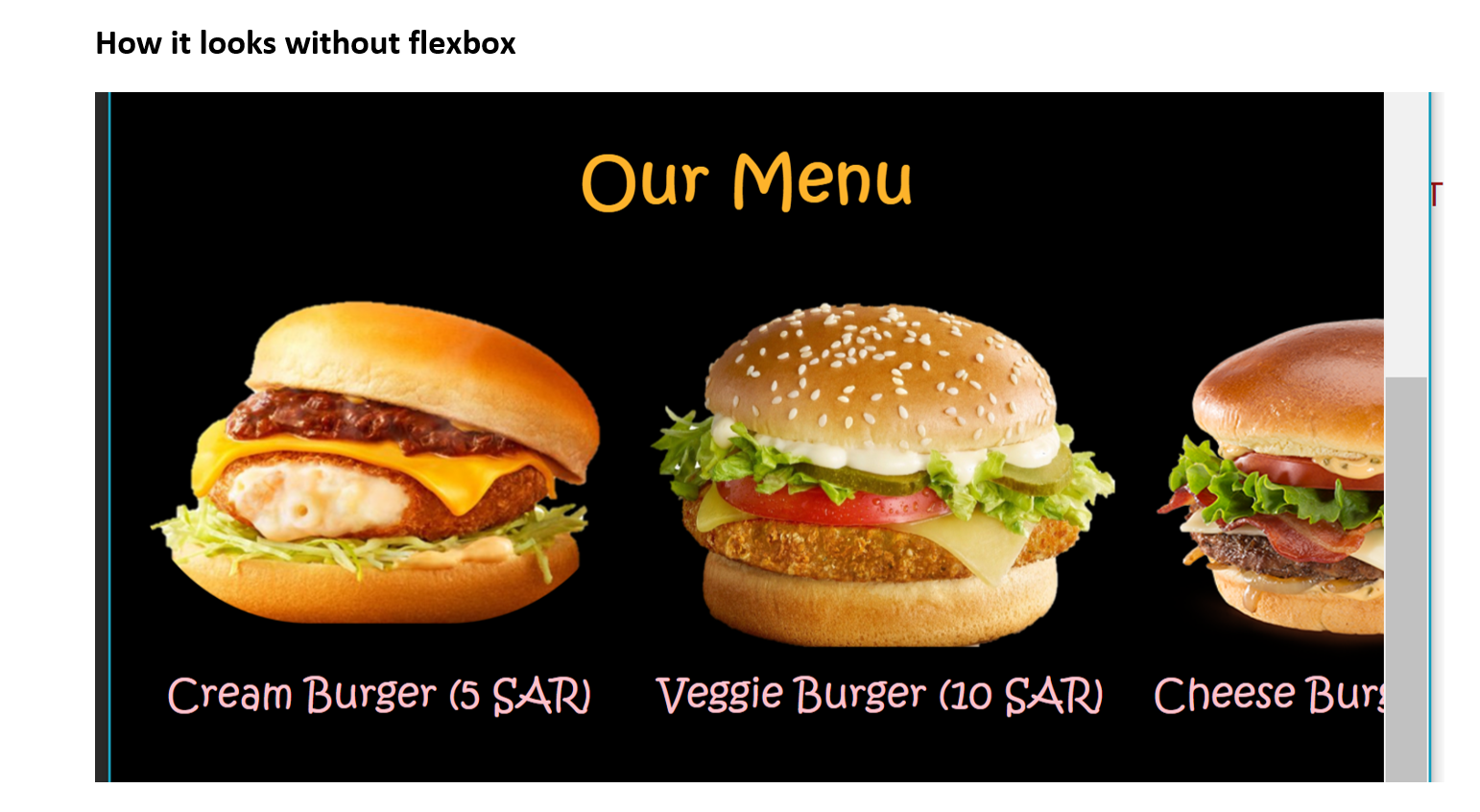
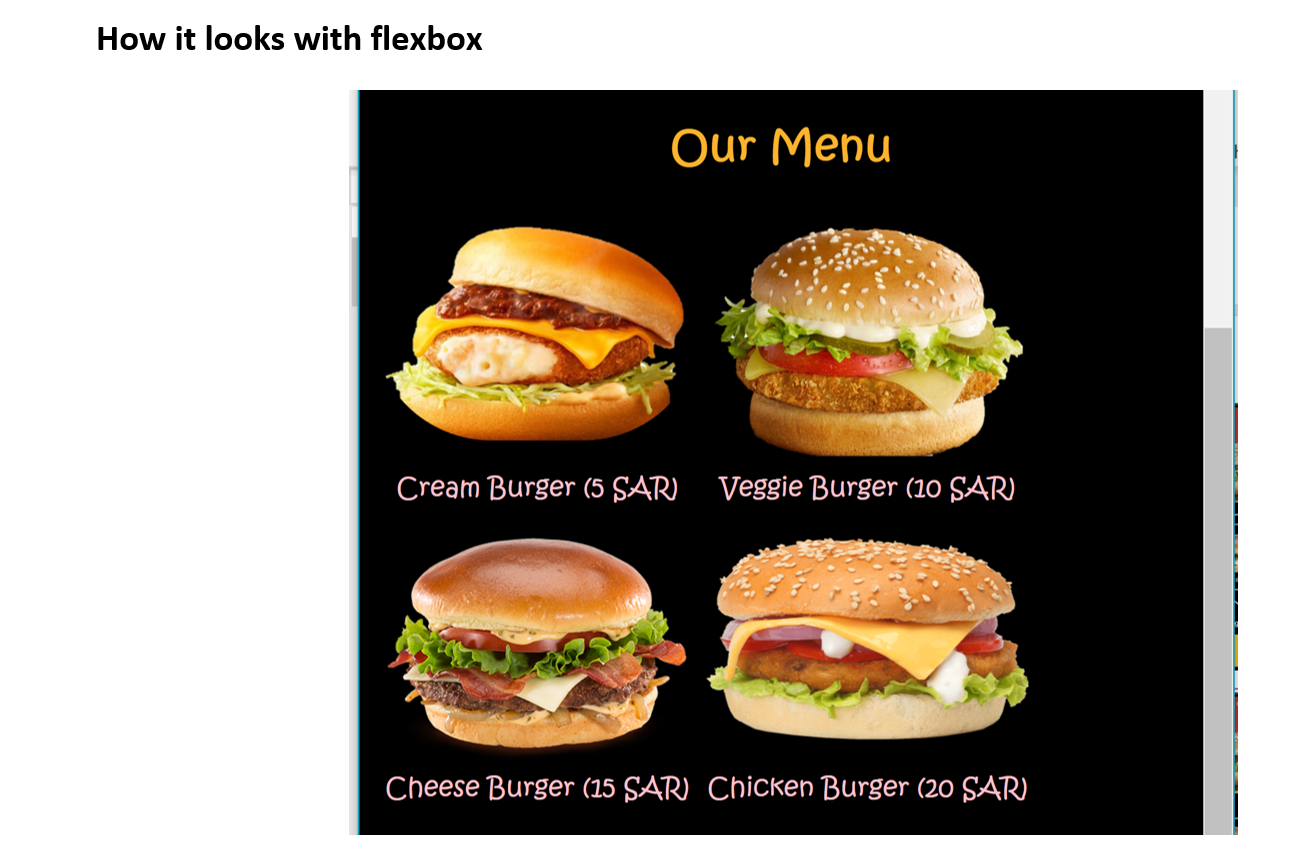
Use HTML and Linked CSS Style to design a webpage for your favorite restaurant similar to the one below. Collect resources for your favorite restaurant from the internet. Define a default font stack to be as follows: Kristen ITC then calibiri then Time New Romans. Place the menu items to be in a table like format. Design the table row to be responsive using flexbox for menu items if screen size shrinks. In this example, you need to use id, class and descendent selectors whenever applicable to avoid redundancy and to better address the elements for styling. Note here that these measurements are best for 50% zooming on the browser so feel free to adjust it based on zooming level you specify. Check webpage demo. Design Details: TM m i'm lovin' it m. Logo has absolute position McDonald's h1 Our Menu Font: Kristen ITC size is 15 pt Cream Burger (5 SAR) Veggie Burger (10 SAR Cheese Burger (15 SAR Chicken Burger (20 SAR) flexbox Centered cells Margins on left & right is auto 1000 Top: 16% TM i'm lovin' it M. 180 Left:35% McDonald's 180 Our Menu 250 Cream Burger (5 SAR) Veggie Burger (10 SAR Cheese Burger (15 SAR Chicken Burger (20 SAR) 1000 350 How it looks without flexbox Our Menu Cream Burger (5 SAR) Veggie Burger (10 SAR Cheese Bur How it looks with flexbox Our Menu Cream Burger (5 SAR) Veggie Burger (10 SAR) Cheese Burger (15 SAR) Chicken Burger (20 SARI
Step by Step Solution
There are 3 Steps involved in it

Get step-by-step solutions from verified subject matter experts
 Study Help