





Question: HTML You need to follow the steps described below. 1) Creating an HTML Frameset Your Web browser can display two or more Web pages on

HTML
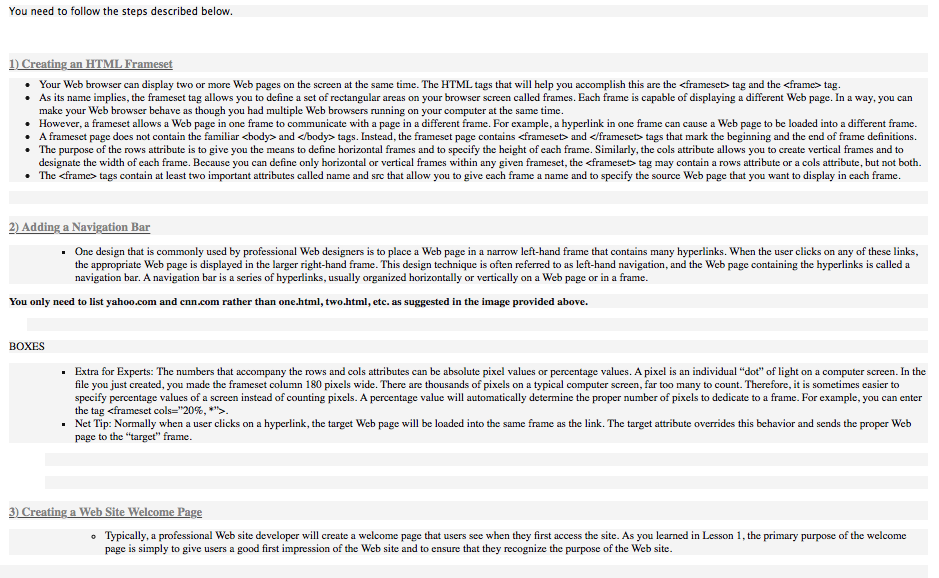
HTML You need to follow the steps described below. 1) Creating an

You need to follow the steps described below. 1) Creating an HTML Frameset Your Web browser can display two or more Web pages on the screen at the same time. The HTML tags that will help you accomplish this are the

tag and the tag. As its name implies, the frameset tag allows you to define a set of rectangular areas on your browser screen called frames. Each frame is capable of displaying a different Web page. In a way, you can make your web browser behave as though you had multiple Web browsers running on your computer at the same time. . However, a frameset allows a Web page in one frame to communicate with a page in a different frame. For example, a hyperlink in one frame can cause a Web page to be loaded into a different frame. A frameset page does not contain the familiar and tags. Instead, the frameset page contains and tags that mark the beginning and the end of frame definitions. The purpose of the rows attribute is to give you the means to define horizontal frames and to specify the height of each frame. Similarly, the cols attribute allows you to create vertical frames and to designate the width of each frame. Because you can define only horizontal or vertical frames within any given frameset, the tag may contain a rows attribute or a cols attribute, but not both. The tags contain at least two important attributes called name and src that allow you to give cach frame a name and to specify the source Web page that you want to display in cach frame. 2) Adding a Navigation Bar Onc design that is commonly used by professional Web designers is to place a Web page in a narrow left-hand frame that contains many hyperlinks. When the user clicks on any of these links, the appropriate Web page is displayed in the larger right-hand frame. This design technique is often referred to as left-hand navigation, and the web page containing the hyperlinks is called a navigation bar. A navigation bar is a series of hyperlinks, usually organized horizontally or vertically on a Web page or in a frame. You only need to list yahoo.com and cnn.com rather than one.html, two.html, etc. as suggested in the image provided above. BOXES Extra for Experts: The numbers that accompany the rows and cols attributes can be absolute pixel values or percentage values. A pixel is an individual "dot" of light on a computer screen. In the file you just created, you made the frameset column 180 pixels wide. There are thousands of pixels on a typical computer screen, far too many to count. Therefore, it is sometimes casier to specify percentage values of a screen instead of counting pixels. A percentage value will automatically determine the proper number of pixels to dedicate to a frame. For example, you can enter the tag Net Tip: Normally when a user clicks on a hyperlink, the target Web page will be loaded into the same frame as the link. The target attribute overrides this behavior and sends the proper Web page to the "target" frame. 3) Creating a Web Site Welcome Page Typically, a professional Web site developer will create a welcome page that users see when they first access the site. As you learned in Lesson 1, the primary purpose of the welcome page is simply to give users a good first impression of the Web site and to ensure that they recognize the purpose of the Web site. You need to follow the steps described below. 1) Creating an HTML Frameset Your Web browser can display two or more Web pages on the screen at the same time. The HTML tags that will help you accomplish this are the tag and the tag. As its name implies, the frameset tag allows you to define a set of rectangular areas on your browser screen called frames. Each frame is capable of displaying a different Web page. In a way, you can make your web browser behave as though you had multiple Web browsers running on your computer at the same time. . However, a frameset allows a Web page in one frame to communicate with a page in a different frame. For example, a hyperlink in one frame can cause a Web page to be loaded into a different frame. A frameset page does not contain the familiar and tags. Instead, the frameset page contains and tags that mark the beginning and the end of frame definitions. The purpose of the rows attribute is to give you the means to define horizontal frames and to specify the height of each frame. Similarly, the cols attribute allows you to create vertical frames and to designate the width of each frame. Because you can define only horizontal or vertical frames within any given frameset, the tag may contain a rows attribute or a cols attribute, but not both. The tags contain at least two important attributes called name and src that allow you to give cach frame a name and to specify the source Web page that you want to display in cach frame. 2) Adding a Navigation Bar Onc design that is commonly used by professional Web designers is to place a Web page in a narrow left-hand frame that contains many hyperlinks. When the user clicks on any of these links, the appropriate Web page is displayed in the larger right-hand frame. This design technique is often referred to as left-hand navigation, and the web page containing the hyperlinks is called a navigation bar. A navigation bar is a series of hyperlinks, usually organized horizontally or vertically on a Web page or in a frame. You only need to list yahoo.com and cnn.com rather than one.html, two.html, etc. as suggested in the image provided above. BOXES Extra for Experts: The numbers that accompany the rows and cols attributes can be absolute pixel values or percentage values. A pixel is an individual "dot" of light on a computer screen. In the file you just created, you made the frameset column 180 pixels wide. There are thousands of pixels on a typical computer screen, far too many to count. Therefore, it is sometimes casier to specify percentage values of a screen instead of counting pixels. A percentage value will automatically determine the proper number of pixels to dedicate to a frame. For example, you can enter the tag Net Tip: Normally when a user clicks on a hyperlink, the target Web page will be loaded into the same frame as the link. The target attribute overrides this behavior and sends the proper Web page to the "target" frame. 3) Creating a Web Site Welcome Page Typically, a professional Web site developer will create a welcome page that users see when they first access the site. As you learned in Lesson 1, the primary purpose of the welcome page is simply to give users a good first impression of the Web site and to ensure that they recognize the purpose of the Web site

Step by Step Solution

There are 3 Steps involved in it

1 Expert Approved Answer
Step: 1 Unlock blur-text-image

Question Has Been Solved by an Expert!

Get step-by-step solutions from verified subject matter experts

Step: 2 Unlock
Step: 3 Unlock

Students Have Also Explored These Related Databases Questions!