







Question: HTML5 and CSS3 and js if needed 4 Administrator Page (2 mark) For this page, only the middle should change from the home page. The
HTML5 and CSS3 and js if needed
4 Administrator Page (2 mark)
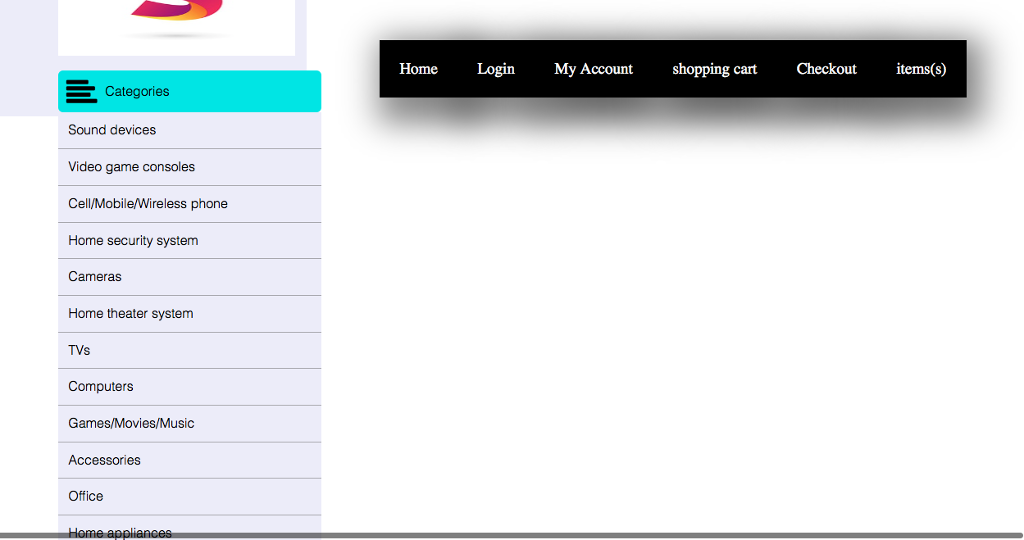
For this page, only the middle should change from the home page. The menus and categories should be visible for all pages. Looks like the profile page, but instead of showing all the products that you bought, should show all the products sold in the website, the user that bought it, the quantity and the final price. Moreover, the admin should have a button to register a new product and another one to remove or add a new category.
4.1 Add/Remove category
This page is only a pop-up, so, there is no need to have all the menus, logo, or category menu. In this page, you should list all the categories of the store, with a button to delete in the side of each category. In the top, you should have an input text to type the name of a new category and then, a SAVE button.
4.2. Add a new product
This page is only a pop-up, so, there is no need to have all the menus, logo, or category menu. Here you should have a form for the admin input the Product Title, Select a Category from a select list, Select a Picture (file upload), Put a Description (text area), Put the Quantity available, and the Unit Price.
Home Login My Account shopping cart Checkout items(s) Categories Sound devices Video game consoles Cell/Mobile/Wireless phone Home security system Cameras Home theater system TVs Computers Games/Movies/Music Accessories Office Home Login My Account shopping cart Checkout items(s) Categories Sound devices Video game consoles Cell/Mobile/Wireless phone Home security system Cameras Home theater system TVs Computers Games/Movies/Music Accessories Office
Step by Step Solution
There are 3 Steps involved in it

Get step-by-step solutions from verified subject matter experts
 Study Help