







Question: HTML5 help : - no shuffle needed - i need to track images with id and source Here are the useful lines: window.addEventListener(load,myfunction,false); obj.addEventListener(click,function(){myfunction();},false); var
HTML5 help :
- no shuffle needed
- i need to track images with id and source
Here are the useful lines:
window.addEventListener("load",myfunction,false); obj.addEventListener("click",function(){myfunction();},false); var vars=document.getElementById(" "); var1.setAttribute("src",mysource); var1.setAttribute("name",myname); Len=array1.length array1=["elm1","elm2"...]; array2=[["elm1","elm2"],["elm2","elm4"]]; newArray[i]=array2[i][0]; array2[i][1]; ....;
For images, can you indicate where the images go? so i can replace with other images. Thank you very much.
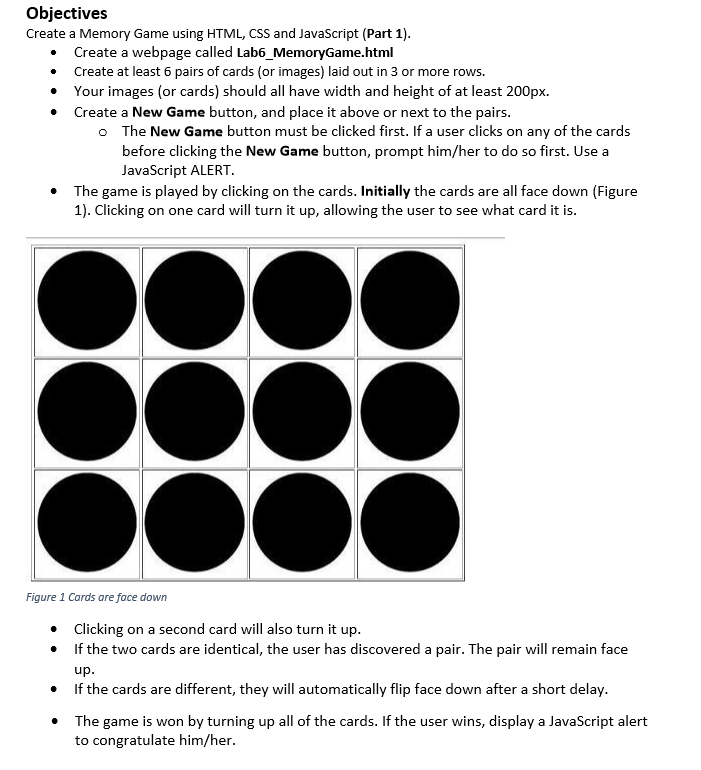
Objectives Create a Memory Game using HTML, CSS and JavaScript (Part 1). Create a webpage called Lab6_MemoryGame.html Create at least 6 pairs of cards (or images) laid out in 3 or more rows. Your images (or cards) should all have width and height of at least 200px Create a New Game button, and place it above or next to the pairs. The New Game button must be clicked first. If a user clicks on any of the cards before clicking the New Game button, prompt him/her to do so first. Use a JavaScript ALERT. The game is played by clicking on the cards. Initially the cards are all face down (Figure 1). Clicking on one card will turn it up, allowing the user to see what card it is . Figure 1 Cards are face down . Clicking on a second card will also turn it up. If the two cards are identical, the user has discovered a pair. The pair will remain face If the cards are different, they will automatically flip face down after a short delay. The game is won by turning up all of the cards. If the user wins, display a JavaScript alert * to congratulate him/her
Step by Step Solution
There are 3 Steps involved in it

Get step-by-step solutions from verified subject matter experts
 Study Help