







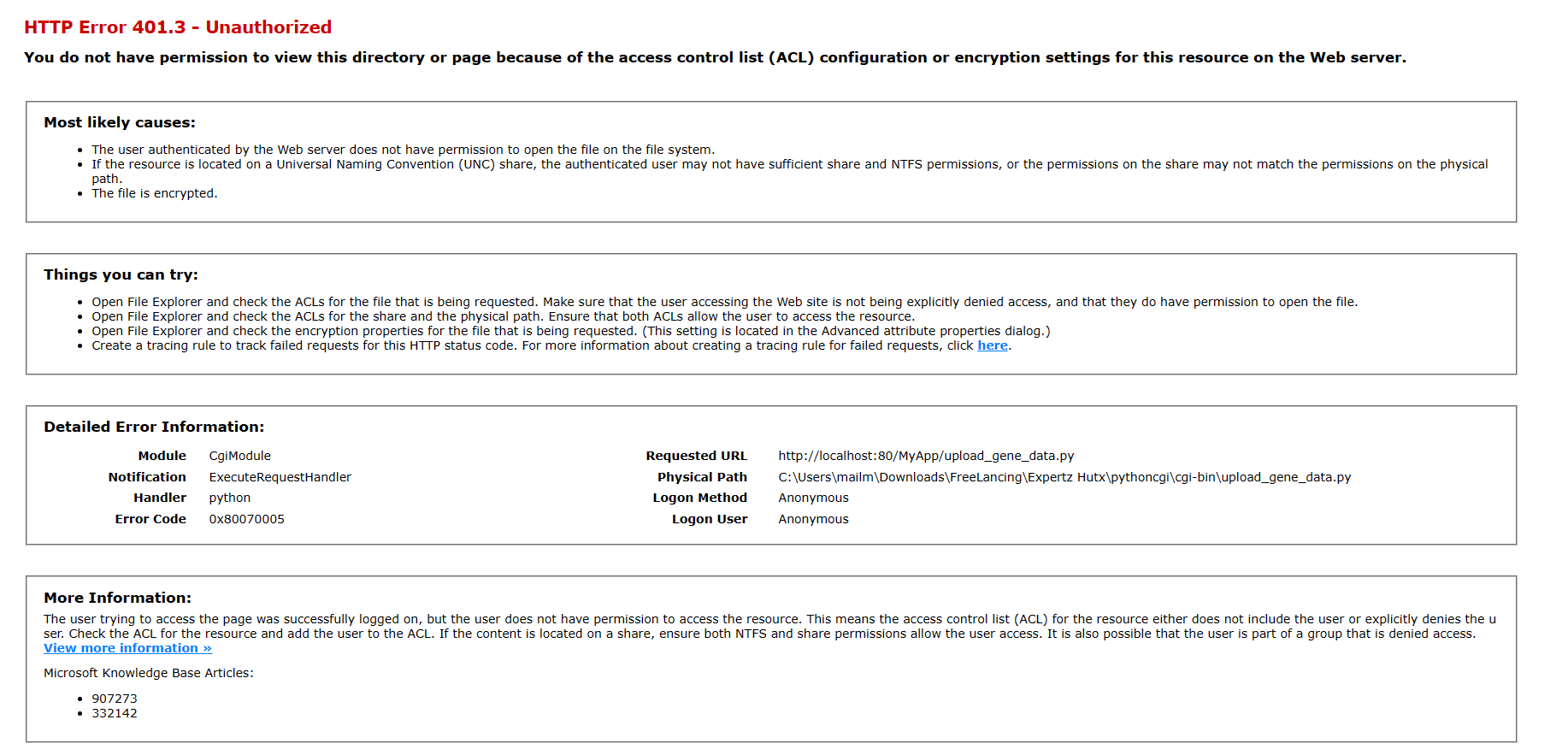
Question: HTTP Error 4 0 1 . 3 - Unauthorized You do not have permission to view this directory or page because of the access control
HTTP Error Unauthorized
You do not have permission to view this directory or page because of the access control list ACL configuration or encryption settings for this resource on the Web server.
Most likely causes:
The user authenticated by the Web server does not have permission to open the file on the file system.
path.
The file is encrypted.
Things you can try:
Open File Explorer and check the ACLs for the file that is being requested. Make sure that the user accessing the Web site is not being explicitly denied access, and that they do have permission to open the file.
Open File Explorer and check the ACLs for the share and the physical path. Ensure that both ACLs allow the user to access the resource.
Open File Explorer and check the encryption properties for the file that is being requested. This setting is located in the Advanced attribute properties dialog.
Create a tracing rule to track failed requests for this HTTP status code. For more information about creating a tracing rule for failed requests, click here.
Detailed Error Information:
More Information:
View more information
Microsoft Knowledge Base Articles:
getting the error in IIS windows
Step by Step Solution
There are 3 Steps involved in it
1 Expert Approved Answer
Step: 1 Unlock

Question Has Been Solved by an Expert!
Get step-by-step solutions from verified subject matter experts
Step: 2 Unlock
Step: 3 Unlock
 Study Help