



Question: https://docs.google.com/spreadsheets/d/1pqg_H_nd6B-SyXzJiYGsdNu7oSc8fEV1U5-j4mN0m_M/edit#gid=0 https://docs.google.com/spreadsheets/d/1cCQVKyn3yfe5foYMcc37vINwKTmHknI75gPdjkLH7QA/edit#gid=0 using pyret editor instant thumbs up Your first task is to merge the sheets into one table using Pyret code. To do so,
https://docs.google.com/spreadsheets/d/1pqg_H_nd6B-SyXzJiYGsdNu7oSc8fEV1U5-j4mN0m_M/edit#gid=0
https://docs.google.com/spreadsheets/d/1cCQVKyn3yfe5foYMcc37vINwKTmHknI75gPdjkLH7QA/edit#gid=0
using pyret editor instant thumbs up
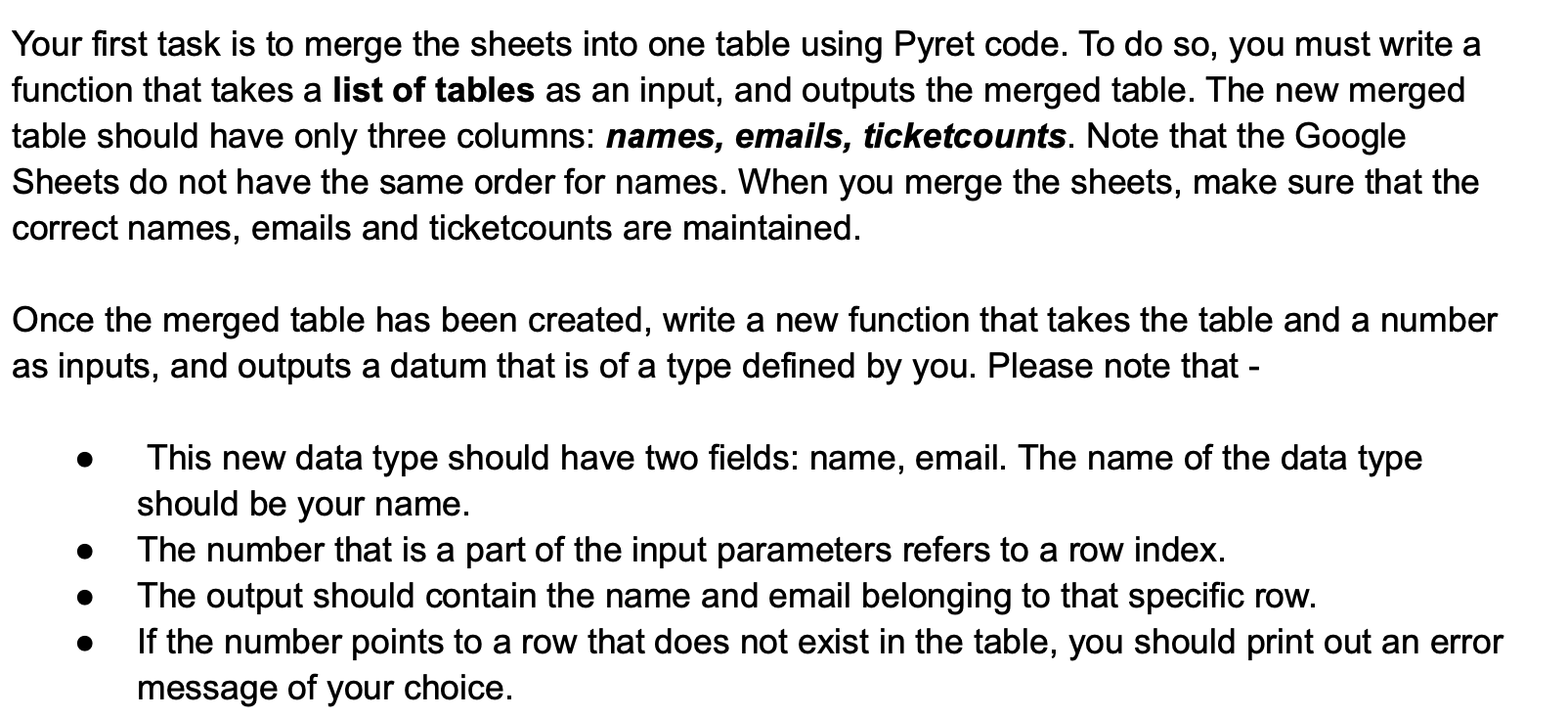
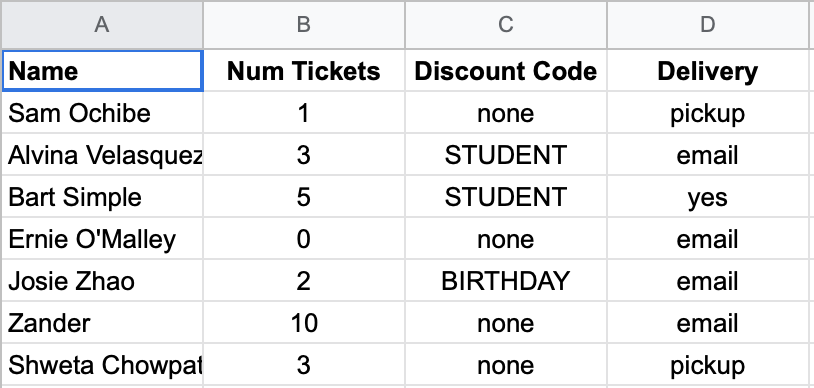
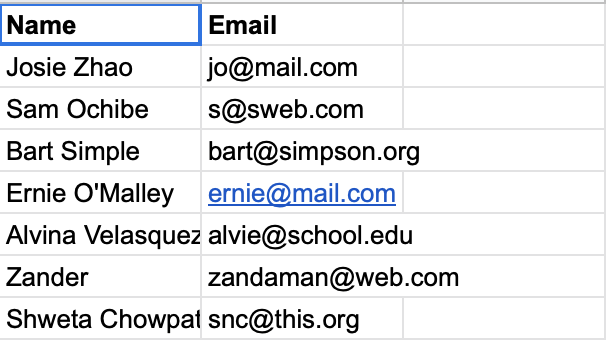
Your first task is to merge the sheets into one table using Pyret code. To do so, you must write a function that takes a list of tables as an input, and outputs the merged table. The new merged table should have only three columns: names, emails, ticketcounts. Note that the Google Sheets do not have the same order for names. When you merge the sheets, make sure that the correct names, emails and ticketcounts are maintained. Once the merged table has been created, write a new function that takes the table and a number as inputs, and outputs a datum that is of a type defined by you. Please note that - This new data type should have two fields: name, email. The name of the data type should be your name. The number that is a part of the input parameters refers to a row index. The output should contain the name and email belonging to that specific row. If the number points to a row that does not exist in the table, you should print out an error message of your choice. A B D Name Delivery pickup email Sam Ochibe Alvina Velasquez Bart Simple Ernie O'Malley Josie Zhao Num Tickets Discount Code 1 none 3 STUDENT 5 STUDENT yes email none BIRTHDAY email Zander 10 none email Shweta Chowpat 3 none pickup Name Email Josie Zhao jo@mail.com Sam Ochibe s@sweb.com Bart Simple bart@simpson.org Ernie O'Malley ernie@mail.com Alvina Velasquez alvie@school.edu Zander zandaman@web.com Shweta Chowpat snc@this.org Your first task is to merge the sheets into one table using Pyret code. To do so, you must write a function that takes a list of tables as an input, and outputs the merged table. The new merged table should have only three columns: names, emails, ticketcounts. Note that the Google Sheets do not have the same order for names. When you merge the sheets, make sure that the correct names, emails and ticketcounts are maintained. Once the merged table has been created, write a new function that takes the table and a number as inputs, and outputs a datum that is of a type defined by you. Please note that - This new data type should have two fields: name, email. The name of the data type should be your name. The number that is a part of the input parameters refers to a row index. The output should contain the name and email belonging to that specific row. If the number points to a row that does not exist in the table, you should print out an error message of your choice. A B D Name Delivery pickup email Sam Ochibe Alvina Velasquez Bart Simple Ernie O'Malley Josie Zhao Num Tickets Discount Code 1 none 3 STUDENT 5 STUDENT yes email none BIRTHDAY email Zander 10 none email Shweta Chowpat 3 none pickup Name Email Josie Zhao jo@mail.com Sam Ochibe s@sweb.com Bart Simple bart@simpson.org Ernie O'Malley ernie@mail.com Alvina Velasquez alvie@school.edu Zander zandaman@web.com Shweta Chowpat snc@this.org
Step by Step Solution
There are 3 Steps involved in it

Get step-by-step solutions from verified subject matter experts