







Question: I am creating a game using pygame for my final project and have hit a block. One of the steps I need to complete is
I am creating a game using pygame for my final project and have hit a block. One of the steps I need to complete is displaying the instructions for using the game on the screen for the user in game. I have tried changing the size and placement of my rectangle using the same set up as the score, level, and next blocks but can not get the instructions to display at all. I would like to display them on the left side of the screen opposite my information block. How would I program the game to display "Pause = p" , "Rotate = UP arrow / w" , "Left = LEFT arrow / a", "Right = RIGHT arrow / d", "Speed up = DOWN arrow / s", and "Drop Piece = SPACE BAR"
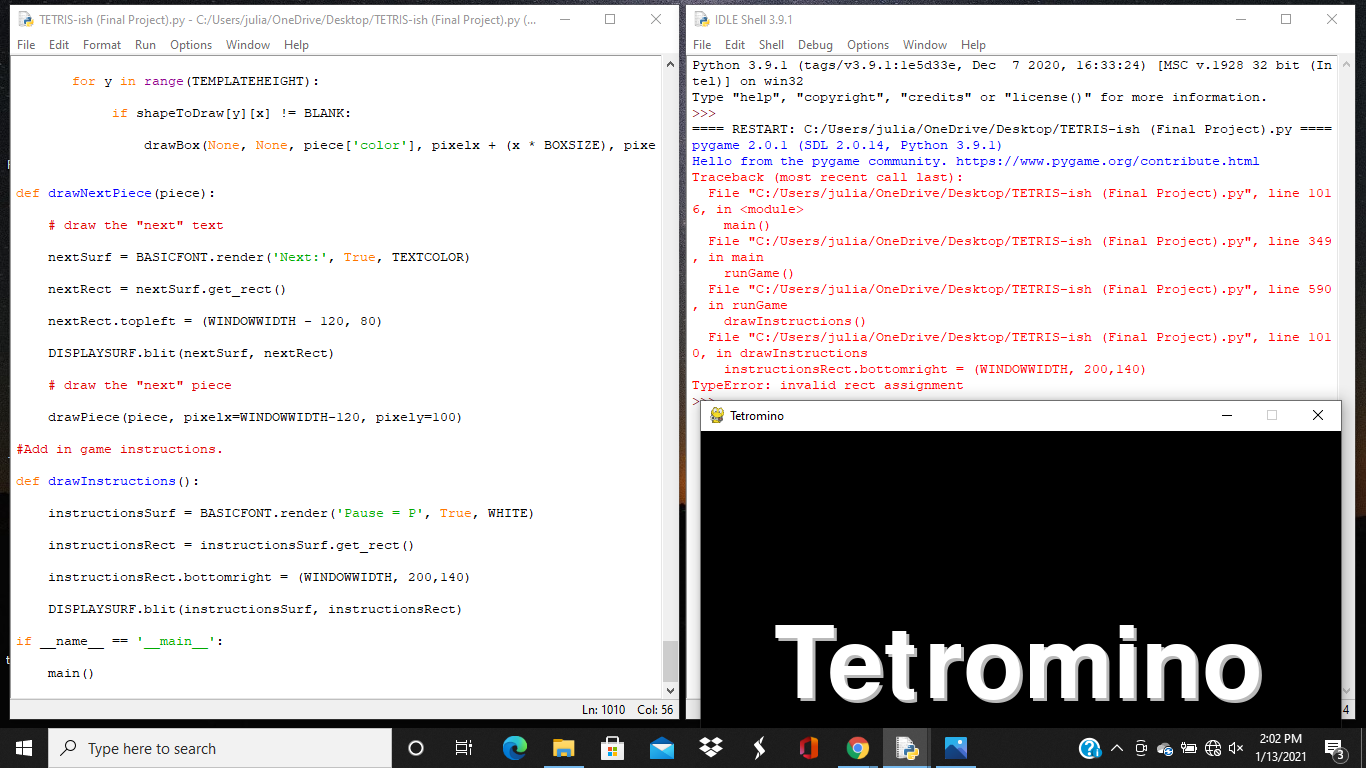
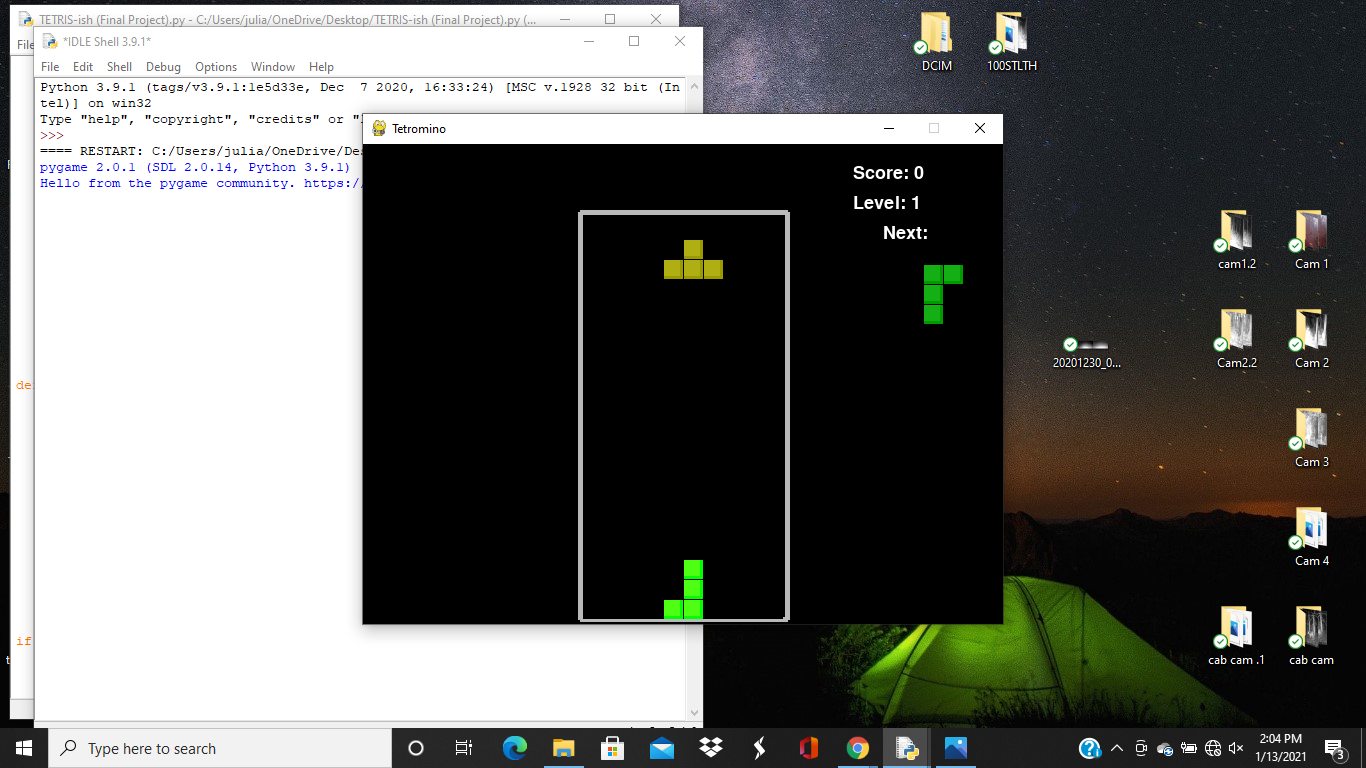
unGame () IDLE Shell 3.9.1 TETRIS-ish (Final Project).py - C:/Users/julia/OneDrive/Desktop/TETRIS-ish (Final Project).py (... File Edit Format Run Options Window Help File Edit Shell Debug Options Window Help Python 3.9.1 (tags/v3.9.1:le5d33e, Dec 7 2020, 16:33:24) [MSC v.1928 32 bit (In tel)] on win32 Type "help", "copyright", "credits" or "license()" for more information. for y in range (TEMPLATEHEIGHT): if shapeToDraw [y] [x] != BLANK: drawBox (None, None, piece['color'], pixelx + (x * BOXSIZE), pixe def drawNext Piece (piece) : ==== RESTART: C:/Users/julia/OneDrive/Desktop/TETRIS-ish (Final Project).py ==== pygame 2.0.1 (SDL 2.0.14, Python 3.9.1) Hello from the pygame community. https://www.pygame.org/contribute.html Traceback (most recent call last): File "C:/Users/julia/OneDrive/Desktop/TETRIS-ish (Final Project).py", line 101 6, in main() File "C:/Users/julia/OneDrive/Desktop/TETRIS-ish (Final Project).py", line 349 main , in main in
Step by Step Solution
There are 3 Steps involved in it

Get step-by-step solutions from verified subject matter experts
 Study Help