







Question: I am currently using Microsoft Visual Studio to make a basic Data Cube from this tutorial. I got stuck here trying to process and make
I am currently using Microsoft Visual Studio to make a basic Data Cube from this tutorial. I got stuck here trying to process and make the deployment successful. Can you please tell me how to fix this and how to get the server running?
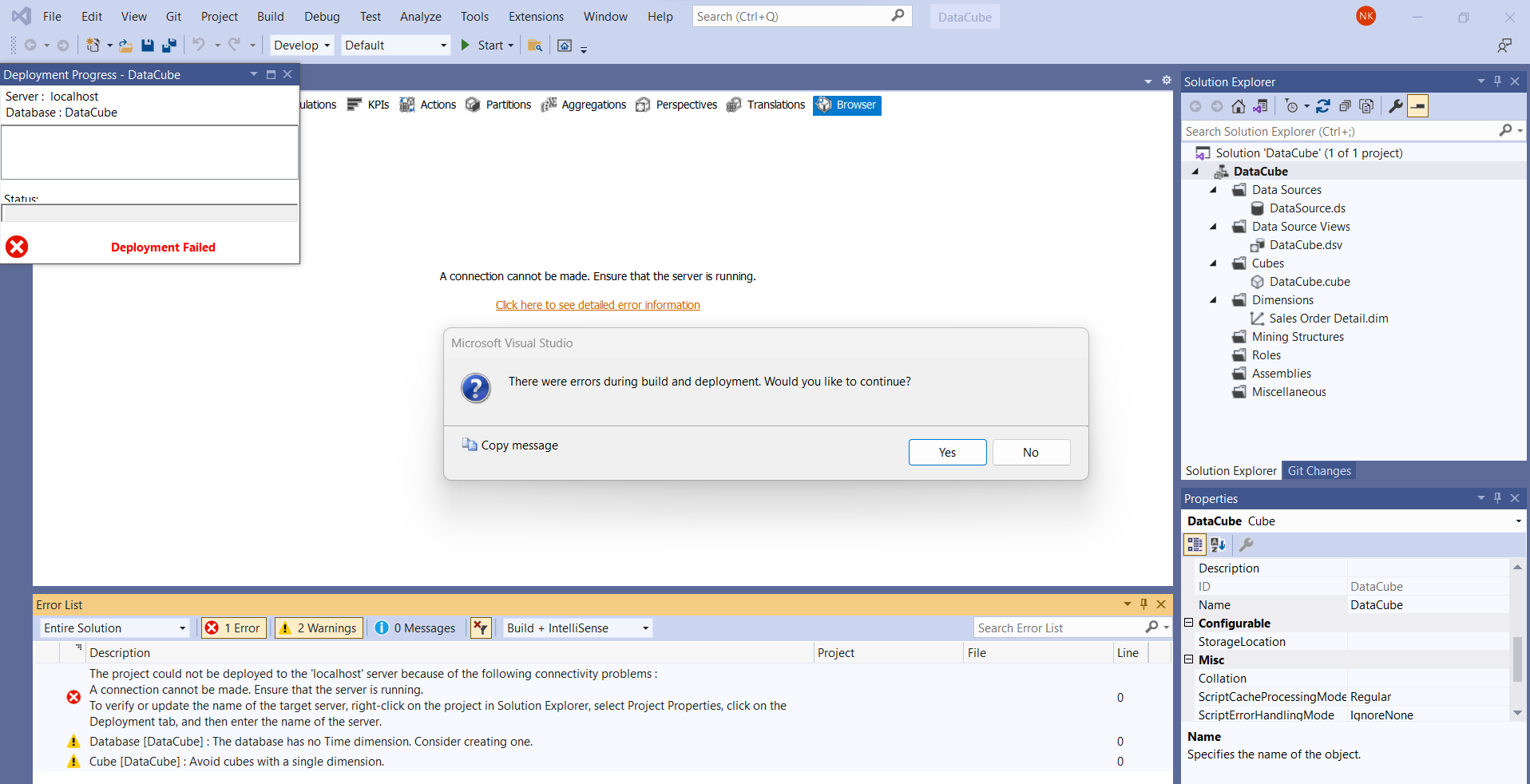
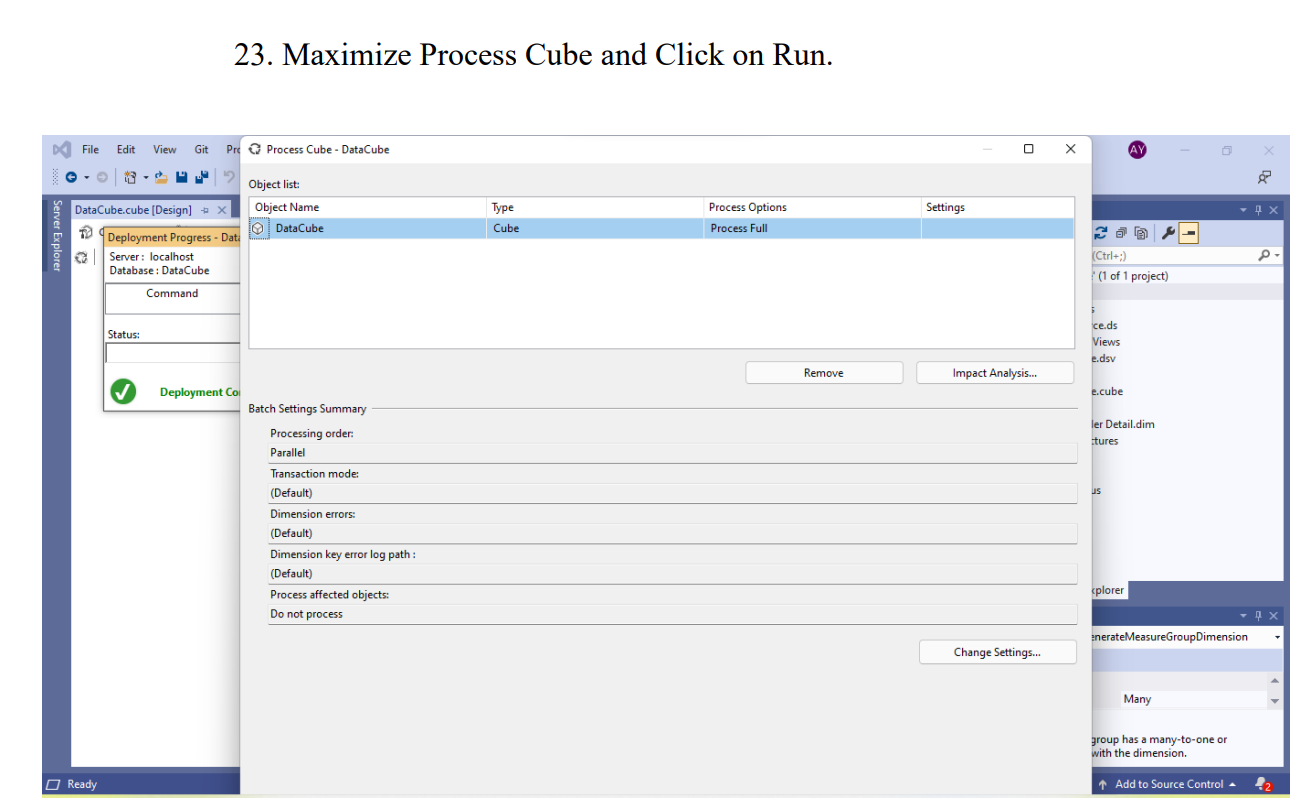
Actions Partitions Aggregations Perspectives Translations Search Solution Explorer (Ctrl+; ) \$. Solution 'DataCube' ( 1 of 1 project) 4 DataCube 4 Data Sources DataSource.ds 4 Data Source Views 4 C Dabes A connection cannot be made. Ensure that the server is running. DataCube.cube 4 imensions Sales Order Detail.dim Microsoft Visual Studio Mining Structures Roles Assemblies Miscellaneous Copy message " Description The project could not be deployed to the 'localhost' server because of the following connectivity problems : A connection cannot be made. Ensure that the server is running. To verify or update the name of the target server, right-click on the project in Solution Explorer, select Project Properties, click on the Deployment tab, and then enter the name of the server. 1 Database [DataCube] : The database has no Time dimension. Consider creating one. ! Cube [DataCube] : Avoid cubes with a single dimension. 23. Maximize Process Cube and Click on Run. Actions Partitions Aggregations Perspectives Translations Search Solution Explorer (Ctrl+; ) \$. Solution 'DataCube' ( 1 of 1 project) 4 DataCube 4 Data Sources DataSource.ds 4 Data Source Views 4 C Dabes A connection cannot be made. Ensure that the server is running. DataCube.cube 4 imensions Sales Order Detail.dim Microsoft Visual Studio Mining Structures Roles Assemblies Miscellaneous Copy message " Description The project could not be deployed to the 'localhost' server because of the following connectivity problems : A connection cannot be made. Ensure that the server is running. To verify or update the name of the target server, right-click on the project in Solution Explorer, select Project Properties, click on the Deployment tab, and then enter the name of the server. 1 Database [DataCube] : The database has no Time dimension. Consider creating one. ! Cube [DataCube] : Avoid cubes with a single dimension. 23. Maximize Process Cube and Click on Run
Step by Step Solution
There are 3 Steps involved in it

Get step-by-step solutions from verified subject matter experts
 Study Help