







Question: I am doing PIR Sensor ELEN 490 Electrical Design Lab Lab 5S Sensor and LEDs Instead of using a potentiometer (such as in lab 4S)
 I am doing PIR Sensor
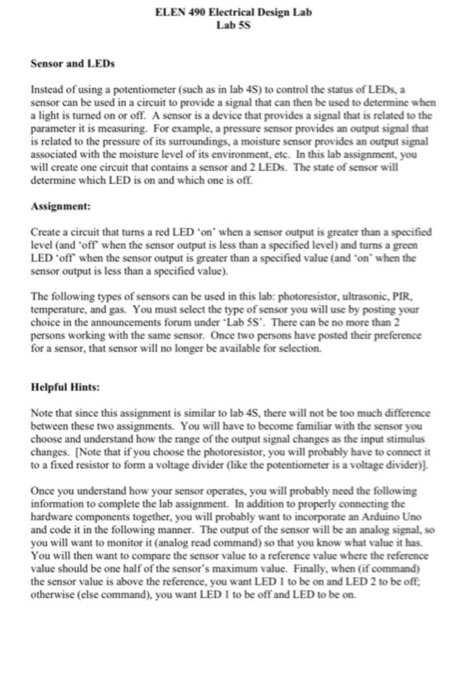
 ELEN 490 Electrical Design Lab Lab 5S Sensor and LEDs Instead of using a potentiometer (such as in lab 4S) to control the status of LEDs, a sensor can be used in a circuit to provide a signal that can then be used to determine when a light is turned on or off. A sensor is a device that provides a signal that is related to the parameter it is measuring. For example, a pressure sensor provides an output signal that is related to the pressure of its surroundings, a moisture sensor provides an output signal associated with the moisture level of its environment, etc. In this lab assignment, you will create one circuit that contains a sensor and 2 LEDs. The state of sensor will determine which LED is on and which one is ofl. Assignment: Create a circuit that turns a red LED'on' when a sensor output is greater than a specified level (and off when the sensor output is less than a specified level) and turns a green LED'ofr when the sensor output is greater than a specified value (and 'on' when the sensor output is less than a specified value). The following types of sensors can be used in this lab: photoresistor, ultrasonic, PIR. temperature, and gas. You must select the type of sensor you will use by posting your choice in the announcements forum under "Lab 5S'. There can be no more than 2 persons working with the same sensor. Once two persons have posted their preference for a sensor, that sensor will no longer be available for selection. Helpful Hints: Note that since this assignment is similar to lab 4S, there will not be too much difference between these two assignments. You will have to become familiar with the sensor you choose and understand how the range of the output signal changes as the input stimulus changes. [Note that if you choose the photoresistor, you will probably have to connect it to a fixed resistor to form a voltage divider (like the potentiometer is a voltage divider) Once you understand how your sensor operates, you will probably need the following information to complete the lab assignment. In addition to properly connecting the hardware components together, you will probably want to incorporate an Arduino Uno and code it in the following manner. The output of the sensor will be an analog signal, so you will want to monitor it (analog read command) so that you know what value it has You will then want to compare the sensor value to a reference value where the reference value should be one half of the sensor's maximum value. Finally, when (if command) the sensor value is above the reference, you want LED I to be on and LED 2 to be off otherwise (else command), you want LED I to be off and LED to be on ELEN 490 Electrical Design Lab Lab 5S Sensor and LEDs Instead of using a potentiometer (such as in lab 4S) to control the status of LEDs, a sensor can be used in a circuit to provide a signal that can then be used to determine when a light is turned on or off. A sensor is a device that provides a signal that is related to the parameter it is measuring. For example, a pressure sensor provides an output signal that is related to the pressure of its surroundings, a moisture sensor provides an output signal associated with the moisture level of its environment, etc. In this lab assignment, you will create one circuit that contains a sensor and 2 LEDs. The state of sensor will determine which LED is on and which one is ofl. Assignment: Create a circuit that turns a red LED'on' when a sensor output is greater than a specified level (and off when the sensor output is less than a specified level) and turns a green LED'ofr when the sensor output is greater than a specified value (and 'on' when the sensor output is less than a specified value). The following types of sensors can be used in this lab: photoresistor, ultrasonic, PIR. temperature, and gas. You must select the type of sensor you will use by posting your choice in the announcements forum under "Lab 5S'. There can be no more than 2 persons working with the same sensor. Once two persons have posted their preference for a sensor, that sensor will no longer be available for selection. Helpful Hints: Note that since this assignment is similar to lab 4S, there will not be too much difference between these two assignments. You will have to become familiar with the sensor you choose and understand how the range of the output signal changes as the input stimulus changes. [Note that if you choose the photoresistor, you will probably have to connect it to a fixed resistor to form a voltage divider (like the potentiometer is a voltage divider) Once you understand how your sensor operates, you will probably need the following information to complete the lab assignment. In addition to properly connecting the hardware components together, you will probably want to incorporate an Arduino Uno and code it in the following manner. The output of the sensor will be an analog signal, so you will want to monitor it (analog read command) so that you know what value it has You will then want to compare the sensor value to a reference value where the reference value should be one half of the sensor's maximum value. Finally, when (if command) the sensor value is above the reference, you want LED I to be on and LED 2 to be off otherwise (else command), you want LED I to be off and LED to be on
Step by Step Solution
There are 3 Steps involved in it

Get step-by-step solutions from verified subject matter experts
 Study Help