







Question: I am having trouble with my java program. see pics 1, 2, and 3 which explains ans shows how the butterfly design is supposed to
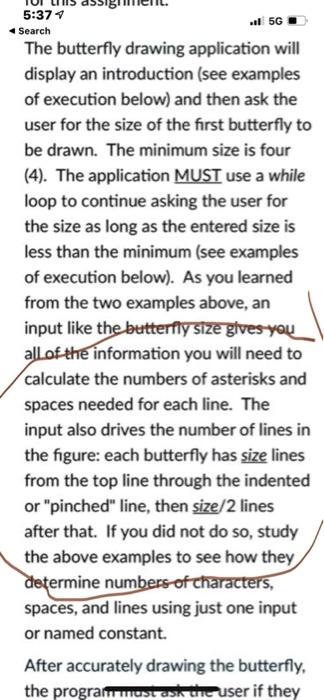
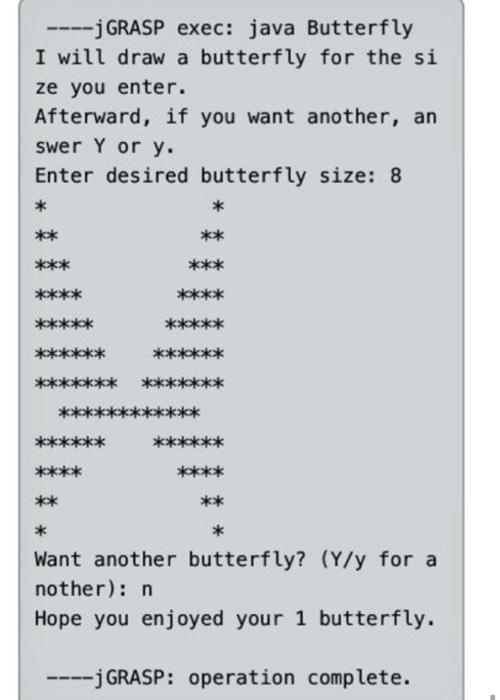
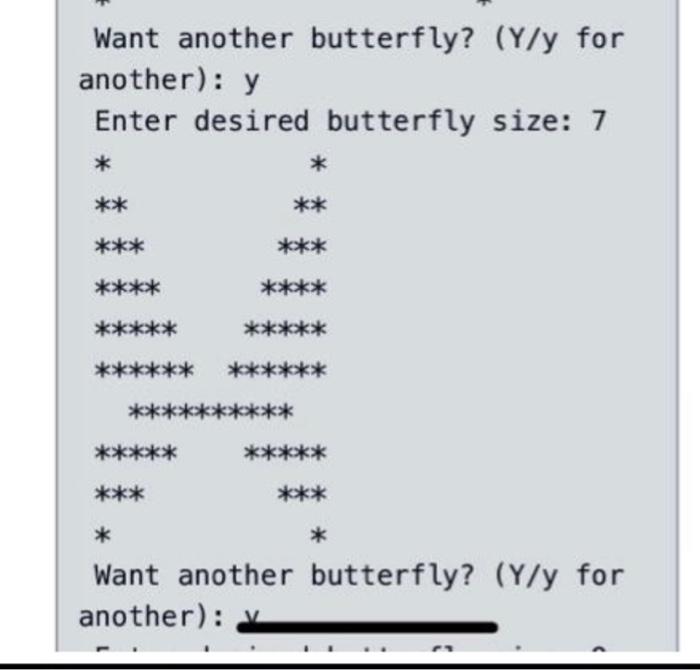
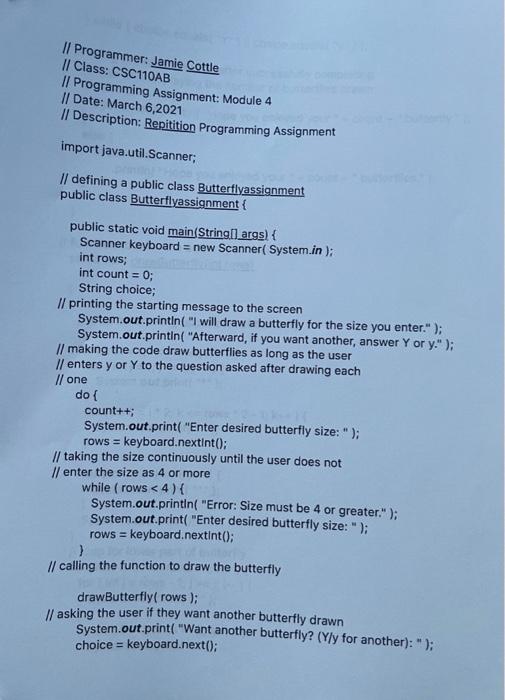
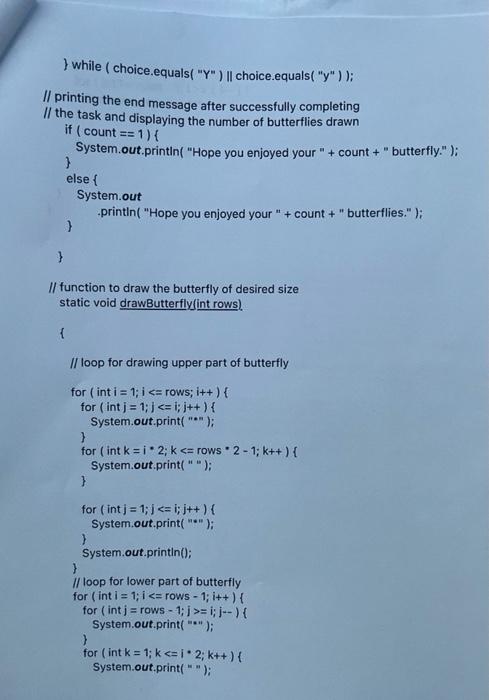
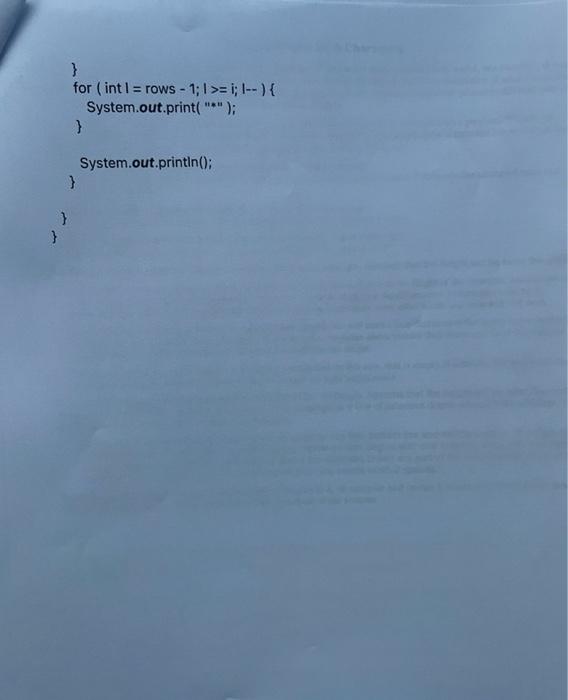
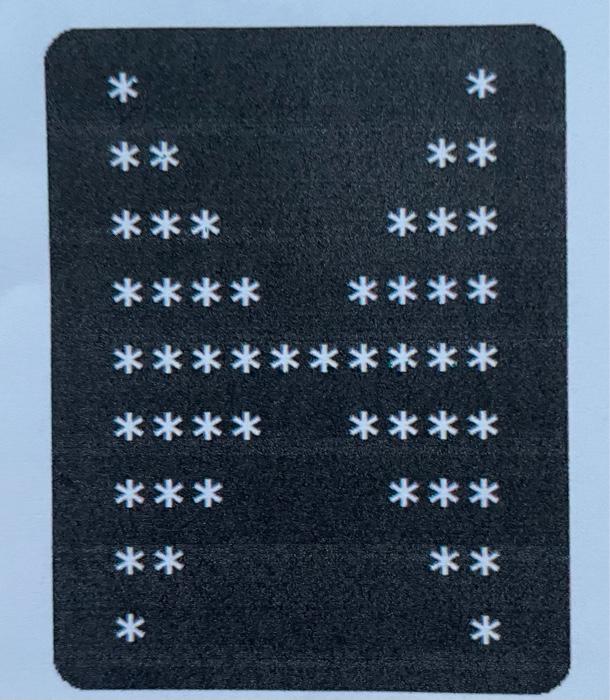
- 5G 5:374 Search The butterfly drawing application will display an introduction (see examples of execution below) and then ask the user for the size of the first butterfly to be drawn. The minimum size is four (4). The application MUST use a while loop to continue asking the user for the size as long as the entered size is less than the minimum (see examples of execution below). As you learned from the two examples above, an input like the butterfly size gives you all of the information you will need to calculate the numbers of asterisks and spaces needed for each line. The input also drives the number of lines in the figure: each butterfly has size lines from the top line through the indented or "pinched" line, then size/2 lines after that. If you did not do so, study the above examples to see how they determine numbers of characters, spaces, and lines using just one input or named constant. After accurately drawing the butterfly, the programmust ask the user if they J GRASP exec: java Butterfly I will draw a butterfly for the si ze you enter. Afterward, if you want another, an swer Y or y. Enter desired butterfly size: 8 * * ** ** *** *** ** ****** ** ** * Want another butterfly? (Y/y for a nother): n Hope you enjoyed your 1 butterfly. -j GRASP: operation complete. Want another butterfly? (Y/y for another): y Enter desired butterfly size: 7 * ** ** *** *** **** ***** ****** *** *** * * Want another butterfly? (Y/y for another): Il Programmer: Jamie Cottle Il Class: CSC110AB Il Programming Assignment: Module 4 // Date: March 6,2021 | Description: Repitition Programming Assignment import java.util.Scanner; // defining a public class Butterflyassignment public class Butterflyassignment { public static void main(String[] args) { Scanner keyboard = new Scanner(System.in); int rows; int count = 0; String choice; Il printing the starting message to the screen System.out.println("I will draw a butterfly for the size you enter."); System.out.println("Afterward, if you want another, answer Y or y."); // making the code draw butterflies as long as the user // enters y or Y to the question asked after drawing each // one dol count++; System.out.print("Enter desired butterfly size: "); rows = keyboard.nextInt(); // taking the size continuously until the user does not // enter the size as 4 or more while (rows = i; i--) { System.out.print(""); } for (int k = 1;kci. 2; k++) { System.out.print(""); } for (int i = rows - 1;1>= 1; I--) { System.out.print(""); } System.out.println(); } } } * * ** ** *** *** **** **** ********** **** *** *** ** * *
Step by Step Solution
There are 3 Steps involved in it

Get step-by-step solutions from verified subject matter experts
 Study Help