







Question: I am trying to get this program to run right- Gaddis, Starting Out with Visual C. 4th Edition, chapter 7, pg 468, question #3 Charge
I am trying to get this program to run right- Gaddis, Starting Out with Visual C. 4th Edition, chapter 7, pg 468, question #3 Charge Account Validation. I have it down to 1 error which is:
Severity Code Description Project File Line Suppression State
Error CS0246 The type or namespace name 'check_number' could not be found (are you missing a using directive or an assembly reference?) Program7_3 F:\Charge Account Validation\Program7_3\Program.cs 1 Active
The namespace name for the program is Program7_3, which is in the Designer (and MUST be used).
The Charge Account Form.Designer.cs for the program is:
namespace Program7_3 { partial class frmChargeAccount { ///
///
#region Windows Form Designer generated code
///
}
#endregion
private System.Windows.Forms.Label label1; private System.Windows.Forms.Button btnCheck; private System.Windows.Forms.TextBox txtAccount; private System.Windows.Forms.Label lblMessage; } }
and the Charge Account Form.cs C# code is:
using System; using System.Collections.Generic; using System.ComponentModel; using System.Data; using System.Drawing; using System.Linq; using System.Text; using System.Threading.Tasks; using System.Windows.Forms; using System.IO;
namespace Program7_3 { public partial class frmChargeAccount : Form { public frmChargeAccount() { InitializeComponent();
}
private void txtAccount_KeyPress(object sender, KeyPressEventArgs e) { e.Handled = !(Char.IsNumber(e.KeyChar) || e.KeyChar == 8); // Allowing only numbers and backspace. txtAccount.KeyPress += new KeyPressEventHandler(txtAccount_KeyPress); //Setting up the txtAccount TextBox for KeyPress }
const int SIZE = 18; string[] acct = new string[SIZE];
private void Form1_Load(object sender, EventArgs e) { //Read the accounts from a disk file named ChargeAccounts.txt into an array named acct or a List. //Remember the Try statement since you are working with a disk file. string line = ""; int iterator = -1; StreamReader InputFileStream = null; try { InputFileStream = File.OpenText("ChargeAccounts.txt"); while (InputFileStream.ReadLine() != null) { line = InputFileStream.ReadLine(); acct[++iterator] = line; } } catch (Exception ex) { MessageBox.Show("Error Occured : " + ex.StackTrace); }
InputFileStream.Close(); }
private void btnCheck_Click(object sender, EventArgs e) { //Iterate through the array or list to see if the account number entered in //the Textbox control is a valid number or not. Display an appropriate message within the lblMessage label. lblMessage.Text = string.Empty; string strFindAccountNumber = txtAccount.Text; bool FoundAccountNo = false; // flag for checking if number is found or not. try { if (strFindAccountNumber.Length == 7) { foreach (var item in acct) { if (item == strFindAccountNumber) { FoundAccountNo = true; } }
if (FoundAccountNo) { lblMessage.Text = "Charge number found!"; // if account number not found } else { lblMessage.Text = "Charge number not found."; // if account number found }
} } catch (Exception exception) { MessageBox.Show("Error: " + exception.StackTrace); // if the number of digits was not 7, show error } } } }
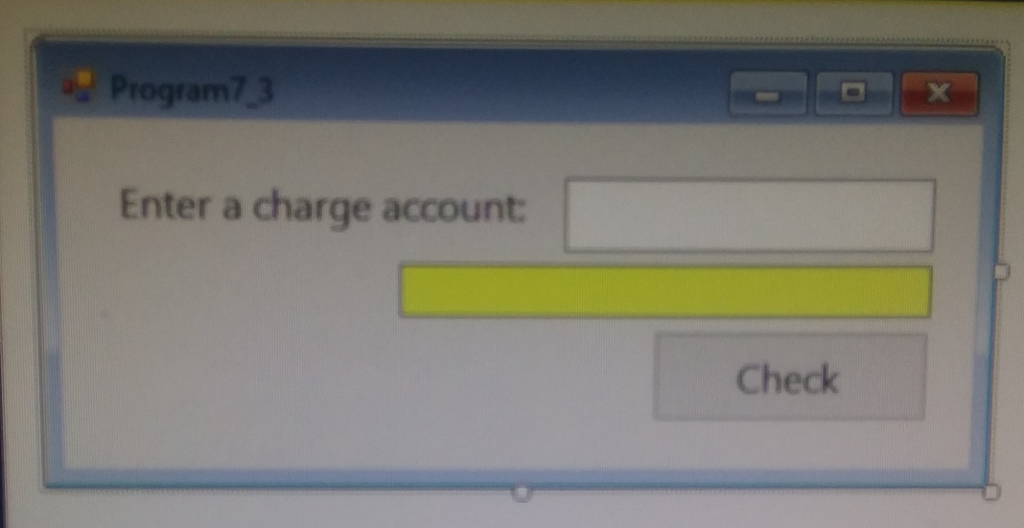
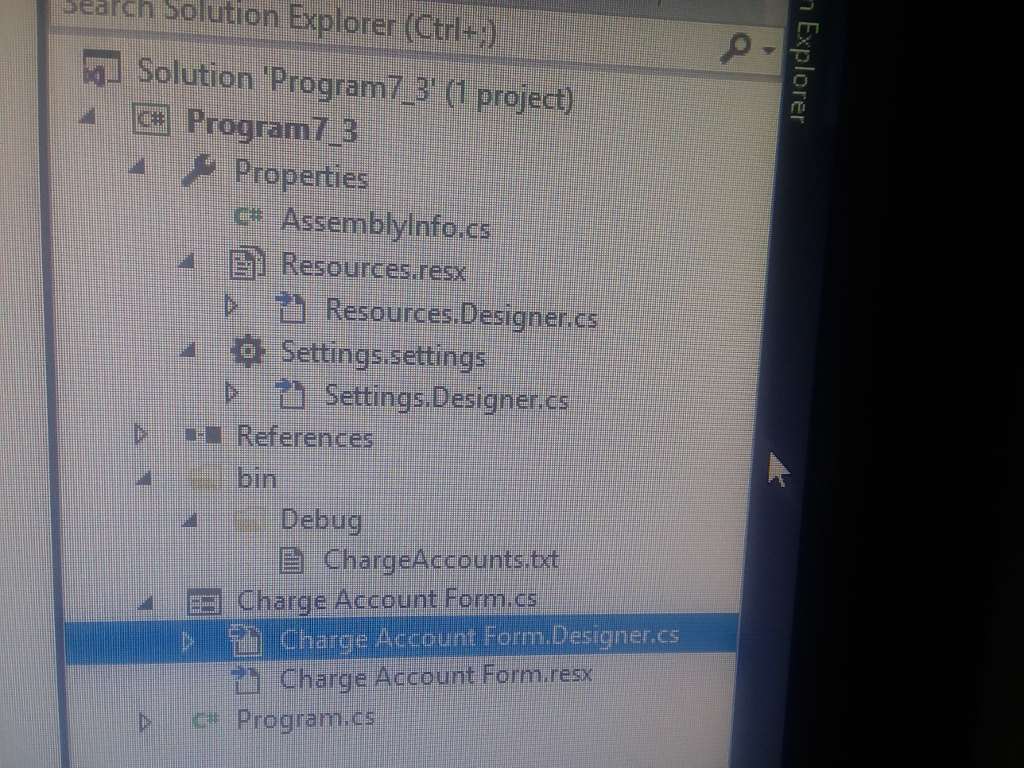
This is the form, and I believe the ChargeAccounts.txt is in the bin folder, under Debug (picture) Any suggestions or solution would be helpful.
Thanks
Enter a charge account Check Enter a charge account Check
Step by Step Solution
There are 3 Steps involved in it

Get step-by-step solutions from verified subject matter experts
 Study Help