







Question: I am trying to solve the error that is:TypeError: string indices must be integers The following code does not work, it still gives a Type
I am trying to solve the error that is:TypeError: string indices must be integers
The following code does not work, it still gives a Type Error:
for port in ports: port_data=[df2[port[ 'U.S. Custom Ports']]==port]
ax.plot(port_data['Year'], port_data['ExportTons'], label==port)
I need to correct the error from problem 8 (TypeError: list indices must be integers or slices, not str). Please help write the python code so it outputs displays as expected in number 8: "Create a visual of your choice to display ExportTons for every Year for five ports: Baltimore, MD, Wilmington, DE, Jacksonville, FL, New Orleans, LA and West Palm Beach, FL. Make sure your visual has a title and both an x and y axis label."
Below are the data from problem 7 that helps to write up problem 8 What is the python code to solve problem 8?Visuals can be a heat map or a pair plot using seaborn.
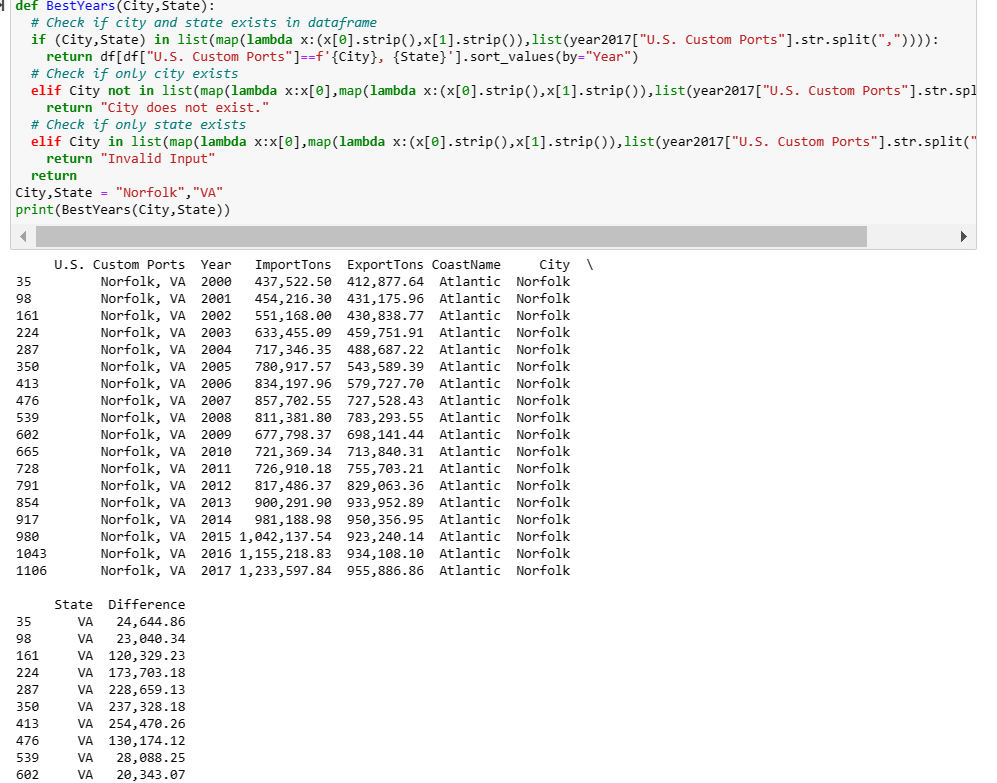
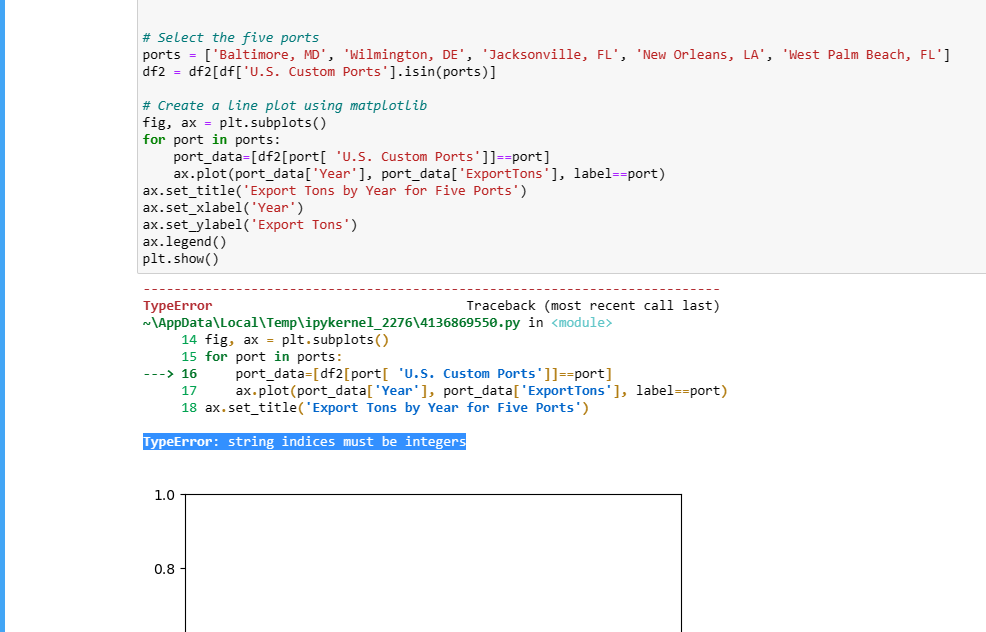
\# Select the five ports ports = ['Baltimore, MD', 'Wilmington, DE', 'Jacksonville, FL', 'New Orleans, LA', 'West Palm Beach, FL'] df2=df2[df[ 'U.S. Custom Ports'].isin(ports) ] \# Create a line plot using matplotlib fig, ax = plt.subplots () for port in ports: port_data =[df2[ port[ 'U.S. Custom Ports']]==port] ax.plot(port_data['Year'], port_data['ExportTons'], label==port) ax.set_title('Export Tons by Year for Five Ports') ax.set_xlabel('Year') ax.set_ylabel('Export Tons') ax.legend () plt. show () TypeError Traceback (most recent call last) 14 fig, ax = plt.subplots () 15 for port in ports: --) 16 port_data =[df2[ port [ 'U.S. Custom Ports "] == port] ax.plot(port_data['Year'], port_data['ExportTons'], label==port) 18 ax.set_title( Export Tons by Year for Five Ports") TypeError: string indices must be integers
Step by Step Solution
There are 3 Steps involved in it

Get step-by-step solutions from verified subject matter experts
 Study Help