







Question: I am working on a practice problem that involves texture manipulation and blending in OpenGL. The gist of it is that there is a plane
I am working on a practice problem that involves texture manipulation and blending in OpenGL. The gist of it is that there is a plane which looks like a metal sheet and I am trying to blend a bullet hole texture onto the intersection points from clicking on the metal plane. I am attaching two of the original template files of the metal plane (main.cpp, and phong3.frag) along with the same files but with the changes I have made. So far these are the only two files I have changed, but the template is a visual studio solution/project so there are other files (camera.cpp, model.cpp, .etc) but from my understanding these do not need any changes. So far I am able to click on the plane and it does update the image, but not with the bullet hole as expected, and any subsequent clicks result in a 1281 display error in the console. I would appreciate if someone could take a look and what I have done and let me know if I am on the right track and what I am doing wrong if not.
Link to original main.cpp --> https://gofile.io/d/hxpLUP
Link to original phong3.frag --> https://gofile.io/d/pvMXN6
Link to my modified main.cpp --> https://gofile.io/d/pdWSPk
Link to my modified phong3.frag --> https://gofile.io/d/7onQ8r
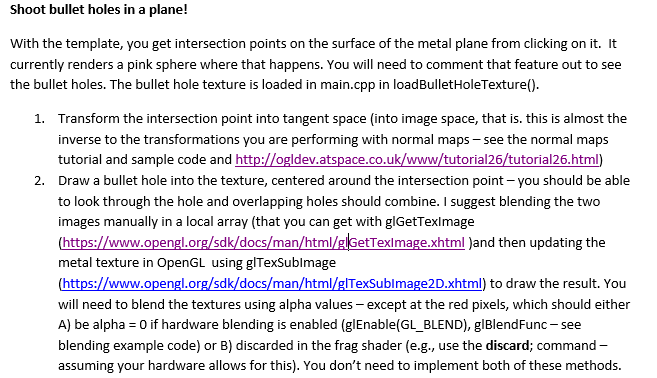
Shoot bullet holes in a plane! With the template, you get intersection points on the surface of the metal plane from clicking on it. It currently renders a pink sphere where that happens. You will need to comment that feature out to see the bullet holes. The bullet hole texture is loaded in main.cpp in loadBulletHoleTexture(). 1. Transform the intersection point into tangent space (into image space, that is. this is almost the inverse to the transformations you are performing with normal maps - see the normal maps tutorial and sample code and http://ogldev.atspace.co.uk/www/tutorial26/tutorial26.html) 2. Draw a bullet hole into the texture, centered around the intersection point - you should be able to look through the hole and overlapping holes should combine. I suggest blending the two images manually in a local array (that you can get with glGetTexImage (https://www.opengl.org/sdk/docs/man/html/glGetTexImage.xhtml )and then updating the metal texture in OpenGL using glTexSubimage (https://www.opengl.org/sdk/docs/man/html/glTexSubImage20.xhtml) to draw the result. You will need to blend the textures using alpha values - except at the red pixels, which should either A) be alpha = 0 if hardware blending is enabled (glEnable(GL_BLEND), glBlendFunc - see blending example code) or B) discarded in the frag shader (e.g., use the discard; command - assuming your hardware allows for this). You don't need to implement both of these methods
Step by Step Solution
There are 3 Steps involved in it

Get step-by-step solutions from verified subject matter experts
 Study Help