







Question: I. Application overview You are going to create an application that will run 4 different programs. This program will be driven by a menu screen.
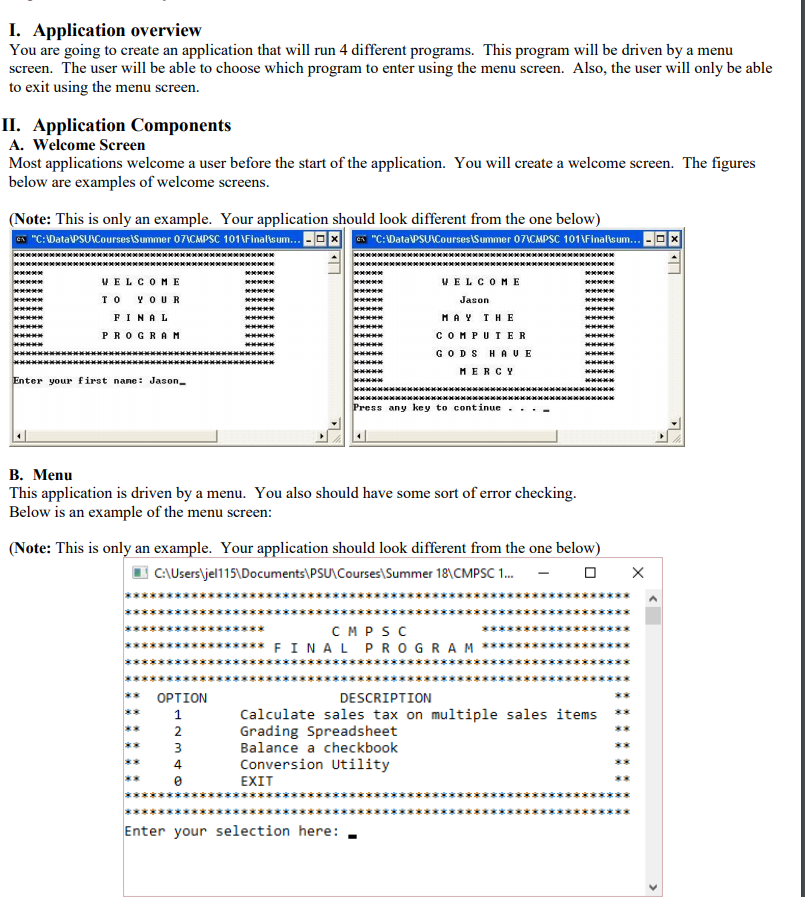
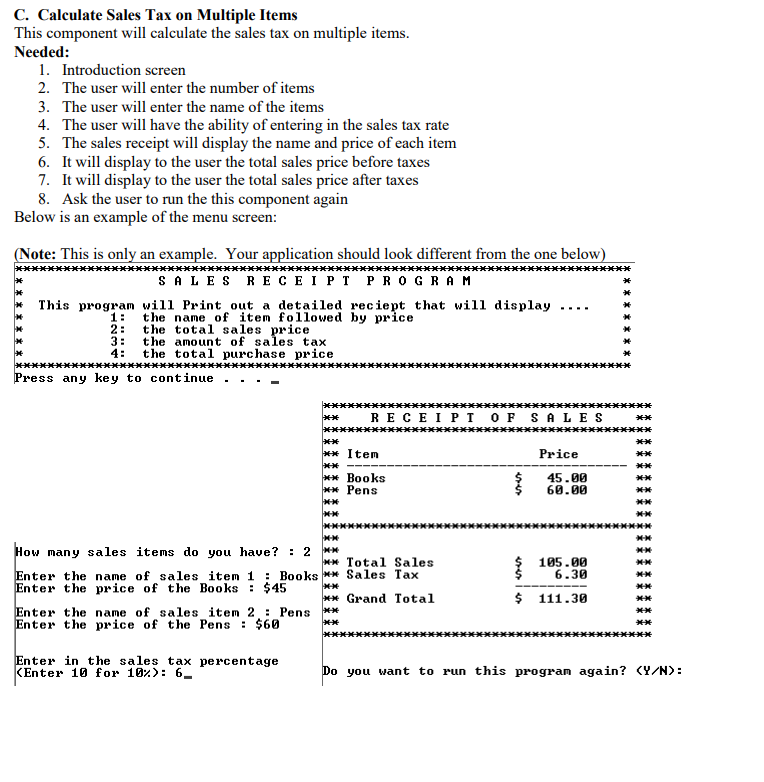
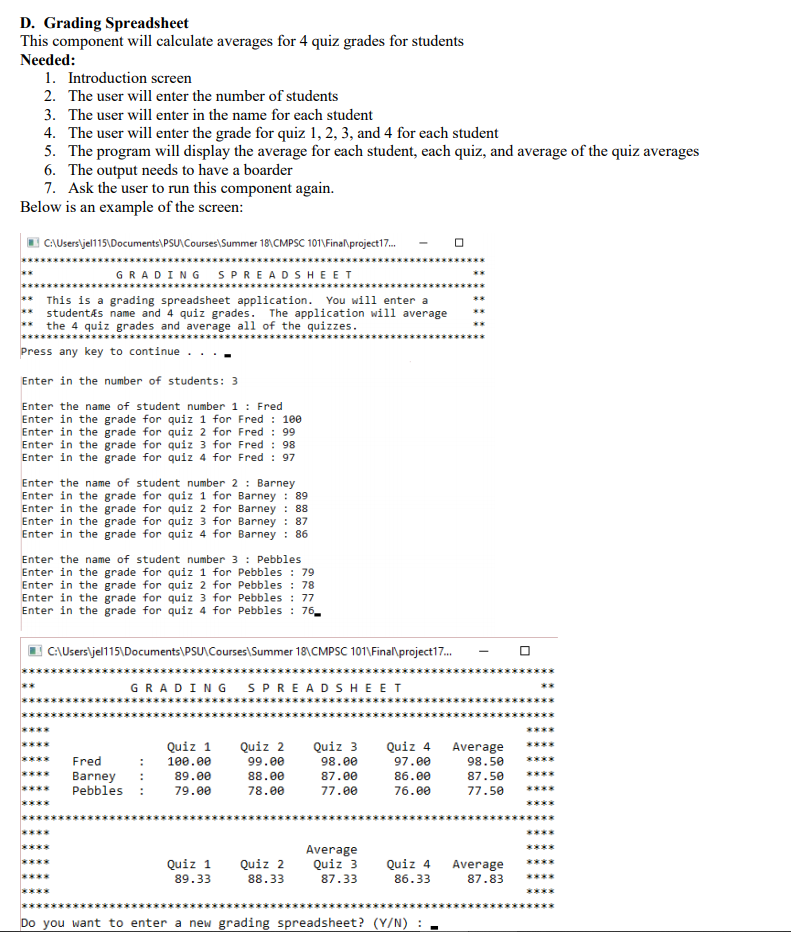
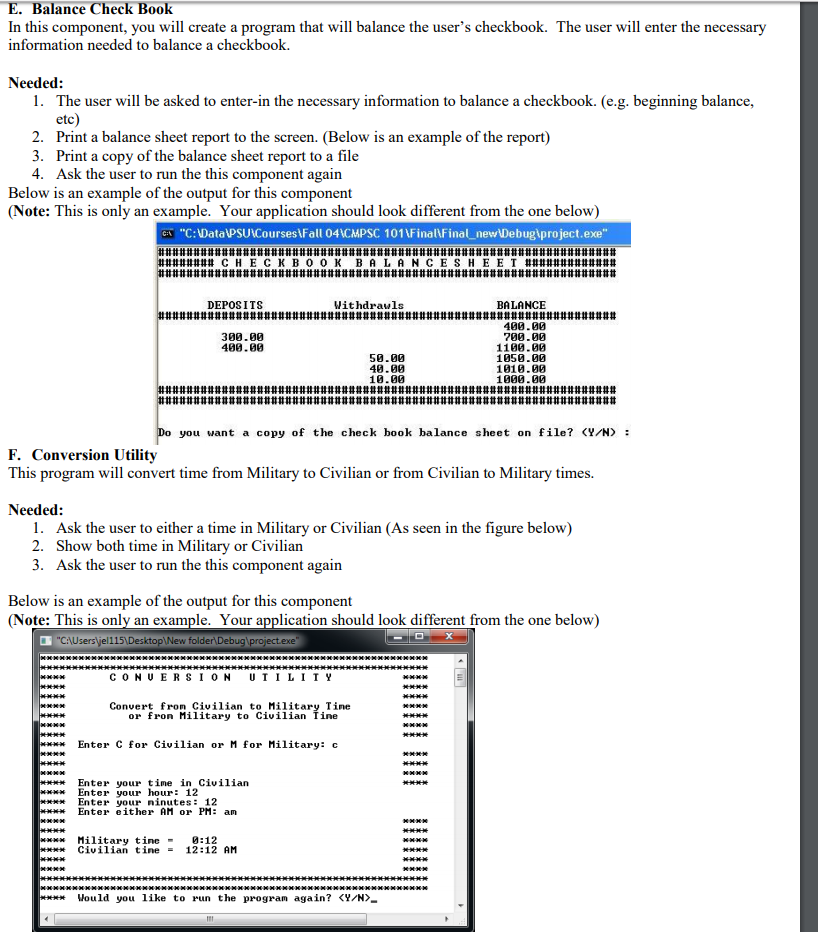
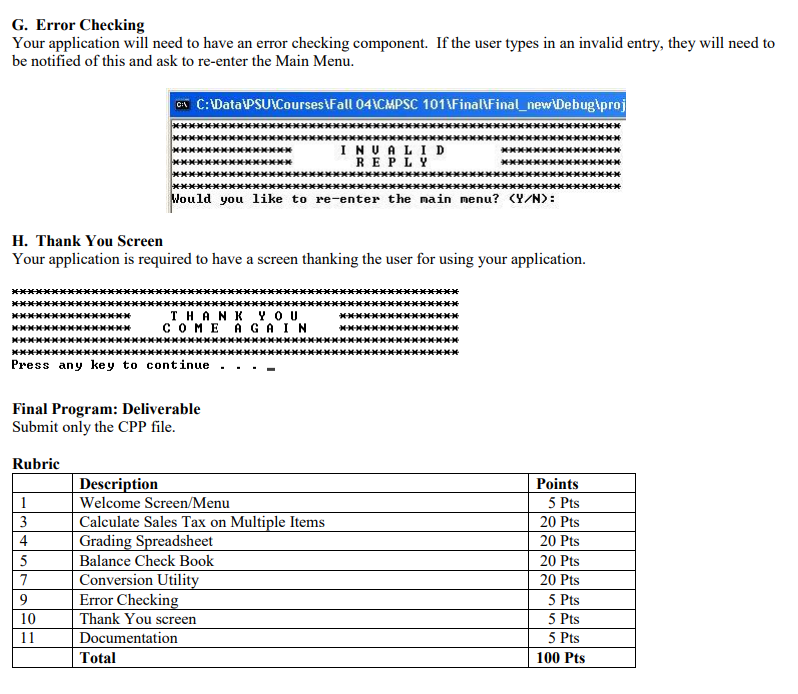
I. Application overview You are going to create an application that will run 4 different programs. This program will be driven by a menu screen. The user will be able to choose which program to enter using the menu screen. Also, the user will only be able to exit using the menu screen. II. Application Components A. Welcome Screen Most applications welcome a user before the start of the application. You will create a welcome screen. The figures below are examples of welcome screens (Note: This is only an example. Your application should look different from the one below) C:DataPSUCourses tSummer 07ACMPSC 101 1Finalisum... C:DataPSUCourses tSummer 07ACMPSC 101 1Finalisum... WE L C 0 M E WE L C 0 M E FINA L MAY TH E PRO GRA M COM PUIE R GODS H AU E MERCY ter your first nane Jason ss any key to continue. . _ B. Menu This application is driven by a menu. You also should have some sort of error checking. Below is an example of the menu screen: (Note: This is only an example. Your application should look different from the one below) CAUsersyen 1 5\Documents\PSUCoursesSummer 18CMPSC 1...- EXX2XXEEXXEEX2XX CMPS C OPTION DESCRIPTION Calculate sales tax on multiple sales items* Grading Spreadsheet Balance a checkboo Conversion Utility EXIT KX 2 4 Enter your selection here
Step by Step Solution
There are 3 Steps involved in it

Get step-by-step solutions from verified subject matter experts
 Study Help