







Question: I cant figure out this code. The correct way written would be helpful Sprint 12:19 AM 50%. )- ? HTML5 Hands-On Practice! 1 1 Instr
 I cant figure out this code. The correct way written would be helpful
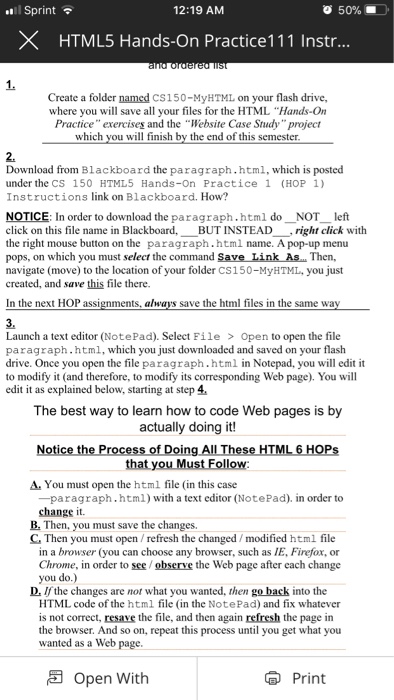
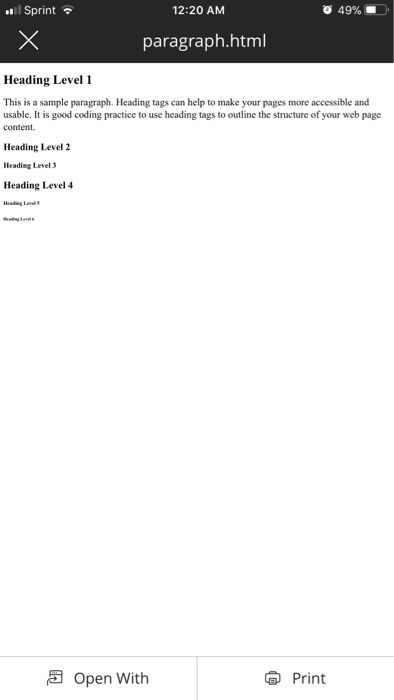
 Sprint 12:19 AM 50%. )- ? HTML5 Hands-On Practice! 1 1 Instr 1. Create a folder named CS150-MyHTML on your flash drive, where you will save all your files for the HTML "Hands-On Practice" exercises and the "Website Case Study"project which you will finish by the end of this semester 2. Download from Blackboard the paragraph.htm1, which is posted under the CS 150 HTML5 Hands-On Practice 1 (HOP 1) Instructions link on Blackboard. How? NOTICE: In order to download the paragraph.html do?NOT left click on this file name in Blackboard,--BUT INSTEAD--' right click with the right mouse button on the paragraph.html name. A pop-up menu pops, on which you must select the command Save Link As..Then, navigate (move) to the location of your folder CS150-MyHTML, you just created, and save this file there. In the next HOP assignments save the html files in the same wa 3. Launch a text editor (NotePad). Select File > Open to open the file paragraph.html, which you just downloaded and saved on your flash drive. Once you open the file paragraph.html in Notepad, you will edit it to modify it (and therefore, to modify its corresponding Web page). You will edit it as explained below, starting at step 4. The best way to learn how to code Web pages is by actually doing it! Notice the Process of Doing All These HTML 6 HOPs that you Must Follow A. You must open the html file (in this case -paragraph. html) with a text editor (NotePad). in order to change it. B. Then, you must save the changes. C Then you must open /refresh the changed/modified html file in a browser (you can choose any browser, such as IE, Firefox, or Chrome, in order to see/observe the Web page after cach change you do.) D. If the changes are not what you wanted, then go back into the HTML code of the html file (in the NotePad) and fix whatever is not correct, resave the file, and then again refresh the page in the browser. And so on, repeat this process until you get what you wanted as a Web page. Open With Print
Step by Step Solution
There are 3 Steps involved in it

Get step-by-step solutions from verified subject matter experts
 Study Help