



Question: I cant get the GUI to display. I dont know where I went wrong.. Please adhere to the Standards for Programming Assignments and the Java
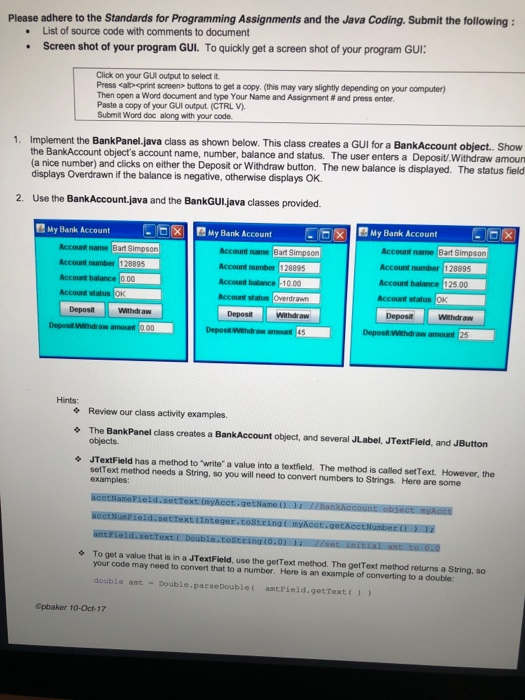
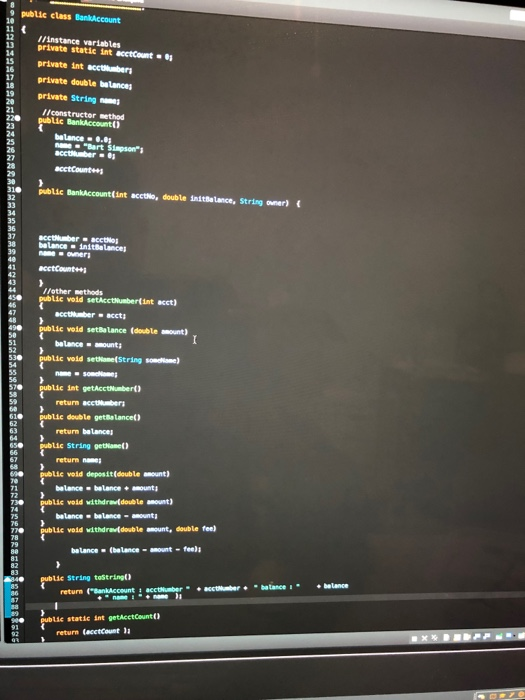
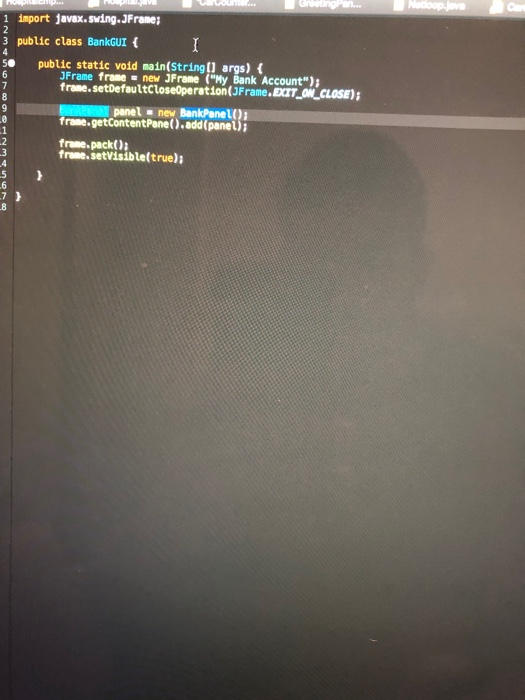
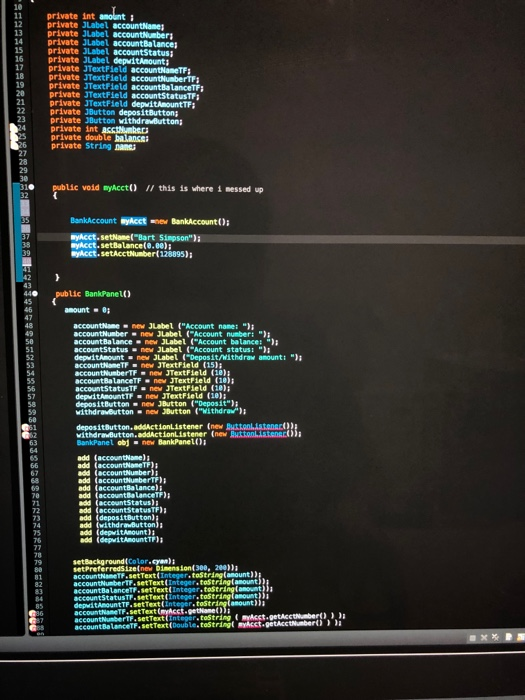
Please adhere to the Standards for Programming Assignments and the Java Coding. Submit the following: List of source code with comments to document Screen shot of your program GUI. To quickly get a screen shot of your program GUI Click on your GUI output to select it Press calit- eprint screen buttons to get a copy. (this may vary slightly depending on your computer) Then open a word document and type Your Name and Assignment # and press en er Paste a copy of your GulI output (CTRL V). Submit Word doc along with your code. Implement the BankPanel.java class as shown below. This class creates a GUI for a BankAccount object. Show the BankAccount object's account name, number, balance and status. The user enters a Deposit/Withdraw amoun (a nice number) and clicks on either the Deposit or Withdraw button. The new balance is displayed. The status field 1. displays Overdrawn if the balance is negative, otherwise displays OK Use the BankAccount.java and the BankGULjava classes provided. 2. My Bank Account My Bank Account x My Bank Account Account name Bart Simps Account umber 128895 Account balance .00 Accout stabus Account name Bart Simpson Account umber 128895 Account balance -10.00 Account status Account name Bart Simpson Account number 128895 Account balance 125.00 Account status OK Deposit Withdr aw DepositWithdraw Deposit Withdraw Hints Review our class activity examples. The BankPanel class creates a BankAccount object, and several JLabel, JTextField, and JButton objects. JTextField has a method to "write" a value into a textfiekd. The method is called setText. However, the setText method needs a String, so you will need to convert numbers to Strings Here are some examples To get a value that is n a JTextField, use the geIText method. The getText method returns a string, so your code may need to convert that to a number. Here is an example of converting to a double: double amt-Double.paraeDouble amtFleld.getText) Cpbaker 10-Oct-17
Step by Step Solution
There are 3 Steps involved in it

Get step-by-step solutions from verified subject matter experts