







Question: I. Create and Excel Function a.) Create an Excel function to calculate the following (spreadsheet tab Your Function): F = Ser+g-y)T To use the programming
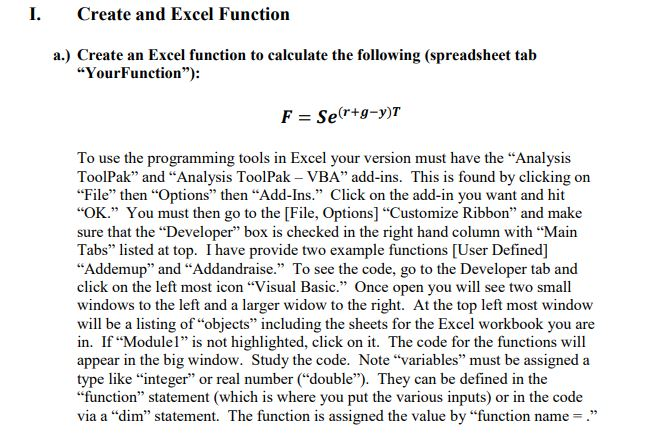
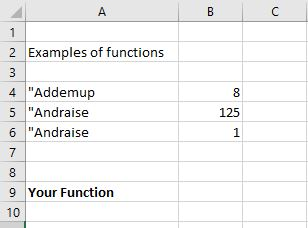
I. Create and Excel Function a.) Create an Excel function to calculate the following (spreadsheet tab "Your Function"): F = Ser+g-y)T To use the programming tools in Excel your version must have the "Analysis ToolPak" and "Analysis ToolPak - VBA" add-ins. This is found by clicking on "File" then "Options" then "Add-Ins." Click on the add-in you want and hit "OK." You must then go to the [File, Options) "Customize Ribbon" and make sure that the "Developer" box is checked in the right hand column with "Main Tabs" listed at top. I have provide two example functions (User Defined] "Addemup" and "Addandraise." To see the code, go to the Developer tab and click on the left most icon Visual Basic. Once open you will see two small windows to the left and a larger widow to the right. At the top left most window will be a listing of objects including the sheets for the Excel workbook you are in. If "Modulel" is not highlighted, click on it. The code for the functions will appear in the big window. Study the code. Note "variables" must be assigned a type like "integer" or real number ("double"). They can be defined in the "function" statement (which is where you put the various inputs) or in the code via a "dim" statement. The function is assigned the value by "function name=." Bc 2 Examples of functions 3 4 "Addemup 5 "Andraise 6 "Andraise 7 8 9 Your Function 10 8 125 1 I. Create and Excel Function a.) Create an Excel function to calculate the following (spreadsheet tab "Your Function"): F = Ser+g-y)T To use the programming tools in Excel your version must have the "Analysis ToolPak" and "Analysis ToolPak - VBA" add-ins. This is found by clicking on "File" then "Options" then "Add-Ins." Click on the add-in you want and hit "OK." You must then go to the [File, Options) "Customize Ribbon" and make sure that the "Developer" box is checked in the right hand column with "Main Tabs" listed at top. I have provide two example functions (User Defined] "Addemup" and "Addandraise." To see the code, go to the Developer tab and click on the left most icon Visual Basic. Once open you will see two small windows to the left and a larger widow to the right. At the top left most window will be a listing of objects including the sheets for the Excel workbook you are in. If "Modulel" is not highlighted, click on it. The code for the functions will appear in the big window. Study the code. Note "variables" must be assigned a type like "integer" or real number ("double"). They can be defined in the "function" statement (which is where you put the various inputs) or in the code via a "dim" statement. The function is assigned the value by "function name=." Bc 2 Examples of functions 3 4 "Addemup 5 "Andraise 6 "Andraise 7 8 9 Your Function 10 8 125 1
Step by Step Solution
There are 3 Steps involved in it

Get step-by-step solutions from verified subject matter experts
 Study Help