Question: I don't know what to do for question 1 and 2. How do I use format with dictionary to compelete the andwer, like those example
 I don't know what to do for question 1 and 2.
How do I use format with dictionary to compelete the andwer, like
those example KeyError: 'pet_name The excersises in this section will combine the
above idea with lists and lo Exercises First we need some data,I don't know what to do for question 1 and 2.
How do I use format with dictionary to compelete the andwer, like those example
in this case we want to create two diction name and email

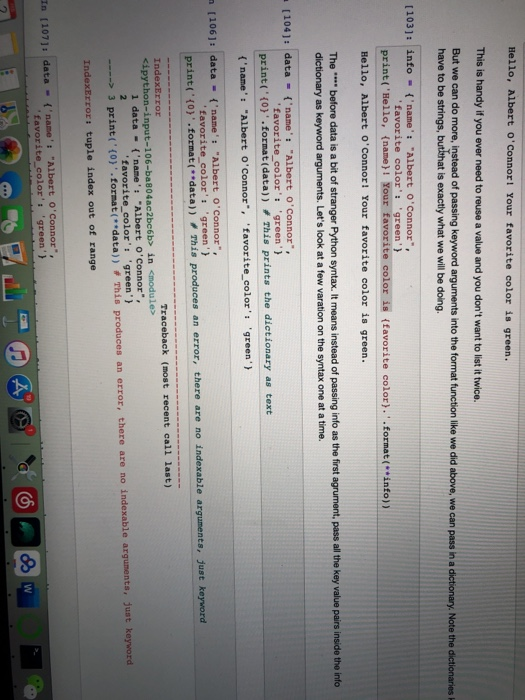
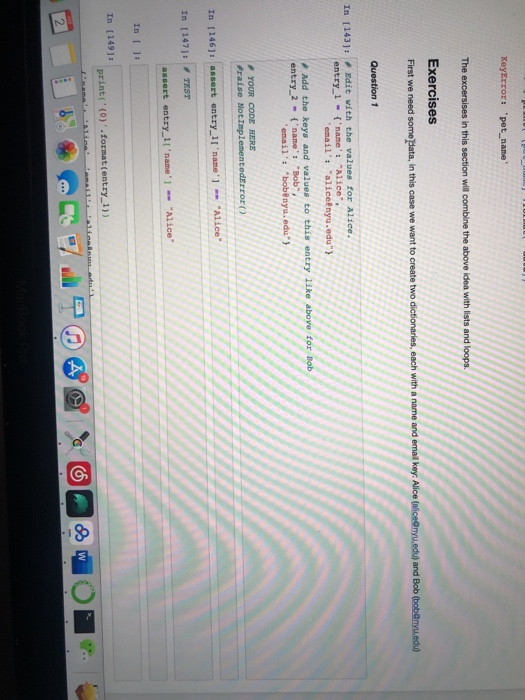
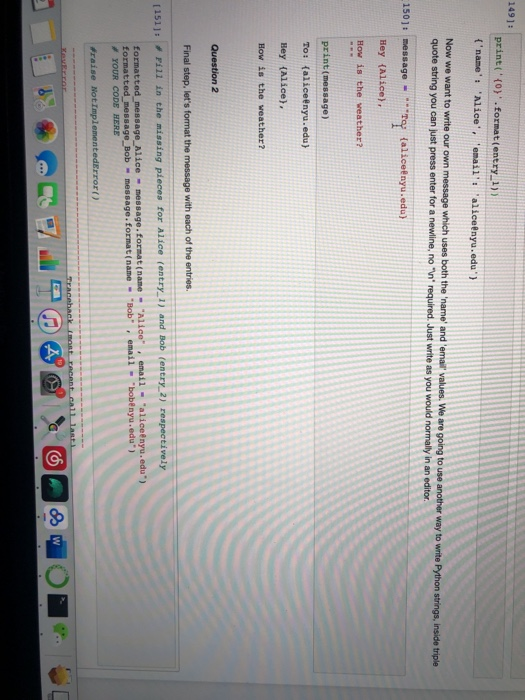
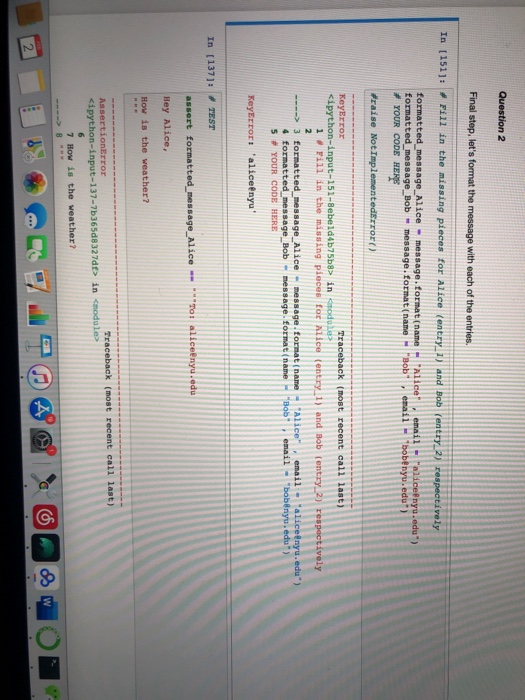
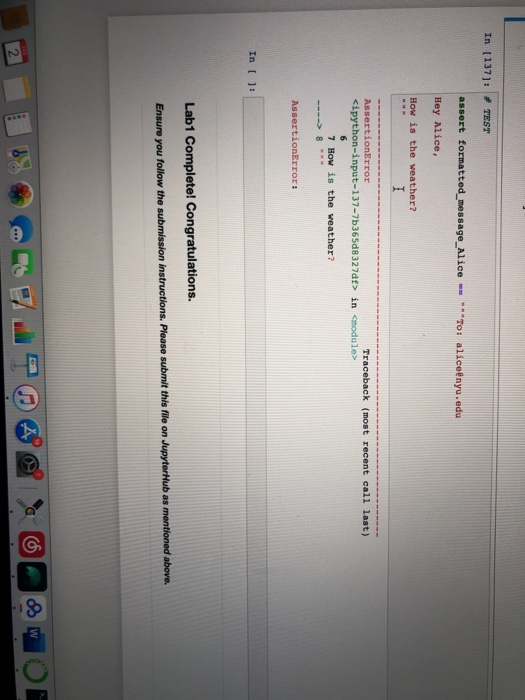
KeyError: 'pet_name The excersises in this section will combine the above idea with lists and lo Exercises First we need some data, in this case we want to create two diction name and email key: Alice (alice@nyu.edu) and Bob (bob@nyu.edu) Question 1 In [143]: Edit with the values for Alice. entry_1 - ('name': Alice 'email' "alice nyu.edu) Add the keys and values to this entry like above entry_2 = ('name': "Bob", "email': "bobenyu.edu"} YOUR CODE HERE Fraise NotImplementederror() In (146): assert entry_1['name'] - "Alice" In [147]: TEST assert entry_1['name'] - "Alice" In 1: In [149]: print('(o)'.format(entry_1)) Alle lamaibalina a 149]: print('{0}'.format(entry_1)) ('name': 'Alice', 'email': 'alice@nyu.edu) Now we want to write our own message which uses both the 'name' and 'email' values. We are going to use another way to write Python strings, inside triple quote string you can just pressenter for a newline, no n' required. Just write as you would normally in an editor 150]: message - Tey alicenyu.edu) Hey (Alice). How is the weather? print(message) To: {alice@nyu.edu) Hey (Alice), How is the weather? Question 2 Final step, let's format the message with each of the entries. 1511 l in the missing pieces for Alice (entry_1) and Bob (entry 2) respectively formatted_message_Alice - message.format(name - "Alice", email - Walice@nyu.edu) formatted_message_Bob - message.format(name - "Bob", email - "bobenyu.edu) YOUR CODE HERE raise Not ImplementedError() Traceback mont FACA CAL Question 2 Final step, let's format the message with each of the entries. IN 115111 Fill in the missing pieces for Alice (entry...) and Bob entry 2 respectively formatted_message_Alice - message, format (name formatted_message_Bob message. format(name # YOUR CODE HERE Alice email Palice nyu.edu) 'Bob email bobenyu.edu Fraise NotImplementedError() KeyError Traceback (most recent call last in codule> 1. Fill in the missing pieces for Alice (entry 1) and Bob (entry_2) respectively 3 formatted_message_Alice - message format (name 4 formatted message_Bob- message format (name 5 # YOUR CODE HERE "Alice" email - Walicefnyu.edu) "Bob" email "bobinyu.edu) KeyError: 'alice nyu' In [137]: TEST assert formatted_message_Alice To enyu.ede Hey Alice, How is the weather? AssertionError Traceback (most recent call last) in in 7 How is the weather? AssertionError: In (): Lab1 Complete! Congratulations. Ensure you follow the submission Instructions. Please submit this file on Jupyter Hub as mentioned above. Hello, Albert O'Connor! Your favorite color is green. This is handy if you ever need to reuse a value and you don't want to list it twice. But we can do more, instead of passing keyword arguments into the format function like we did above, we can pass in a dictionary. Note the dictionaries have to be strings, but that is exactly what we will be doing. [103]: info = {'name': "Albert O'Connor", 'favorite color': 'green'} print('Hello, {name} ! Your favorite color is (favorite color).'.format(**info) Hello, Albert O'Connor! Your favorite color is green. The before data is a bit of stranger Python syntax. It means instead of passing info as the first agrument, pass all the key value pairs inside the info dictionary as keyword arguments. Let's look at a few varation on the syntax one at a time. + [104]: data - ('name': "Albert O'Connor", 'favorite_color': 'green') print("{0} .format(data)). This prints the dictionary as text {'name': "Albert O'Connor', 'favorite_color': 'green'} n [106]: data - ('name': "Albert O'Connor", favorite color': 'green'} print("{0).format(data)) This produces an error, there are no indexable arguments, Just keyword IndexError Traceback (most recent call last) in 3 print('0).format(**data)). This produces an error, there are no indexable argumenta, junt keyword IndexError: tuple index out of range In [107]: data = {'name': "Albert O'Connor", favorite_color'. 'green' }

Step by Step Solution

There are 3 Steps involved in it

1 Expert Approved Answer
Step: 1 Unlock blur-text-image
Question Has Been Solved by an Expert!

Get step-by-step solutions from verified subject matter experts

Step: 2 Unlock
Step: 3 Unlock

Students Have Also Explored These Related Databases Questions!