







Question: i got this code to work in c for a project i am doing but i need it in assembly language my S file which
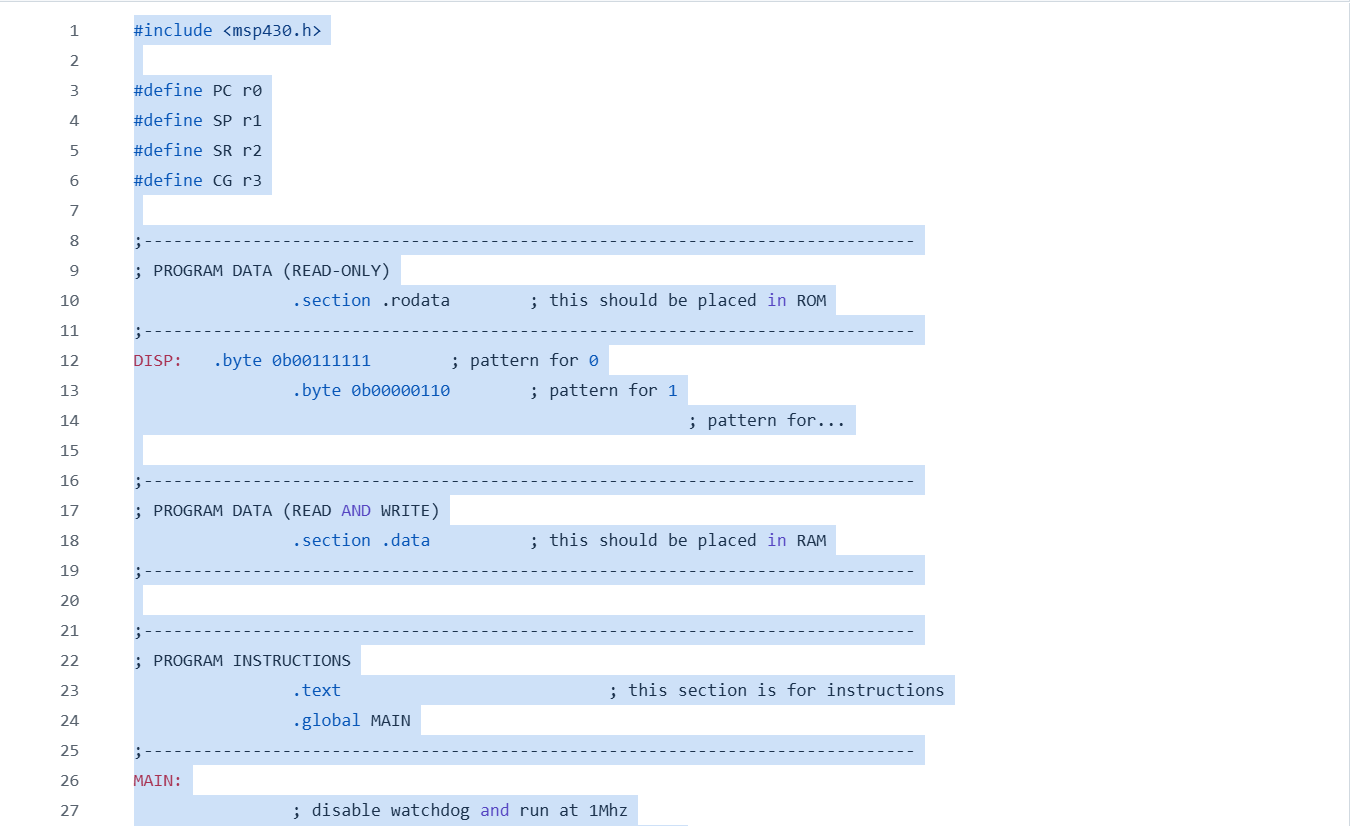
i got this code to work in c for a project i am doing but i need it in assembly language my S file which i have a start was wondering if i could get help implementing this code it works the way i want it to in C #include
const char DISP
b Digit
b Digit
b Digit
b Digit
;
volatile unsigned int mode ; Global variable to track current mode
void updateDisplayint num
POUT & ~BIT; Turn off digit select
POUT DISPnum; Output the segment pattern for the current mode
switch num
case :
POUT BIT; Select dig
break;
case :
POUT BIT; Select dig
break;
int mainvoid
Disable watchdog timer and run at MHz
WDTCTL WDTPW WDTHOLD;
BCSCTL CALBCMHZ;
DCOCTL CALDCOMHZ;
PSEL & ~BITBIT;
PSEL & ~BITBIT;
Configure LED pins
PDIR BIT; Pgreen LED as output
PDIR BIT; Pblue LED as output
PDIR BIT; Pred LED as output
Initialize segment display pins P to P
PDIR xF; Set P to P as outputs
PDIR BIT; Set P as output for digit select
Set up buttons as inputs with interrupts enabled
PDIR & ~BIT; Set P as input
PIE BIT; Enable interrupt for P
PIES BIT; Interrupt on hightolow transition button press
PIFG & ~BIT; Clear interrupt flag for P
PDIR & ~BIT; Set P as input
PIE BIT; Enable interrupt for P
PIES BIT; Interrupt on hightolow transition button press
PIFG & ~BIT; Clear interrupt flag for P
Initialize Timer for green LED Hz for mode and mode
TACTL TASSEL MC ID; SMCLK Up mode,
TACCR; Set frequency for Hz
TACCTL CCIE; Enable interrupt
Initialize Timer for blue LED Hz for mode
TACTL TASSEL MC ID; SMCLK Up mode,
TACCR; Set frequency for Hz
TACCTL CCIE; Enable interrupt
Enable global interrupts
eint;
for ;;
Display current mode on segment display
updateDisplaymode;
Blink LEDs based on mode
if mode
Mode : Turn off blue LED, red LED blinks every second execution loop
POUT & ~BIT; Turn off blue LED
POUT BIT; Toggle red LED
delaycycles; Delay for half a second
else if mode
Mode : Blink red LED every second execution loop
POUT BIT; Toggle red LED
delaycycles; Delay for half a second
else if mode
Mode : Turn off red LED
POUT & ~BIT;
else if mode
Mode : Turn off red and green LEDs
POUT & ~BIT; Turn off red LED
POUT & ~BIT; Turn off green LED
return ;
Button interrupt for mode increment
#pragma vectorPORTVECTOR
interrupt void BUTTONvoid
while BIT & PIN;
delaycycles;
mode mode ; Increment mode
PIFG & ~BIT; Clear the interrupt flag for P
Button interrupt for mode decrement
#pragma vectorPORTVECTOR
interrupt void BUTTONvoid
while BIT & PIN;
delaycycles;
mode mode ; Decrement mode
PIFG & ~BIT; Clear the interrupt flag for P
Timer interrupt green LED control in Mode and Mode
#pragma vectorTIMERAVECTOR
interrupt void TIMERvoid
static int count ;
if mode
Mode : Green LED blinks every second
POUT BIT; Toggle green LED
if mode
Mode : Green LED blinks every second
POUT BIT; Toggle green LED
Timer interrupt blue LED control in Mode
#pragma vectorTIMERAVECTOR
interrupt void TIMERvoid
if mode
Mode : Blue LED blinks every second
POUT BIT; Toggle blue LED
if mode
Mode : Blue LED blinks slower every second
POUT BIT; Toggle blue LED
Step by Step Solution
There are 3 Steps involved in it
1 Expert Approved Answer
Step: 1 Unlock

Question Has Been Solved by an Expert!
Get step-by-step solutions from verified subject matter experts
Step: 2 Unlock
Step: 3 Unlock
 Study Help