







Question: I. Goto JDoodle.com, create/register an account, click the ... button to display the Menu. Click New Project/Clear (Menu) button to the right of the blue
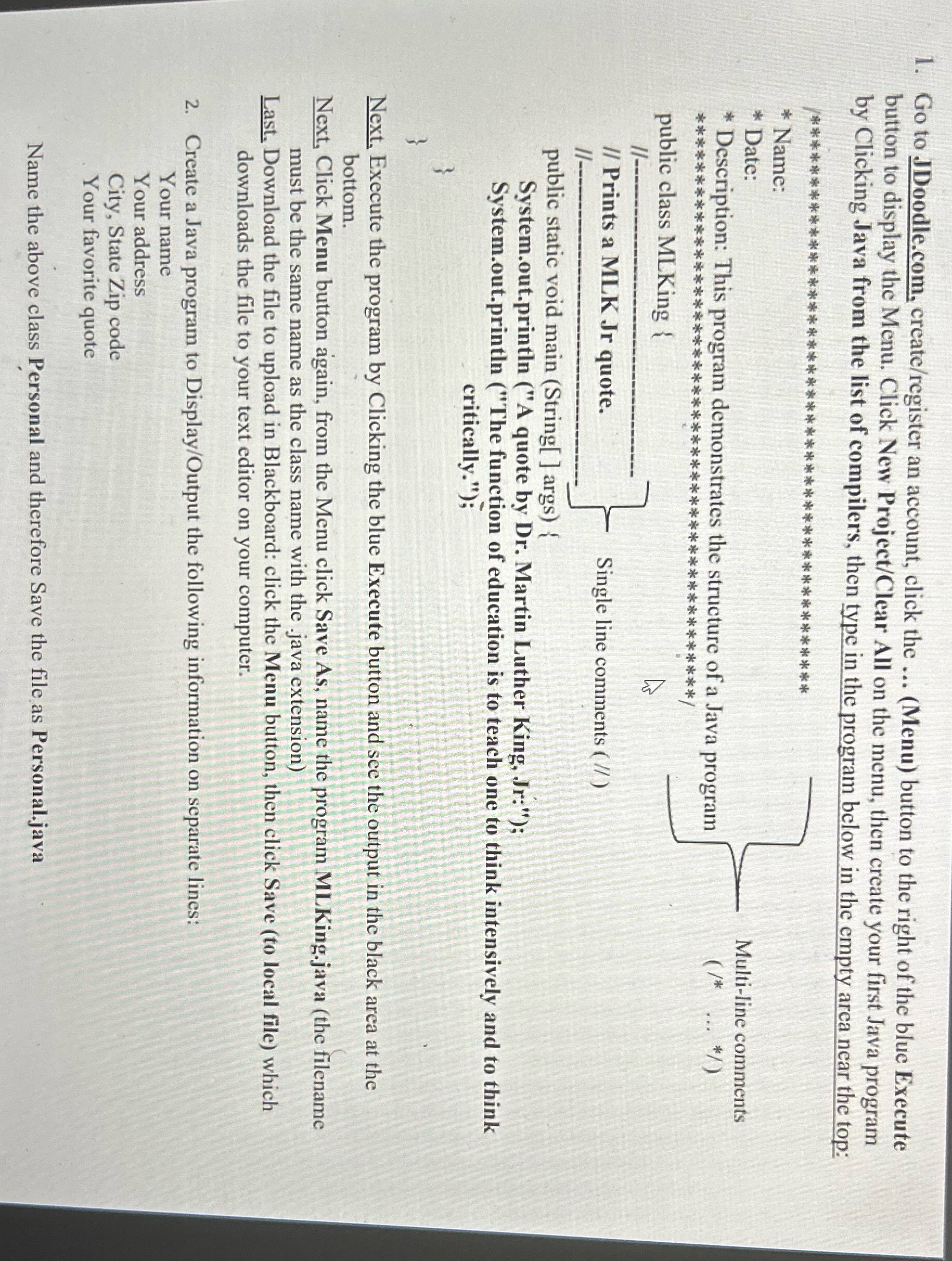
I. Goto JDoodle.com, create/register an account, click the ... button to display the Menu. Click New Project/Clear (Menu) button to the right of the blue Execute by Clicking Java from the list All on the menu, then create your first Java program of compilers, then type in the program below in the empty area near the top: _%.*******************i**%**i**%*****%*********%** | * Name: * Date: Multi-line comments * Description: This program demonstrates the structure of a J (Ut ) ava program ****************aw%**:_&.*******%******%*******\\ public class MLKing { N [ e /I Prints a MLK Jr quote. e e public static void main (String[ ] args) { System.out.println ("A quote by Dr. Martin Luther King, .:.,":v Single line comments ( /) System.out.println (" The function of education is to teach one to think intensively and to think critically."); T Next. Execute the program by Clicking the blue Execute button and sce the output in the black area at the bottom. : | b , Next, Click Menu button again, from the Menu click Save As, name the program MLKing.java (the filename must be the same name as the class name with the .java extension) ' Last. Download the file to upload in Blackboard: click the Menu button, then click Save (to local file) which downloads the file to your text editor on your computer. 2. Create a Java program to Display/Output the following information on separate lines: Y our name Y our address City, State Zip code - Your favorite quote Name the above class Personal and therefore Save the file as Personal.java
Step by Step Solution
There are 3 Steps involved in it

Get step-by-step solutions from verified subject matter experts
 Study Help