







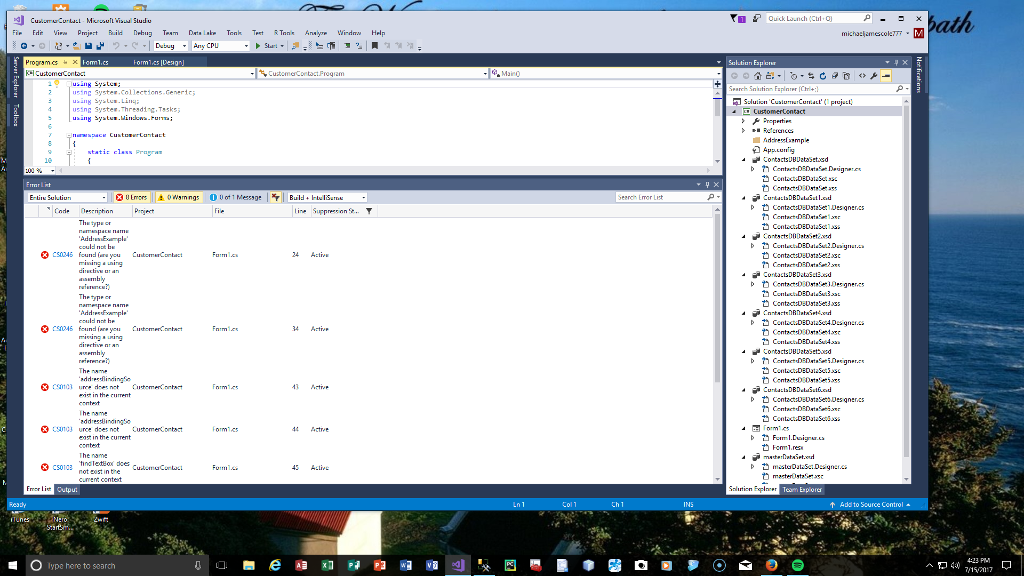
Question: I have 7 errors on this and it doesn't seem to connect to my SQL database even though I went in to VS and added
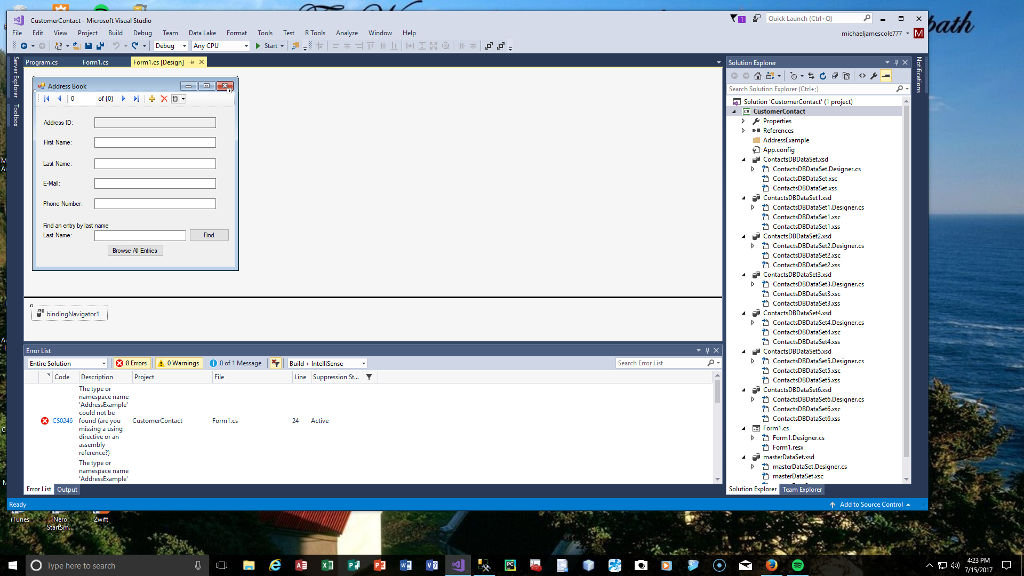
I have 7 errors on this and it doesn't seem to connect to my SQL database even though I went in to VS and added data source. It's supposed to be a web adressbook with SQL database.
using System; using System.Collections.Generic; using System.ComponentModel; using System.Data; using System.Drawing; using System.Linq; using System.Runtime.Serialization; using System.Text; using System.Threading.Tasks; using System.Windows.Forms;
namespace CustomerContact { public partial class Contacts : Form { public Contacts() { InitializeComponent(); } // End constructor
// Entity Framework DbContext private AddressExample.AddressBookEntities dbcontext = null;
// fill our addressBindingSource with all rows, ordered by name private void RefreshContacts() { // Dispose old DbContext, if any if (dbcontext != null) dbcontext.Dispose();
// create new DbContext so we can reorder records based on edits dbcontext = new AddressExample.AddressBookEntities();
//use LINQ to order the Addresses table contents by last name, then first name dbcontext.Addresses .OrderBy(entry => entry.LastName) .ThenBy(entry => entry.FirstName) .Load();
// specify DataSource for AddressBindingSource addressBindingSource.DataSource = dbcontext.Addresses.local; addressBindingSource.MoveFirst(); // go to first result findTextBox.Clear(); // clear the Find TextBox } // End method RefreshContacts
// when the form load, fill it with data from the database private void Contacts_Load( object sender, EventArgs e ) { RefreshContacts(); // fill binding with data from database } // end method Contacts_Load
// click event handler for the Save Button in the BlindNavigator saves the changes made in the data private void addressBindingNavigatorSaveItem_Click( object sender, EventArgs e ) { Validate(); // validate input fields addressBindingSource.EndEdit(); // complete current edit, if any try to save changes
try { dbcontext.SaveChanges(); // write changes to database } // end try catch ( DbEntityValidateException ) { MessageBox.Show("Columns cannot be empty, Entity Validation Exception"); } // end catch
RefreshContacts(); // change back to intial unfiltered data } // end method addressBindingNavigatorSaveItem_Click
[Serializable] private class DbEntityValidateException : Exception { public DbEntityValidateException() { }
public DbEntityValidateException(string message) : base(message) { }
public DbEntityValidateException(string message, Exception innerException) : base(message, innerException) { }
protected DbEntityValidateException(SerializationInfo info, StreamingContext context) : base(info, context) { } }
private class addressBindingSource { internal static object DataSource;
internal static void EndEdit() { throw new NotImplementedException(); }
internal static void MoveFirst() { throw new NotImplementedException(); } }
private class findTextBox { internal static void Clear() { throw new NotImplementedException(); } } } }
I got it down to three errors now:
| Severity | Code | Description | Project | File | Line | Suppression State |
| Error | CS1061 | 'object' does not contain a definition for 'OrderBy' and no extension method 'OrderBy' accepting a first argument of type 'object' could be found (are you missing a using directive or an assembly reference?) | CustomerContact |
| 40 | Active |
| Severity | Code | Description | Project | File | Line | Suppression State |
| Error | CS1061 | 'object' does not contain a definition for 'local' and no extension method 'local' accepting a first argument of type 'object' could be found (are you missing a using directive or an assembly reference?) | CustomerContact |
| 45 | Active |
| Severity | Code | Description | Project | File | Line | Suppression State |
| Error | CS0246 | The type or namespace name 'Form1' could not be found (are you missing a using directive or an assembly reference?) | CustomerContact |
| 32 | Active |
michlamscolETM E-tire Sul.tiun Team Expiorer Addto Source lype here to search
Step by Step Solution
There are 3 Steps involved in it

Get step-by-step solutions from verified subject matter experts
 Study Help