







Question: I have a program for Arduino written such that when I hold a button down, it will turn an LED off. I want to be
I have a program for Arduino written such that when I hold a button down, it will turn an LED off. I want to be able to print to the serial monitor how long the button was pressed for after I let go of the button. Does anybody have any ideas? Below is the code I have written thus far:
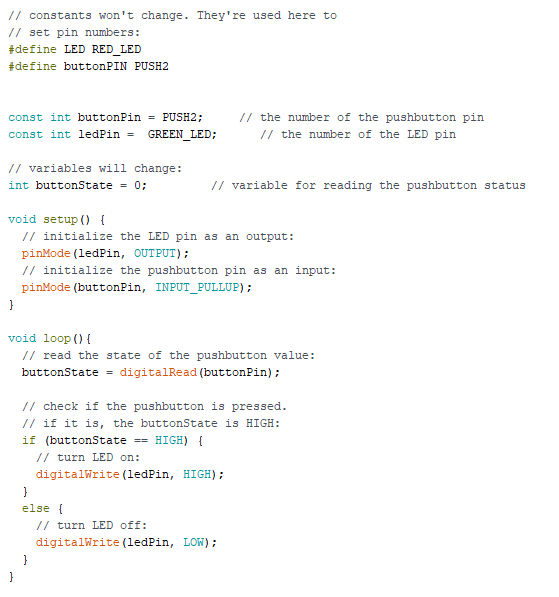
Text of Code:
#define LED RED_LED #define buttonPIN PUSH2
const int buttonPin = PUSH2; // the number of the pushbutton pin const int ledPin = GREEN_LED; // the number of the LED pin
// variables will change: int buttonState = 0; // variable for reading the pushbutton status
void setup() { // initialize the LED pin as an output: pinMode(ledPin, OUTPUT); // initialize the pushbutton pin as an input: pinMode(buttonPin, INPUT_PULLUP); }
void loop(){ // read the state of the pushbutton value: buttonState = digitalRead(buttonPin);
// check if the pushbutton is pressed. // if it is, the buttonState is HIGH: if (buttonState == HIGH) { // turn LED on: digitalWrite(ledPin, HIGH); } else { // turn LED off: digitalWrite(ledPin, LOW); } }
/I constants won't change. They're used here to // set pin numbers: define LED RED LED define buttonPIN PUSH2 const int buttonPin = PUSH2; const int ledPin GREEN LED; // the number of the pushbutton pin // the number of the LED pin /I variables will change: int buttonstate = 0; // variable for reading the pushbutton status void setup) // initialize the LED pin as an output: pinMode (ledPin, OUTPUT) // initialize the pushbutton pin as an input: pinMode (buttonPin, INPUT_PULLUP) void loop ) // read the state of the pushbutton value: buttonState digita!Read (buttonPin) ; // check if the pushbutton is pressed // if it is, the buttonState is HIGH: if (buttonStateHIGH) I turn LED on: digitalWrite (ledPin, HIGH) else /I turn LED off: digitalWrite (ledPin, LOW)
Step by Step Solution
There are 3 Steps involved in it

Get step-by-step solutions from verified subject matter experts
 Study Help