







Question: I have a project for my computer science class, and I would like help on getting this first step done. The goal for the first
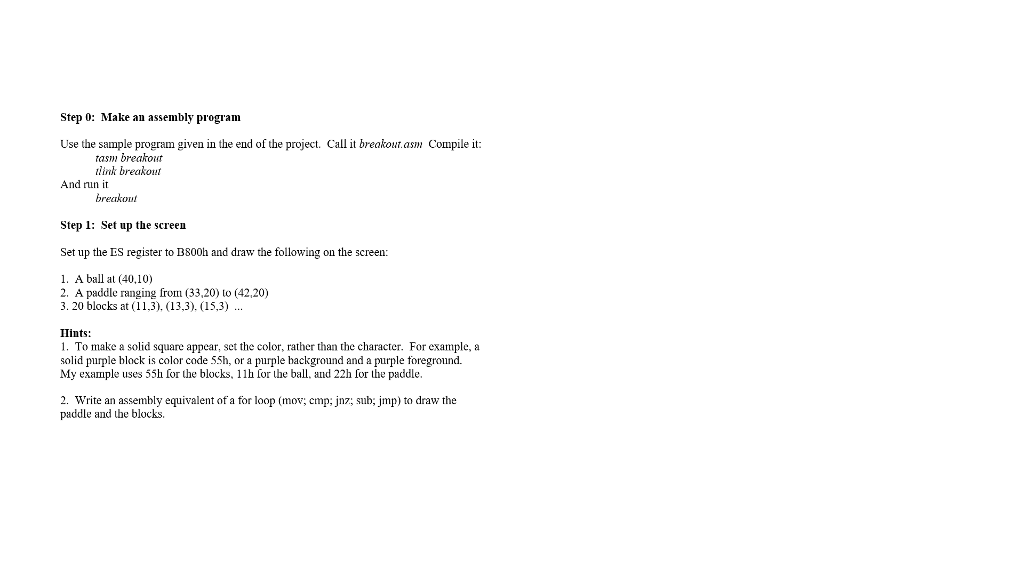
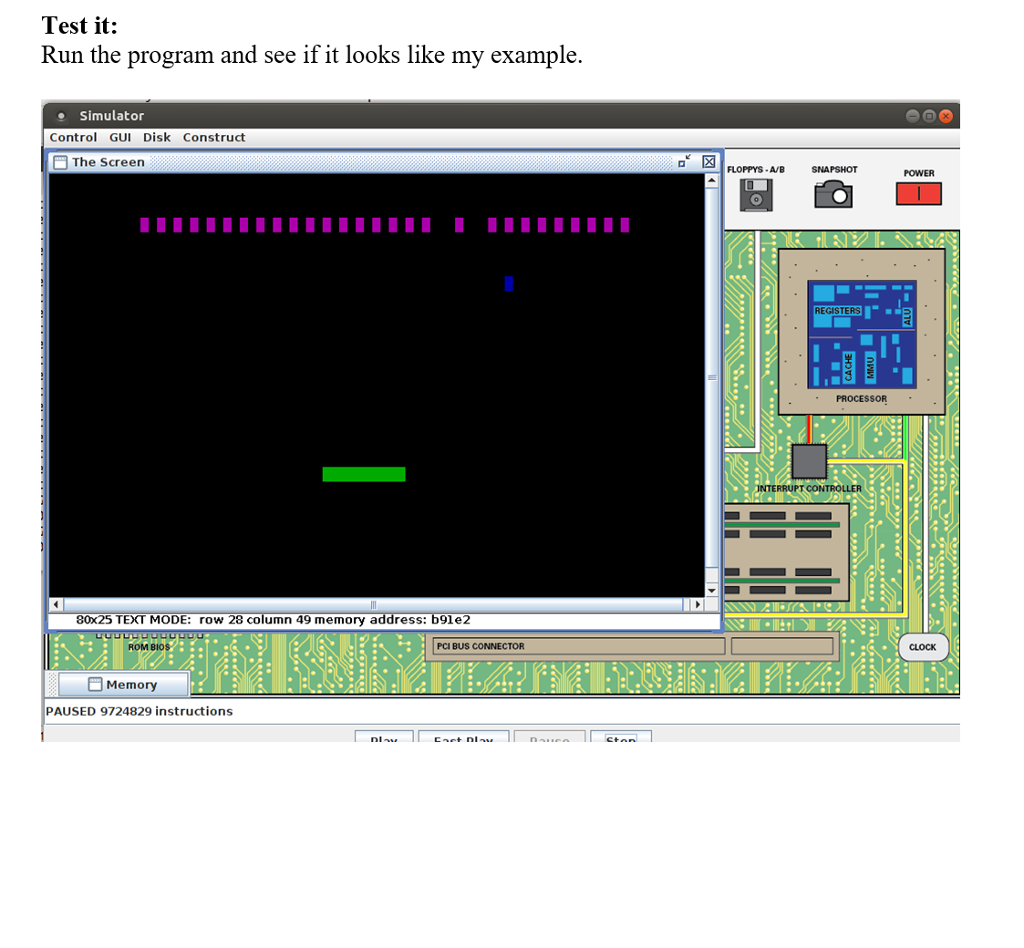

I have a project for my computer science class, and I would like help on getting this first step done. The goal for the first step is to make my screen appear as it does on the second picture. Could you also explain thoroughly on how you did it? Thanks in advance.
Step 0: Make an assembly program Use the sample program given in the end of the project. Call it breakout.asm Compile it: rasm breakout Hink breakout And run it breakout Step l: Set up the screen Set up the ES register to B800h and draw the following on the screen: 1. A ball al (40,10) 2. A paddle ranging from (33,20) to (42,20) 3.20 blocks at (??.3). (13,3), (153) IIints: 1. To make a solid square appear, set the color, rather than the character. For example, a solid purple block is color code 55h, or a purple hackground and a purple foreground. My example uses 55h for the blocks, 1lh for the ball, and 22h for the paddle 2. write an assembly equivalent of a for loop (mov, cmBJnz; sub:Jmp) to draw the paddle and the blocks. Step 0: Make an assembly program Use the sample program given in the end of the project. Call it breakout.asm Compile it: rasm breakout Hink breakout And run it breakout Step l: Set up the screen Set up the ES register to B800h and draw the following on the screen: 1. A ball al (40,10) 2. A paddle ranging from (33,20) to (42,20) 3.20 blocks at (??.3). (13,3), (153) IIints: 1. To make a solid square appear, set the color, rather than the character. For example, a solid purple block is color code 55h, or a purple hackground and a purple foreground. My example uses 55h for the blocks, 1lh for the ball, and 22h for the paddle 2. write an assembly equivalent of a for loop (mov, cmBJnz; sub:Jmp) to draw the paddle and the blocks
Step by Step Solution
There are 3 Steps involved in it

Get step-by-step solutions from verified subject matter experts
 Study Help