



Question: I Have already posted this question up earlier, please answer it all and make sure the program is running properly. Objective: The objective of this
I Have already posted this question up earlier, please answer it all and make sure the program is running properly.
Objective: The objective of this project is to practice using files of objects and gain more
experiences in developing interactive GUI using Java Swing and AWT toolkits.
Project description:
In this assignment, you are to design a Java program to record checking account transactions
and to keep track of the amount of money in your checking account. A transaction record should
include the following information:
. Transaction date, a string of characters
. Transaction type; Deposit, Automatic deposit, ATM Withdrawal, Check, or Debit Card.
. Check No., an integer
. Transaction description, a string of characters
. Amount, a floating point number
Your program should allow an user to do the following:
1. Create a new account
2. Load transactions from a file
3. Add new transactions
4. Search transactions (optional)
5. Sort transactions (optional)
6. View/Delete transactions
7. Save transactions to a file
User interface requirement:
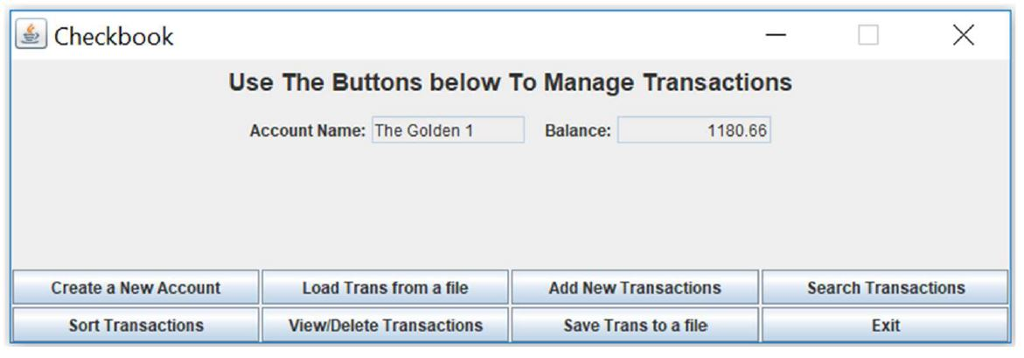
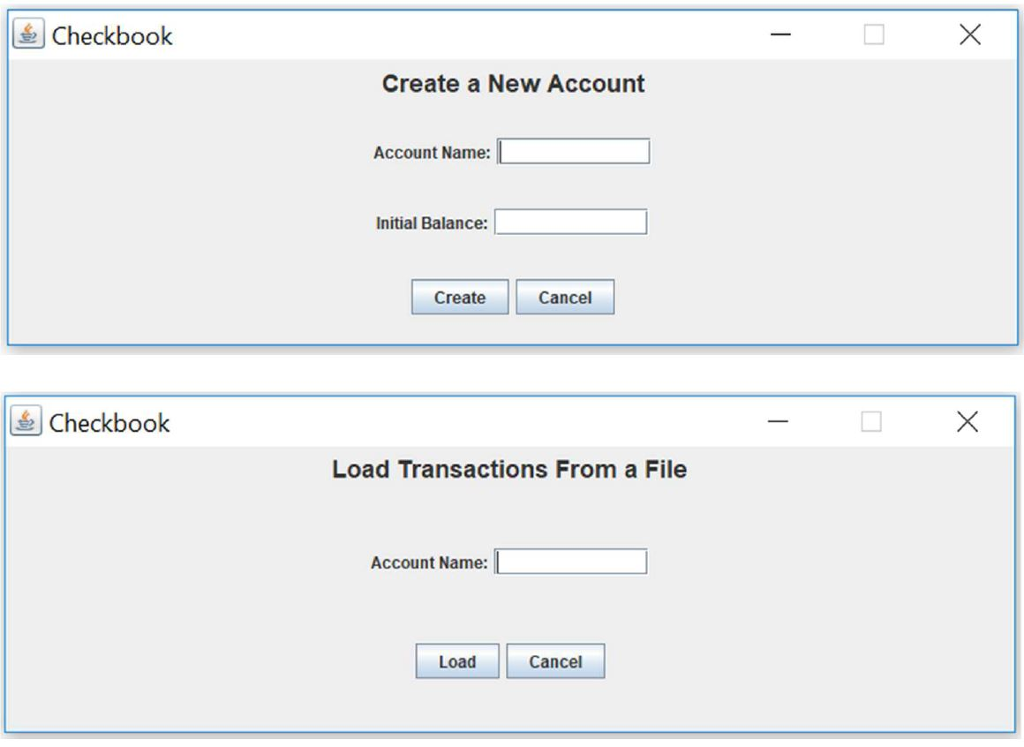
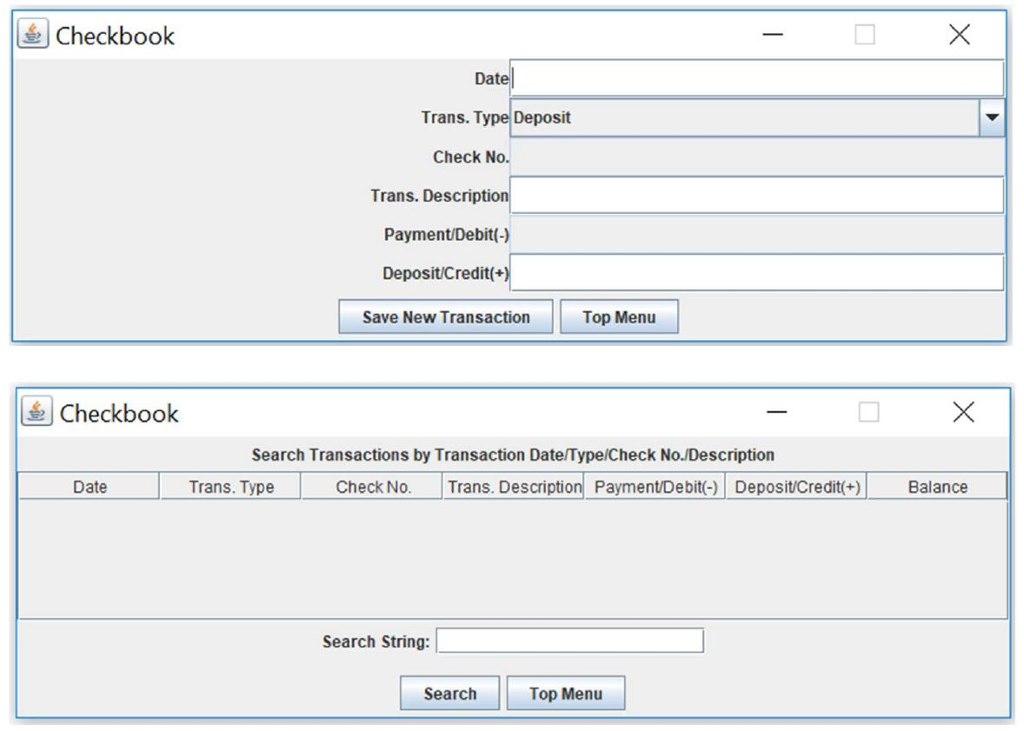
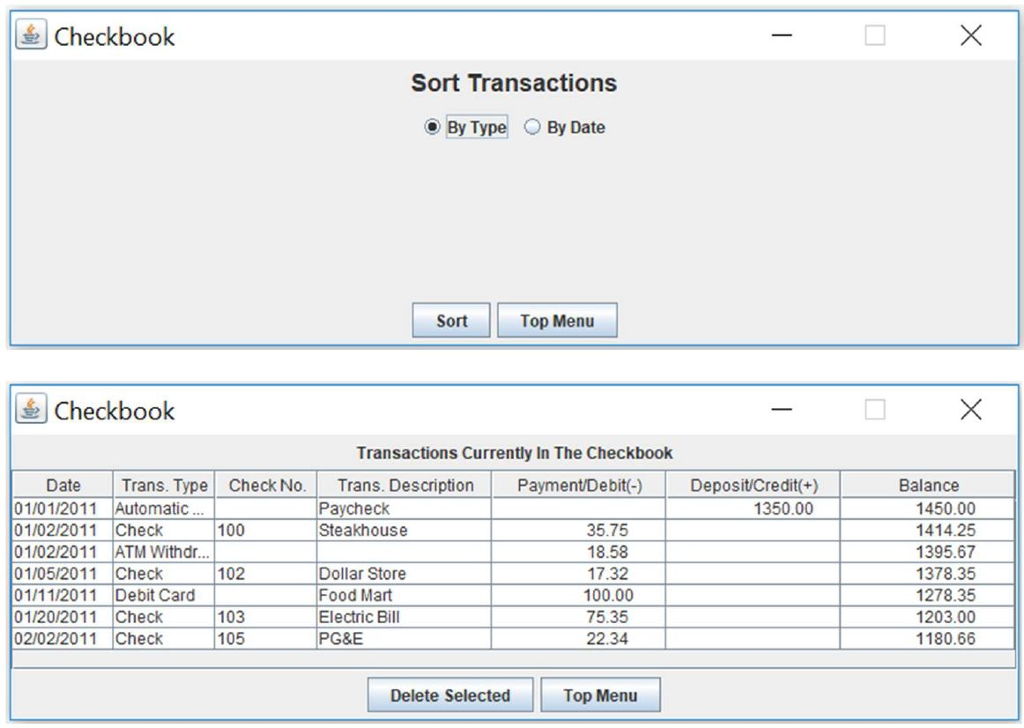
Your program should have a GUI closely similar to the following.
To submit your project:
1. A hardcopy of your Java source code.
2. Email a softcopy of your source code.
3. Demo your program on athena before 12/07/2017.
Programming hints about JLabel, JTable and JScrollPane:
1. To change the font size of a JLabel.
new JLabel(
JLabel text
);
2. Create a JScrollPane and add it to the center of the contentPane of a frame.
scrollPane = new JScrollPane();
contentPane.add(scrollPane,BorderLayout.CENTER);
3. Before display contacts.
a. Create a JTable.
JTable abtable = new JTable(data,columnName);
b. Use the JTable to create a temporary JScrollPane.
JScrollPane tmp = new JScrollPane(abtable);
c. Get the viewport from the temporary JScrollPane and add it to the original JScrollPane.
scrollPane.setViewport(tmp.getViewport());
If Checkbook Use The Buttons below To Manage Transactions Account Name: The Golden 1 Balance: 1180.66 Create a New Account Load Trans from a fileAdd New Transactions Search Transactions Sort Transactions View/Delete Transactions Save Trans to a file Exit If Checkbook Use The Buttons below To Manage Transactions Account Name: The Golden 1 Balance: 1180.66 Create a New Account Load Trans from a fileAdd New Transactions Search Transactions Sort Transactions View/Delete Transactions Save Trans to a file Exit
Step by Step Solution
There are 3 Steps involved in it

Get step-by-step solutions from verified subject matter experts