







Question: I have the following code for a python tkinter GUI event handling calendar, Unfortunately my functions are not working togethor properly, I am getting variable
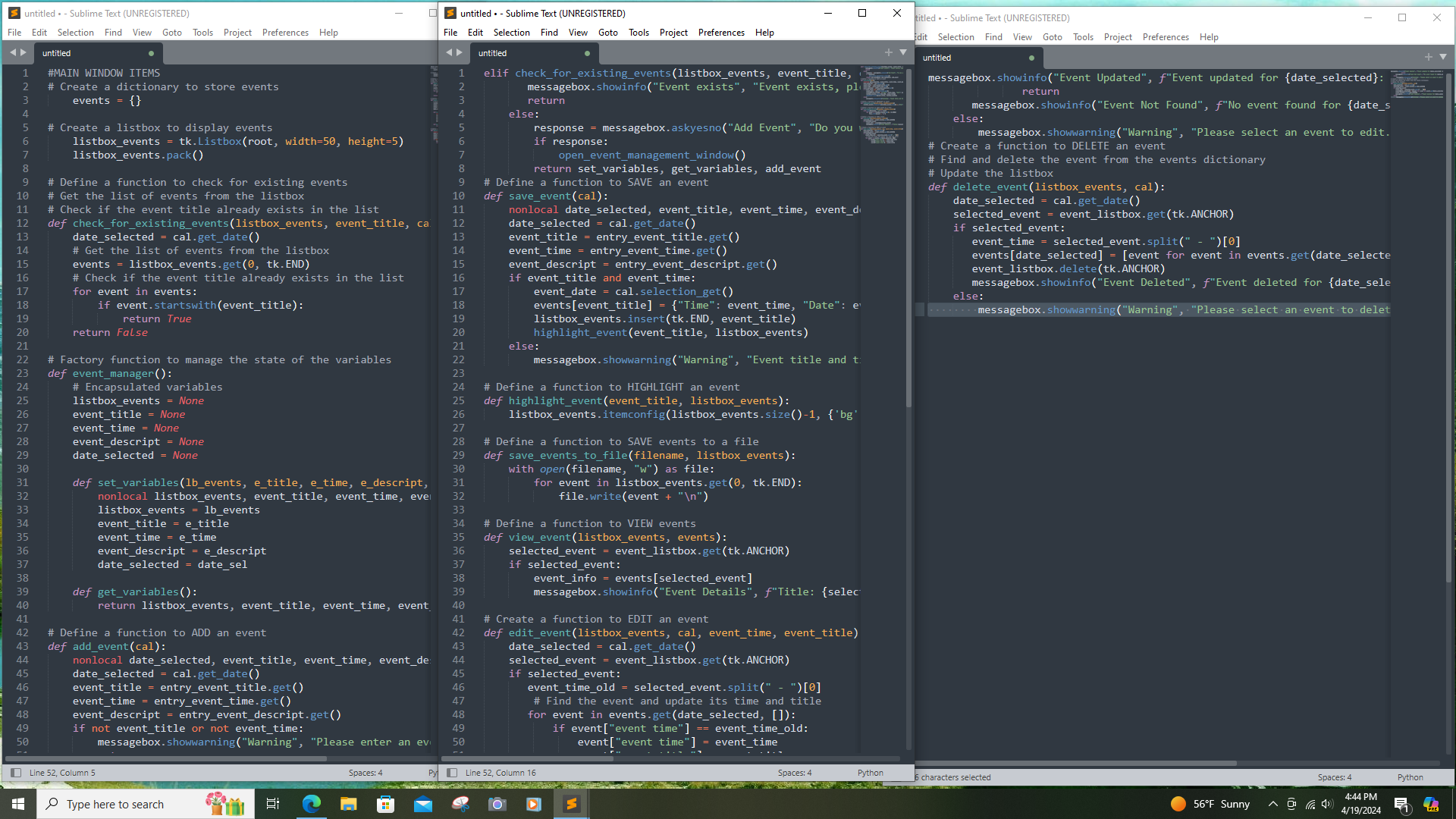
I have the following code for a python tkinter GUI event handling calendar, Unfortunately my functions are not working togethor properly, I am getting variable undefined errors and others, can you please help to fix this code so that it actually ADDS, SAVES, VIEWS, EDITS, and DELETES events when the buttons are pressed.
#MAIN WINDOW ITEMS
# Create a dictionary to store events
events
# Create a listbox to display events
listboxevents tkListboxroot width height
listboxevents.pack
# Define a function to check for existing events
# Get the list of events from the listbox
# Check if the event title already exists in the list
def checkforexistingeventslistboxevents, eventtitle, cal:
dateselected cal.getdate
# Get the list of events from the listbox
events listboxevents.get tkEND
# Check if the event title already exists in the list
for event in events:
if event.startswitheventtitle:
return True
return False
# Factory function to manage the state of the variables
def eventmanager:
# Encapsulated variables
listboxevents None
eventtitle None
eventtime None
eventdescript None
dateselected None
def setvariableslbevents, etitle, etime, edescript, datesel:
nonlocal listboxevents, eventtitle, eventtime, eventdescript, dateselected
listboxevents lbevents
eventtitle etitle
eventtime etime
eventdescript edescript
dateselected datesel
def getvariables:
return listboxevents, eventtitle, eventtime, eventdescript, dateselected
# Define a function to ADD an event
def addeventcal:
nonlocal dateselected, eventtitle, eventtime, eventdescript
dateselected cal.getdate
eventtitle entryeventtitle.get
eventtime entryeventtime.get
eventdescript entryeventdescript.get
if not eventtitle or not eventtime:
messagebox.showwarningWarning "Please enter an event title and event time."
return
elif checkforexistingeventslistboxevents, eventtitle, cal:
messagebox.showinfoEvent exists", "Event exists, please select another action."
return
else:
response messagebox.askyesnoAdd Event", Do you want to add an event?"
if response:
openeventmanagementwindow
return setvariables, getvariables, addevent
# Define a function to SAVE an event
def saveeventcal:
nonlocal dateselected, eventtitle, eventtime, eventdescript
dateselected cal.getdate
eventtitle entryeventtitle.get
eventtime entryeventtime.get
eventdescript entryeventdescript.get
if eventtitle and eventtime:
eventdate cal.selectionget
eventseventtitleTime: eventtime, "Date": eventdate, "Description": eventdescript
listboxevents.inserttkEND, eventtitle
highlighteventeventtitle, listboxevents
else:
messagebox.showwarningWarning "Event title and time cannot be empty."
# Define a function to HIGHLIGHT an event
def highlighteventeventtitle, listboxevents:
listboxevents.itemconfiglistboxevents.sizebg:'cyan'
# Define a function to SAVE events to a file
def saveeventstofilefilename listboxevents:
with openfilenamew as file:
for event in listboxevents.get tkEND:
file.writeevent
# Define a function to VIEW events
def vieweventlistboxevents, events:
selectedevent eventlistbox.gettkANCHOR
if selectedevent:
eventinfo eventsselectedevent
messagebox.showinfoEvent Details", fTitle: selectedevent
Time: eventinfoTime
Date: eventinfoDate
Description: eventinfoDescription
# Create a function to EDIT an event
def editeventlistboxevents, cal, eventtime, eventtitle:
dateselected cal.getdate
selectedevent eventlistbox.gettkANCHOR
if selectedevent:
eventtimeold selectedevent.split
# Find the event and update its time and title
for event in events.getdateselected, :
if eventevent time" eventtimeold:
eventevent time" eventtime
eventevent title" eventtitle
messagebox.showinfoEvent Updated", fEvent updated for dateselected: eventtitle at eventtime
return
messagebox.showinfoEvent Not Found", fNo event found for dateselected
else:
messagebox.showwarningWarning "Please select an event to edit."
# Create a function to DELETE an event
# Find and delete the event from the events dictionary
# Update the listbox
def deletuntitled Sublime Text UNREGISTERED
untitled
#MAIN WINDOW ITEMS # Create a dic
Step by Step Solution
There are 3 Steps involved in it
1 Expert Approved Answer
Step: 1 Unlock

Question Has Been Solved by an Expert!
Get step-by-step solutions from verified subject matter experts
Step: 2 Unlock
Step: 3 Unlock
 Study Help