







Question: I have to create a java program that generates a grid of size 12x12 with random circle and rectangular shapes with random letters. I am
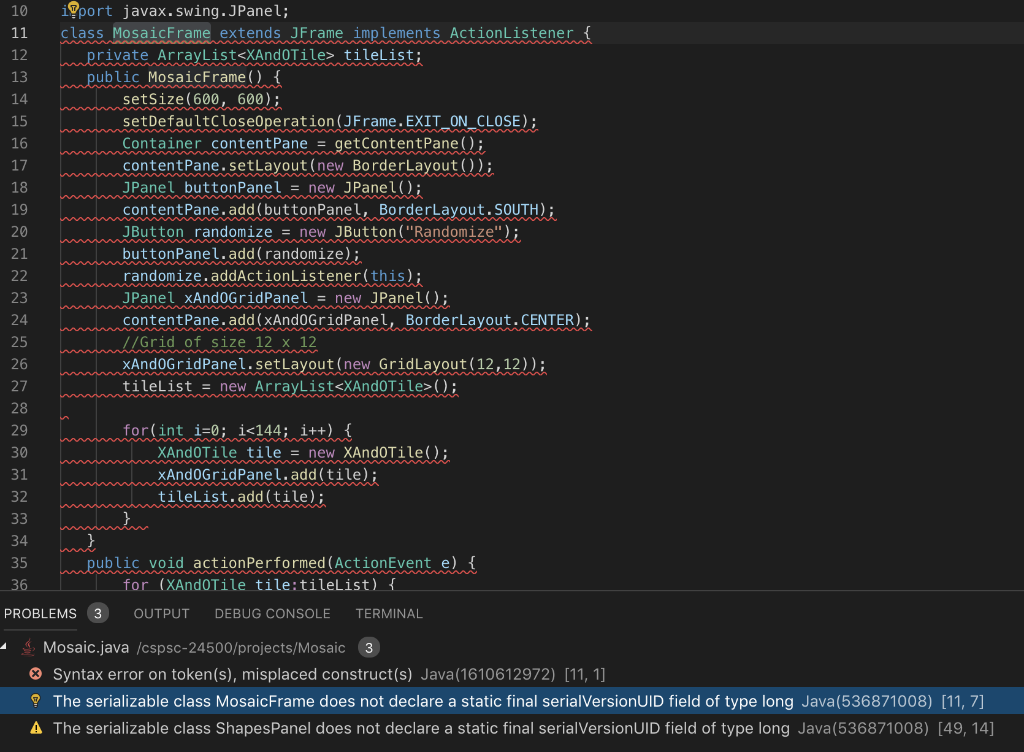 I have to create a java program that generates a grid of size 12x12 with random circle and rectangular shapes with random letters. I am almost done with the code, but I don't know what the errors are and how to fix them particularly with the Mosaic frame class and this ShapesPanel line as well as the MosaicFrame lines that do not declare a static final serialVersionUID.
(I'm putting the requirements here just in case more context is required.)
Requirements: We would like to have a colored mosaic that shows a random pattern of colored circles and squares with a random letter in the middle of the shape. Whenever the "Randomize" button is pressed, the tiles need to change at random.
Design: We will develop a Java application that provides a 12 by 12 grid of random circles and squares of random colors that includes a random letter in the middle. The resulting application should look something like:
Requirement #1: Your application must compile under the standard javac command line tools, run with the java runtime. All files need to compile and run the application must be included in the zip file that you submitted.
The name of your main Java file must be Mosaic.java, compile with the command "javac *.java", and run with the command "java Mosaic".
Requirement #2: The application should be appropriately formated and commented. It should use consistent indents, visually appealing code wrapping, concise meaningful comments, solid naming conventions, and NOT include commented out code, extra line feeds, etc.
Requirement #3: The Tile class has all necessary parameters properly declared, at least two constructors, all necessary getter and setter functions, and a toString function that return a string that shows the tile's shape, letter, and color component(s). The string should be printed to the command line each time the Tile is Randomized.
Requirement #4: At the beginning of each paint, the application should write "Start paint***" once followed by writing the toString() of each tile to the console window.
Requirement #5: the TileFrame class will need to hold two panels. One that holds the tiles and the other that holds the "Randomize" button.
Requirement #6: Each panel should be painted in the proper location with the proper letters. The letters must be centered and rendered in a color that assures that they will be visible.
Requirement #7: When the "Randomize" button is pressed (and only when the "Randomize" button is pressed), the tiles are shuffled so that a new pattern emerges.
I have tried everything I could and this is what I have at this point...
Mosaic.java (Via Visual Studio Code and generated with Terminal/PowerShell)
//MosaicFrame.java
import java.awt.BorderLayout;
import java.awt.Container;
import java.awt.GridLayout;
import java.awt.event.ActionEvent;
import java.awt.event.ActionListener;
import java.util.ArrayList;
import javax.swing.JButton;
import javax.swing.JFrame;
import javax.swing.JPanel;
class MosaicFrame extends JFrame implements ActionListener {
private ArrayList tileList;
public MosaicFrame() {
setSize(600, 600);
setDefaultCloseOperation(JFrame.EXIT_ON_CLOSE);
Container contentPane = getContentPane();
contentPane.setLayout(new BorderLayout());
JPanel buttonPanel = new JPanel();
contentPane.add(buttonPanel, BorderLayout.SOUTH);
JButton randomize = new JButton("Randomize");
buttonPanel.add(randomize);
randomize.addActionListener(this);
JPanel xAndOGridPanel = new JPanel();
contentPane.add(xAndOGridPanel, BorderLayout.CENTER);
//Grid of size 12 x 12
xAndOGridPanel.setLayout(new GridLayout(12,12));
tileList = new ArrayList();
for(int i=0; i
XAndOTile tile = new XAndOTile();
xAndOGridPanel.add(tile);
tileList.add(tile);
}
}
public void actionPerformed(ActionEvent e) {
for (XAndOTile tile:tileList) {
tile.SetRandomValue();
}
repaint();
}
}//end of the class,MosaicFrame
//ShapesPanel.java
import javax.swing.JPanel;
import java.awt.Graphics;
import java.awt.Color;
import java.awt.Font;
import java.util.Random;
public class ShapesPanel extends JPanel {
private int red, green, blue;
private String letter;
ShapesPanel() {
super();
SetRandomValue();
}
final public void SetRandomValue() {
red = GetNumberBetween(0,255);
green = GetNumberBetween(0,255);
blue = GetNumberBetween(0,255);
}
public void paintComponent(Graphics g) {
super.paintComponent(g);
int panelWidth = getWidth();
int panelHeight = getHeight();
g.setColor(new Color(red,green,blue));
//Fill rect if 1 otherwise fill circle
if (GetNumberBetween(0,1) == 1)
g.fillRect(10, 10, panelWidth-20, panelHeight-20);
else
g.fillOval(10, 10, panelWidth-20, panelHeight-20);
g.setColor(new Color(GetContrastingColor(red),GetContrastingColor(green),GetContrastingColor(blue)));
final int fontSize=18;
g.setColor(Color.black);
g.setFont(new Font("TimesRoman", Font.PLAIN, fontSize));
int stringX = (panelWidth/2)-10;
int stringY = (panelWidth/2)+5;
//Get random capital letters from A to Z
g.drawString(String.valueOf(GetNumberBetween(65,90))
,stringX,stringY);
}
private static int GetContrastingColor(int colorIn) {
return ((colorIn+128)%256);
}
private static char GetNumberBetween(int min, int max) {
Random myRandom = new Random();
return (char)(min + myRandom.nextInt(max-min+1));
}
}
public class Mosaic {
public static void main(String[] args) {
MosaicFrame myMosaicFrame = new MosaicFrame();
myMosaicFrame.setVisible(true);
}
}//end of the class ,Mosaic
These are the errors I have right now:
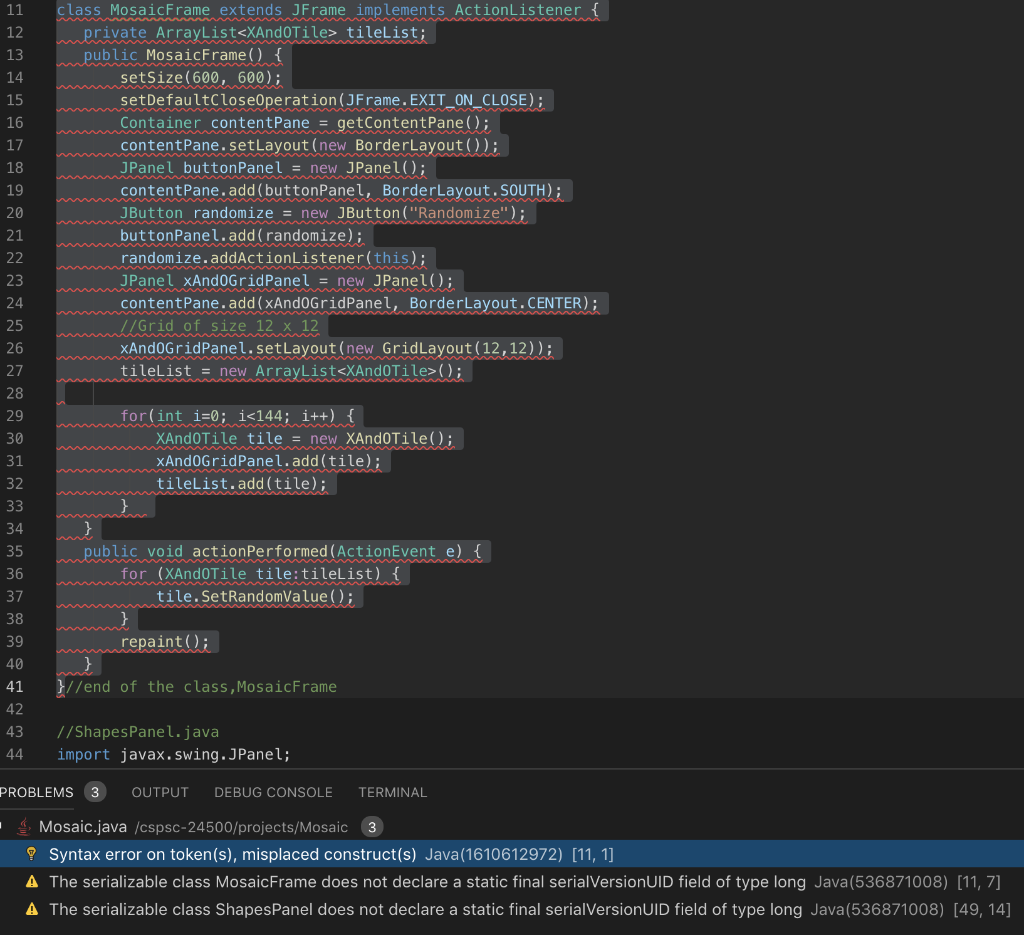
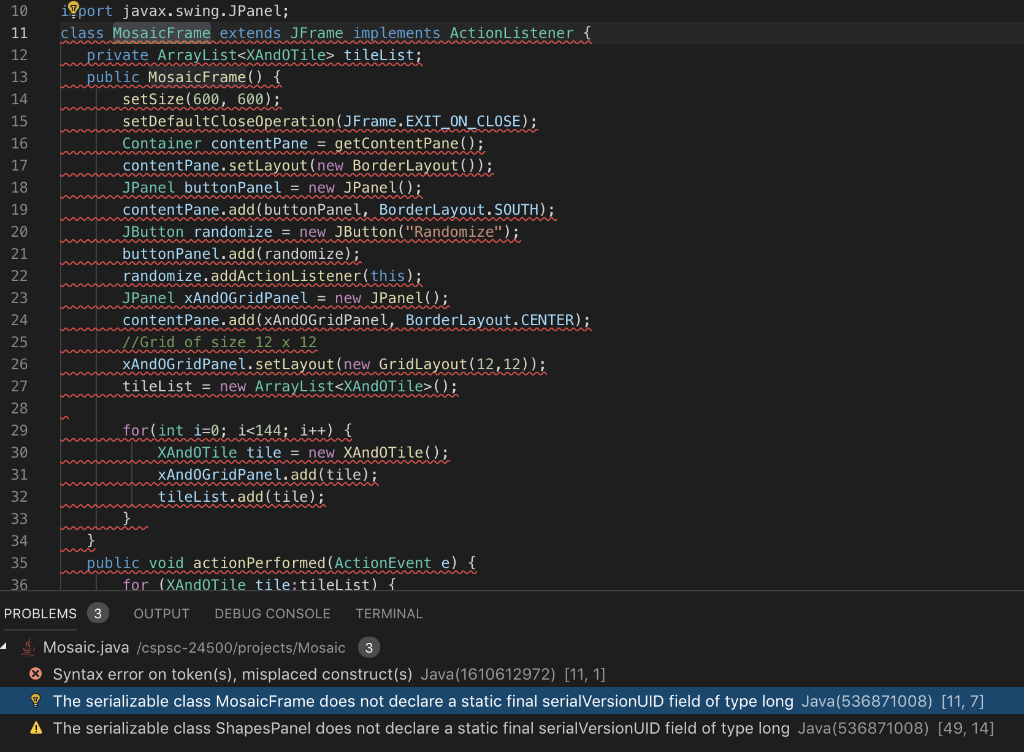

10 port javax.swing. JPanel; 11 class MosaicFrame extends JFrame implements ActionListener rivate ArrayListeXAnd0Tile> tleList; ublic MosaicFrame 13 14 15 16 17 18 19 20 setSize (600. 600): setDefaultClose0peration (JFrame. EXIT ON CLOSE; Container contentPanegetContentPaneO; contentPane.setLayout (new BorderLayout )); JPanel buttonPanel new JPanel(); contentPane.add(buttonPanel, BorderLayout.SOUTH) JButton randomize new JButton ("Randomize"); buttonPanel.add (randomize); randomize.addActionListener(this); JPanel xAnd0GridPanelnew JPanel(); contentPane.add (xAnd0GridPanel, BorderLayout.CENTER); 23 24 25 26 27 28 29 30 31 32 Grid of size 12 x 12 xAnd0GridPanel.setLayout (new GridLayout (12,12)) tileList new ArrayList
Step by Step Solution
There are 3 Steps involved in it

Get step-by-step solutions from verified subject matter experts
 Study Help