







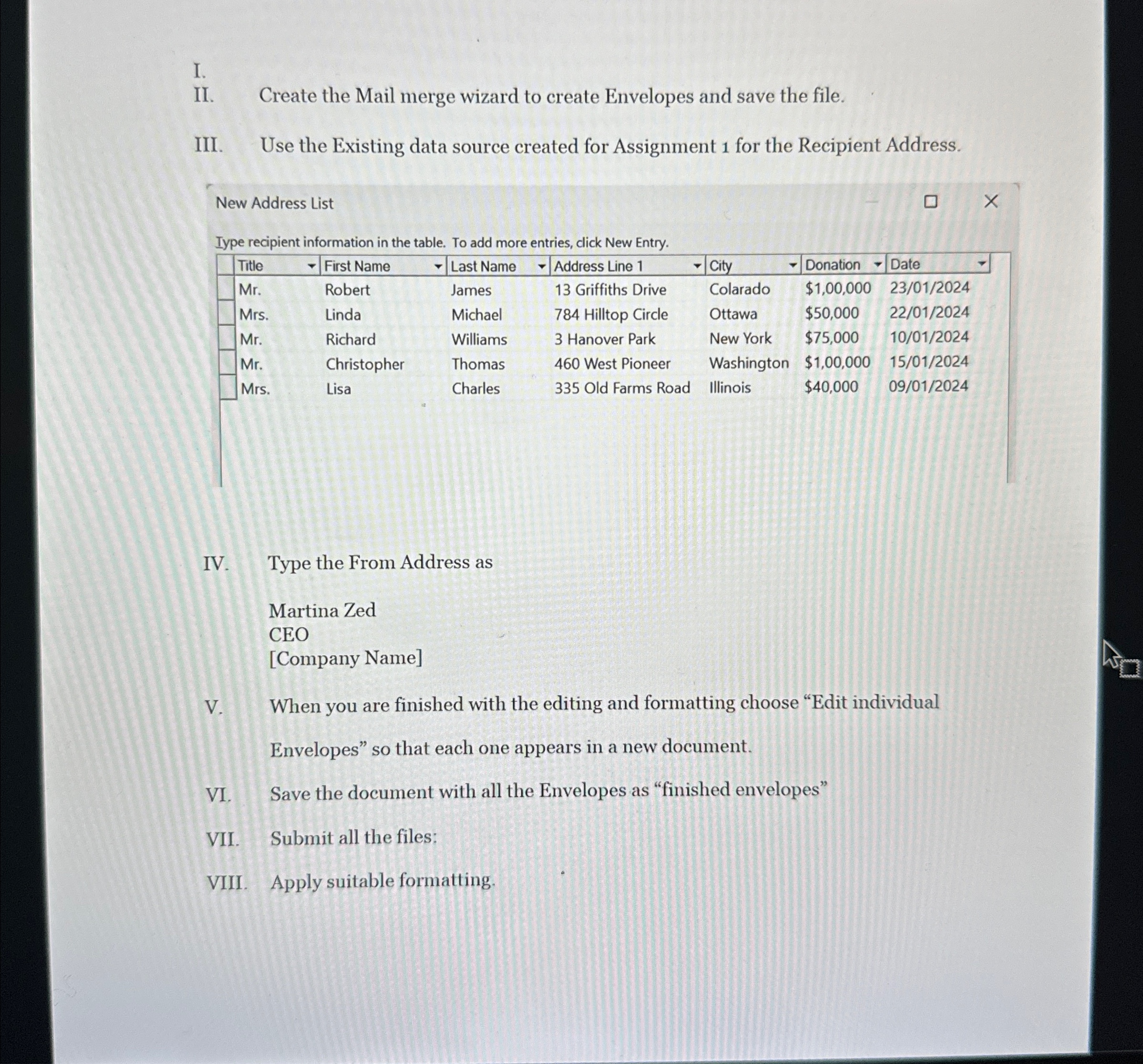
Question: I. II . Create the Mail merge wizard to create Envelopes and save the file. III. Use the Existing data source created for Assignment 1
I.
II Create the Mail merge wizard to create Envelopes and save the file.
III. Use the Existing data source created for Assignment for the Recipient Address.
New Address List
Iype recipient information in the table. To add more entries, click New Entry.
tableTitletableFirst NameLast Name, Address Line City,Donation,DateMrRobert,James, Griffiths Drive,Colarado,$
Step by Step Solution
There are 3 Steps involved in it
1 Expert Approved Answer
Step: 1 Unlock

Question Has Been Solved by an Expert!
Get step-by-step solutions from verified subject matter experts
Step: 2 Unlock
Step: 3 Unlock
 Study Help